
From opening an account to trading and deposits and withdrawals, everything you need to know about trading is available in the app.
Our in-house developed app, "IS6FX Trading Platform," is a one-stop shop for user registration, KYC, fund management, inter-account transfers, orders and payments, point utilization, economic indicator calendars, and inquiries. It provides a simple experience without the need for external apps.
For iOS, you can use it via AltStore.
For instructions on how to use it, please check the user manual.
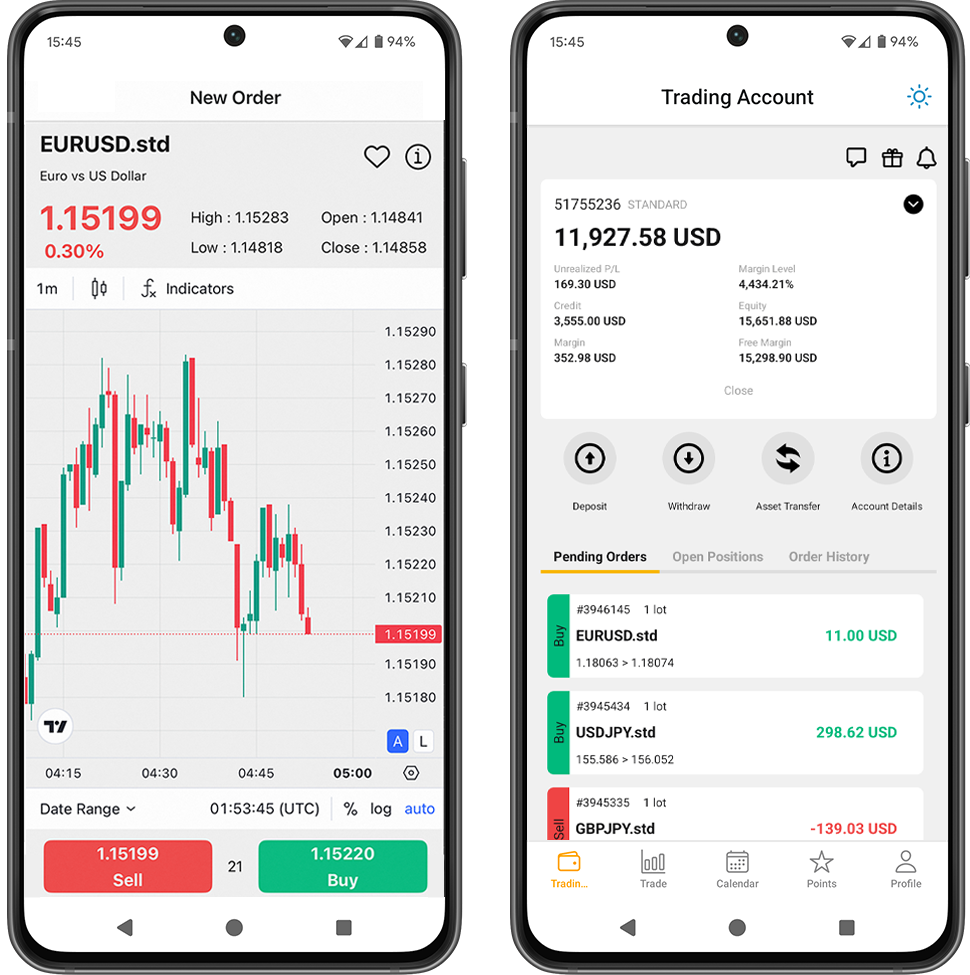
Six functions to complete the process with just the app
The navigation is designed so that you can access registration, KYC, transactions, funds, points, calendar, and inquiries with just one tap.
Trade
Trade comfortably with real-time rates and an easy-to-read UI.
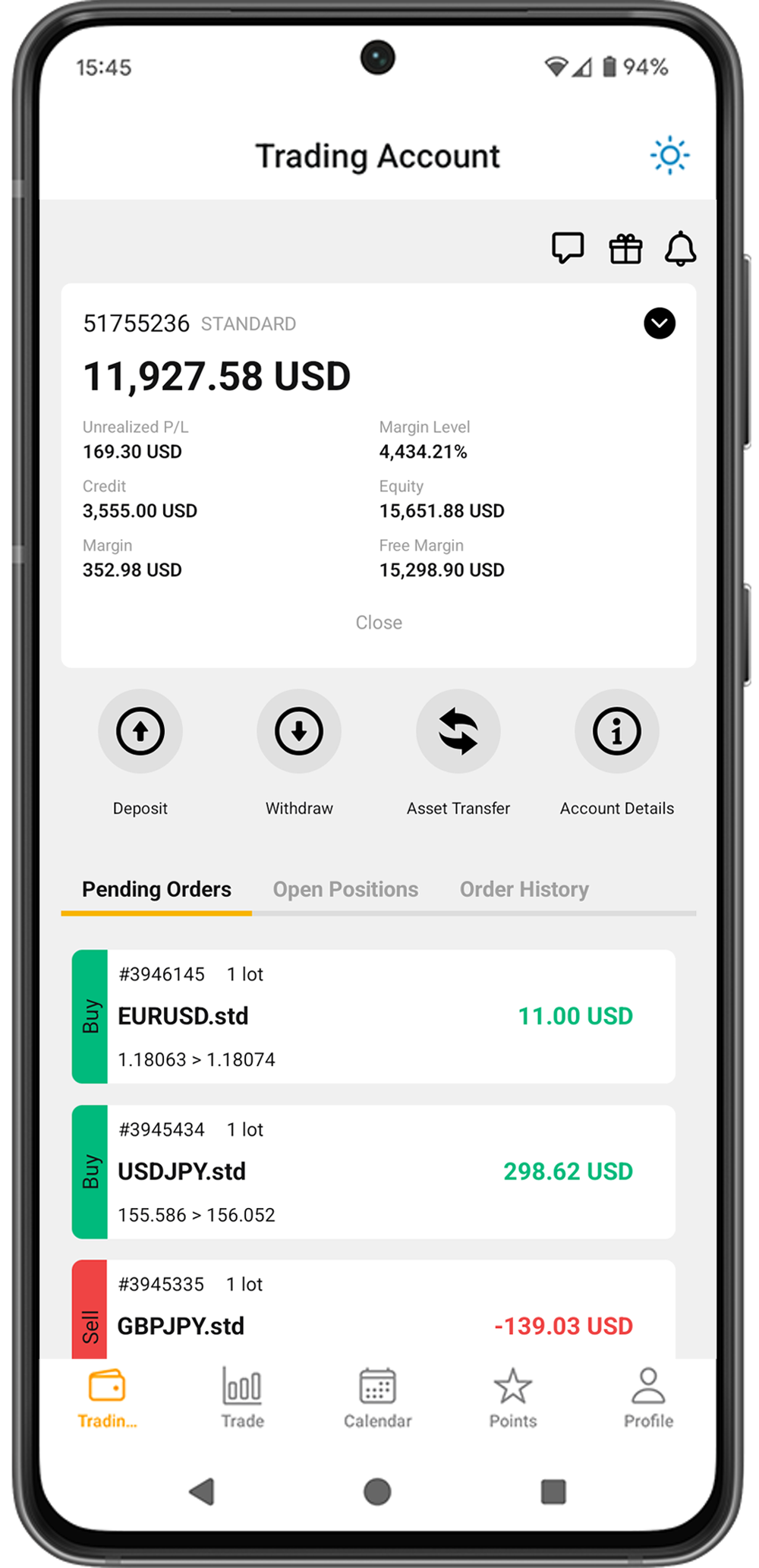
Fund management
Deposits, withdrawals, and transfers between accounts can all be completed safely within the app.
Opening an Account・KYC
User registration, document submission, and facial recognition can all be completed through the app.
IS6 Points
Exchange for cash or bonuses. Check your history and balance.
Economic Calendar
Listed by country and importance. Information viewing function available only on the app.
Inquiry
If you encounter any problems, contact support directly from the app.
Trade on the app and start right away
Orders and settlements can be made directly within the app without using MT4/MT5. The UI is easy to understand even for beginners.
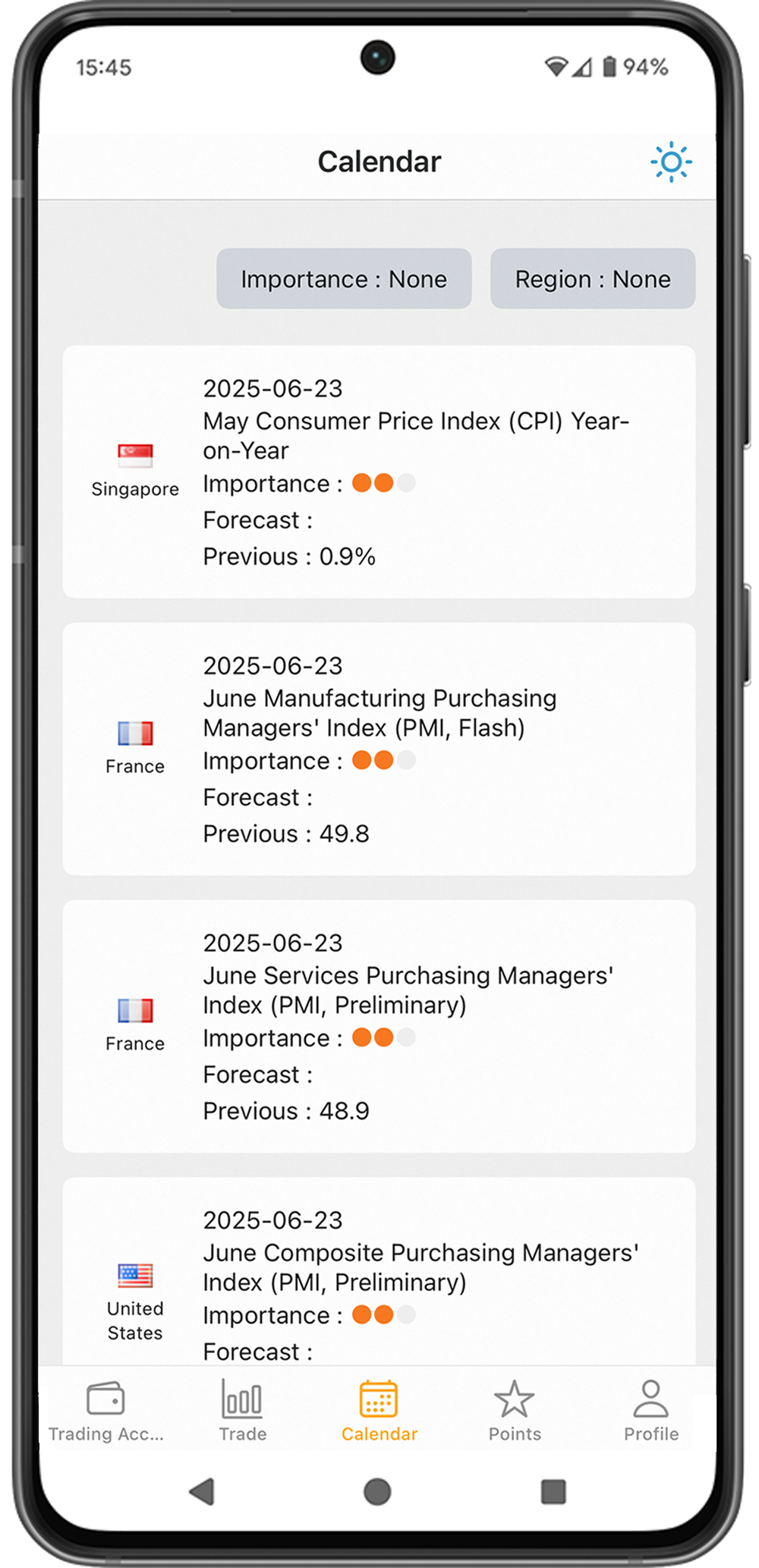
Never miss an opportunity with the economic calendar
Displays a list of major economic events by country and importance to help you make trading decisions.
Get more value from your transactions with IS Points
Points can also be exchanged for cash or bonuses within the app.
Contact us immediately through the app
Contact the support team directly and smoothly resolve deposits, withdrawals and KYC issues.
App FAQ
Can I trade without MT4/MT5?
Using the transaction function within this app, you can log in to your account and place orders and make payments right away.
From which screen do I make deposits, withdrawals, and transfer funds?
You can perform these operations from the Deposit, Withdrawal, and Fund Transfer icons in the "Trading Account" tab.
How can I make an inquiry?
You can do this from the speech bubble icon in the top right corner of the "Trading Account" tab.
Can I open a new account and complete the KYC process within the app?
Within the app, you can complete all the steps from opening a new account, registering information, submitting required documents, facial recognition, and completing approval.
Can I add an account through the app?
Yes. Tap the black down arrow in the top right corner of the "Trading Account" screen, and the yellow "Add Account" button will appear.
Can I cancel my account from the app?
Yes. On the "Trading Accounts" screen, select the account you want to cancel and tap "Account Details" in the center-right corner of the screen.
Scroll to the bottom of the account details page and you will see a yellow "Cancel Account" button, where you can proceed.
Can I get IS6 points if I use the app?
Yes. IS6 points will be awarded automatically when you log in to the app or make transactions within the app.
You can also exchange points for products, bonuses, and cash from within the app, and you can also use them to spin the bonus ticket gacha.
*Points can only be awarded once per day when logging in, and you can only earn points once if you log in via browser or app.
Can I change the email address I registered on the app?
Yes, you can change your email address and phone number within the app.
You can do so by going to "Profile" → "User Information."
*Your login ID is your registered email address.
If you change your email address, your login ID will also change at the same time.
Can I use the friend referral feature within the app?
Yes, you can.
You can access it by going to "Profile" → "Friend Referrals".
You can also create a "Friend Invite Link" and "Send an Invite Email to a Friend".
You can also check the status of your referrals on the "Friend Referral History" page.
Download now for a complete app-based trading experience.
For iOS, you can use it via AltStore.
For instructions on how to use it, please check the user manual.