About Installing AltStore PAL (the IS6FX App)
To use the IS6FX app on your iPhone, you need to install it using the third-party app store "AltStore PAL".
In this manual, we explain the process with images in the following 3 steps so that even first-time users can proceed without getting lost.
① Install AltStore PAL
② Change the device's age restriction (only if you cannot install)
③ Install the IS6FX app from AltStore PAL
① How to Install AltStore PAL
First, install the AltStore PAL app itself from the download page below.
Download page URL:https://altstore.io/
(1) Open the download page.
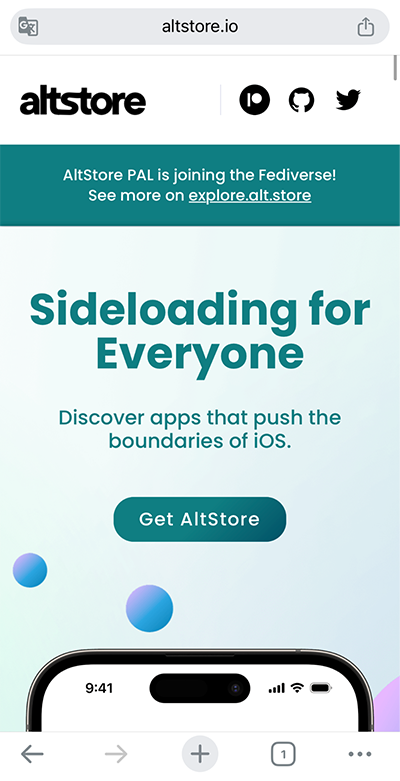
(2) Install "AltStore PAL" on the download page.
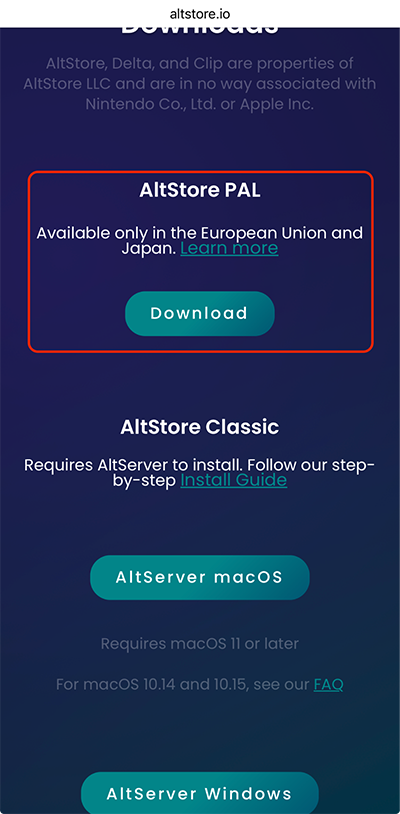
(3) Since installation permission is required, open "Settings".
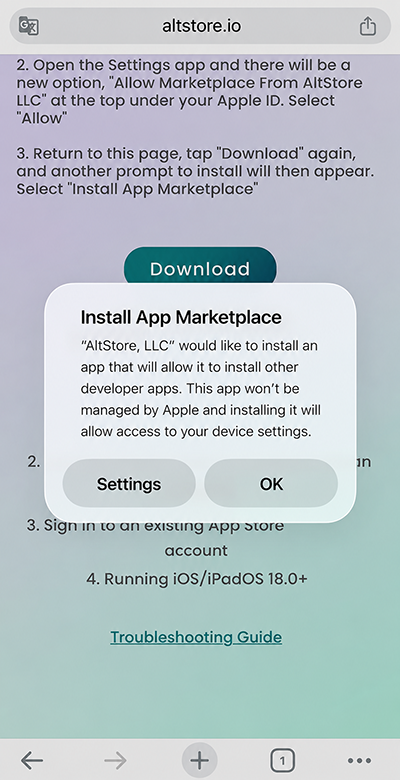
(4) Tap "App Installation Management".
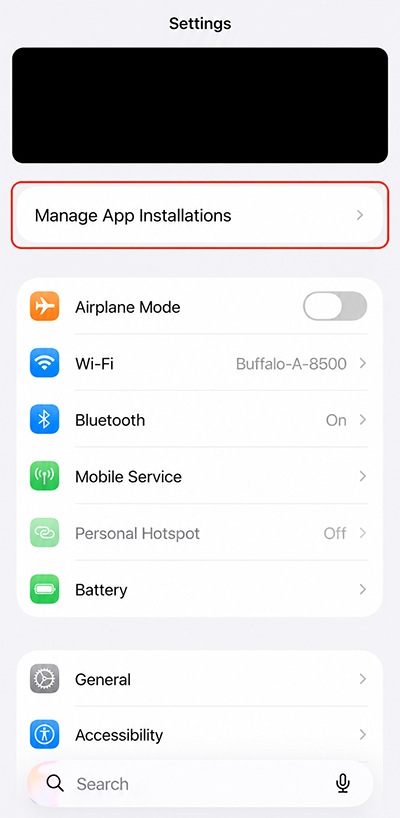
(5) Tap "Allow" and install AltStore PAL.
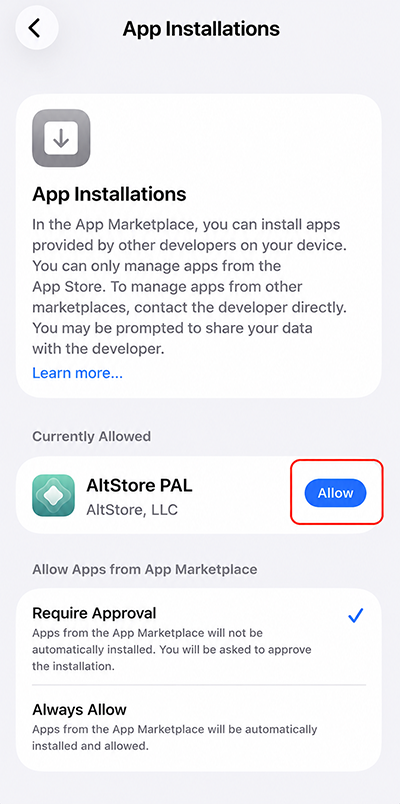
※ Depending on the app's age restriction settings, installation may not be possible.
In that case, change the setting to "Unrated" in the next step "② Change the device's age restriction" and then try again.
② Change the Device's Age Restriction (When You Cannot Install)
If you cannot install due to the age restriction, change the restriction to "Unrated" following the steps below.
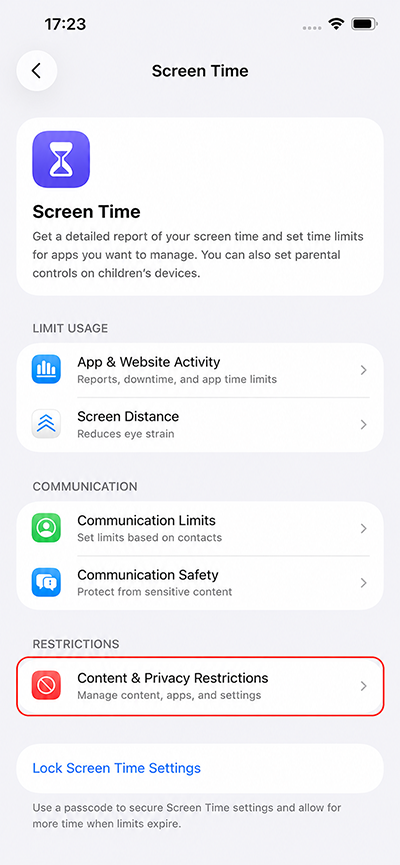
(1) Select "Screen Time" from "Settings".
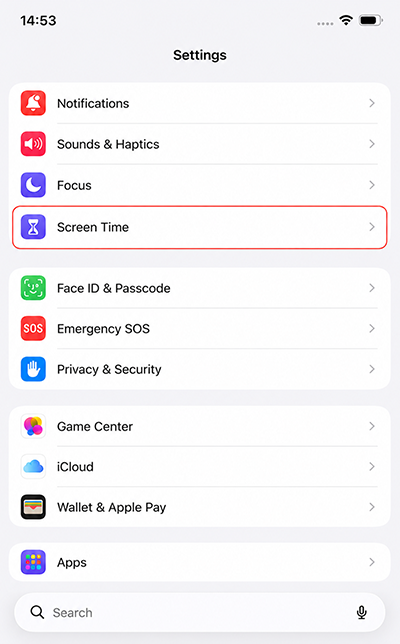
(2) Select "Content & Privacy Restrictions".
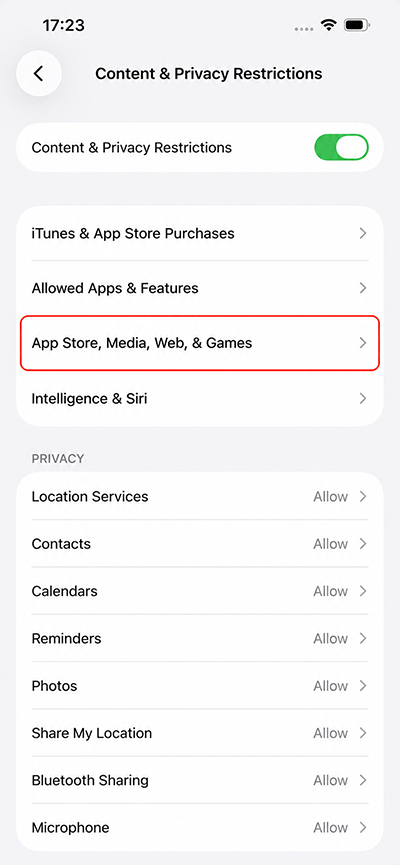
(3) Select "App Store, Media, Web, & Games".
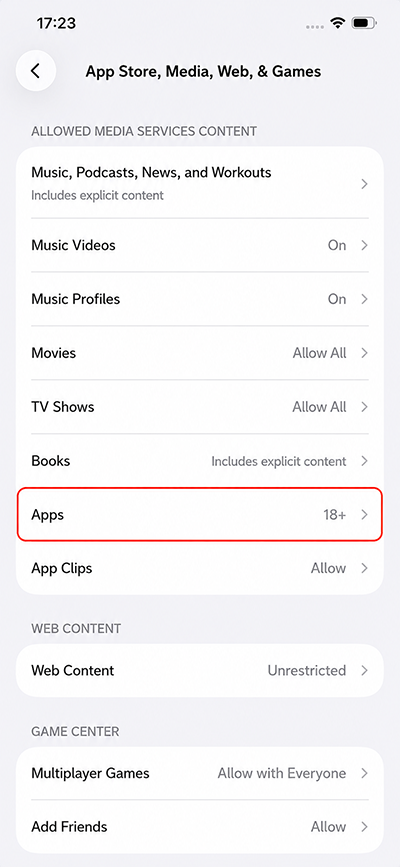
(4) Select "Apps".
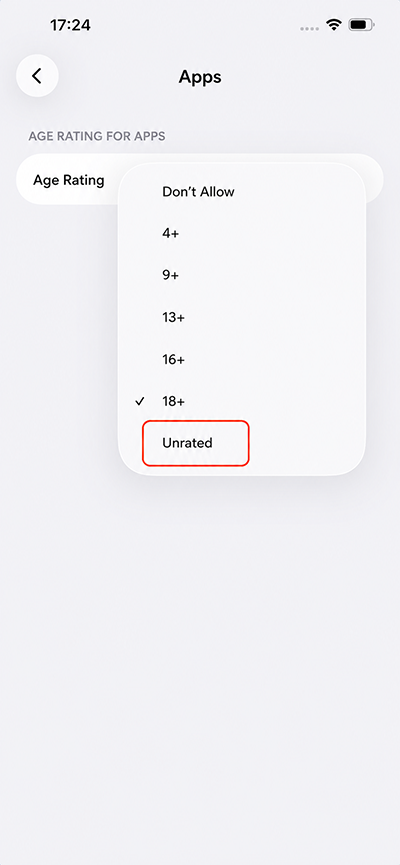
(5) Select "Unrated" and install the app again.
③ How to Install the IS6FX App from AltStore PAL
Once the installation of AltStore PAL is complete, add the IS6FX source and install the app.
You can copy the URL by clicking or tapping the URL below.
Source URL:
https://is6-app-distribution.s3.ap-northeast-1.amazonaws.com/altstore-source.json
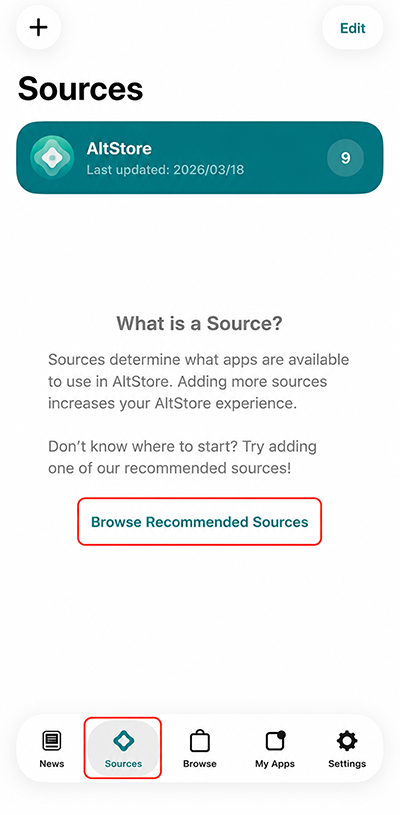
(1) Select the "Sources" tab in AltStore PAL and tap "Show Recommended Sources".
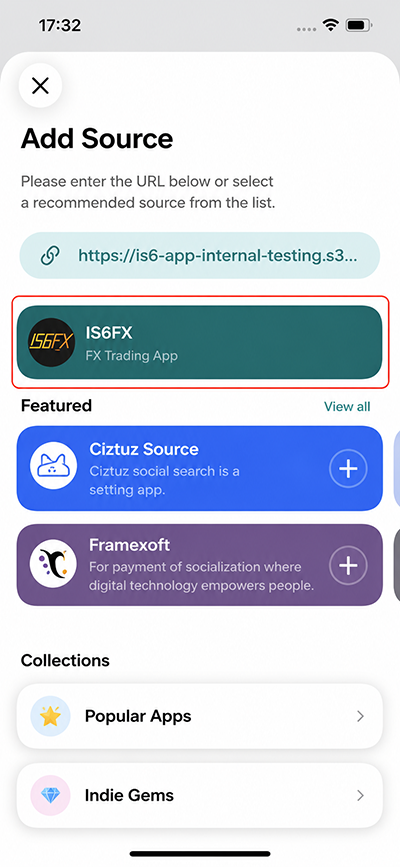
(2) Paste the Source URL above into the URL field, and the IS6FX app will appear.
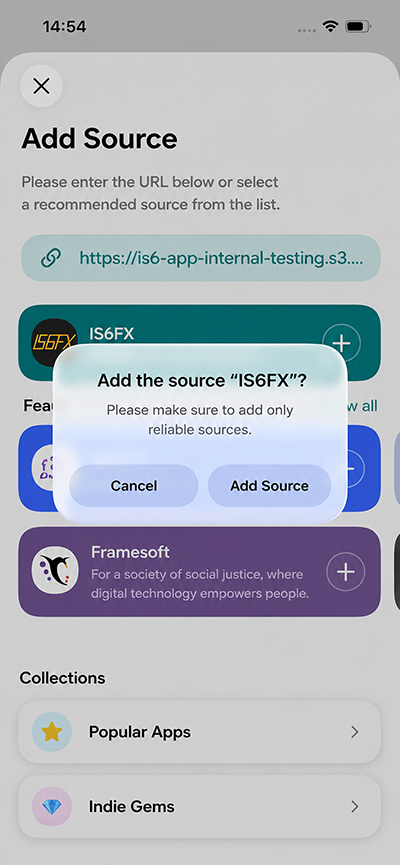
(3) Install the IS6FX app.
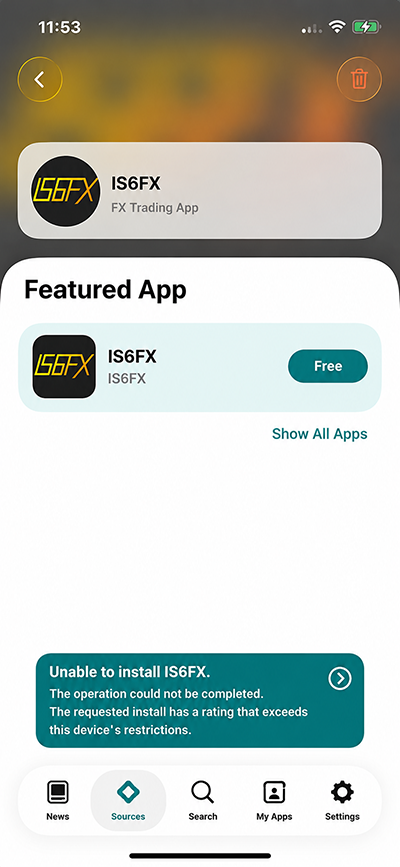
※ If an error like the one shown in the image below appears, please check "② Change the device's age restriction", change the setting to "Unrated", and then try again.
(4) When the app screen appears, the installation is complete.