

How to Deposit Cryptocurrency
Depositing cryptocurrency into IS6FX is simple. The basic deposit process is as follows.
- Generate a deposit address (first time only)
- Deposit cryptocurrency
※The cryptocurrencies supported by IS6FX are "BTC," "ETH," "USDC," and "USDT."
※Accounts with base currencies of “JPY”, “USD”, or “ZAR” can be funded using any supported cryptocurrency.
※Accounts with base currencies of “BTC”, “ETH”, “USDC”, or “USDT” can only be funded using the same cryptocurrency as the account currency.
1. Generate a Deposit Address (First Time Only)
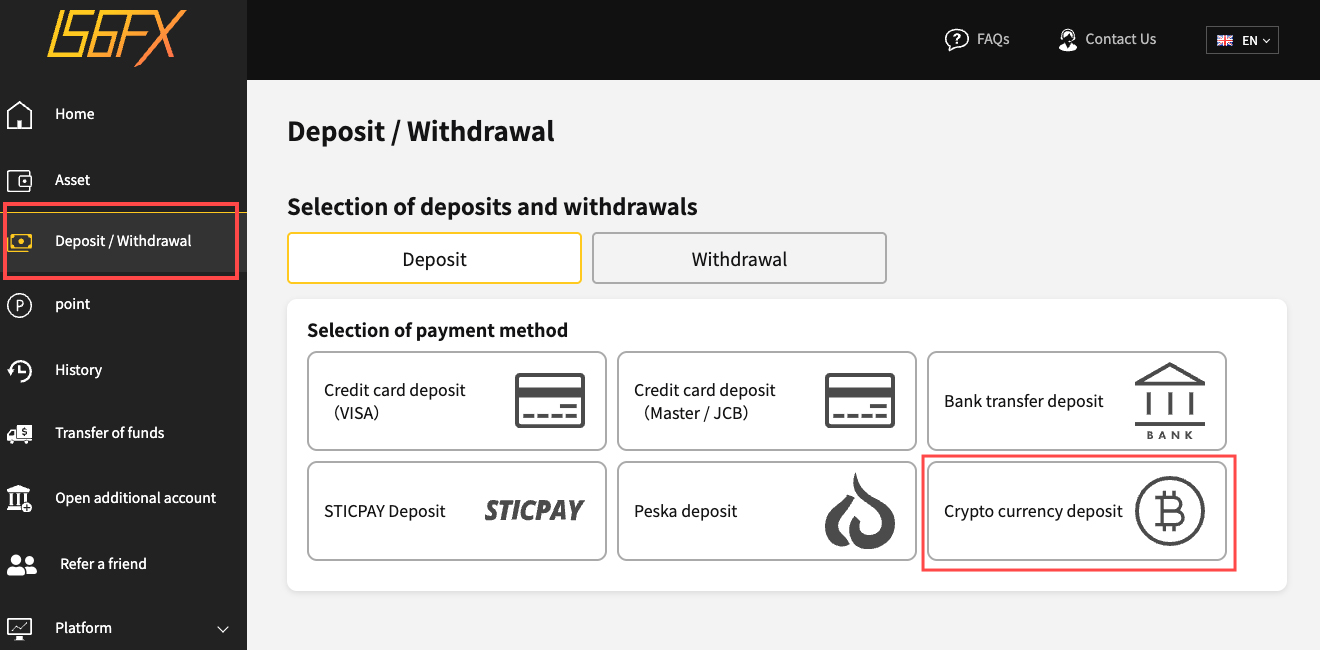
Opening the Cryptocurrency Deposit Screen
Select "Deposit/Withdrawal" → "Cryptocurrency Deposit" to open the cryptocurrency deposit page.
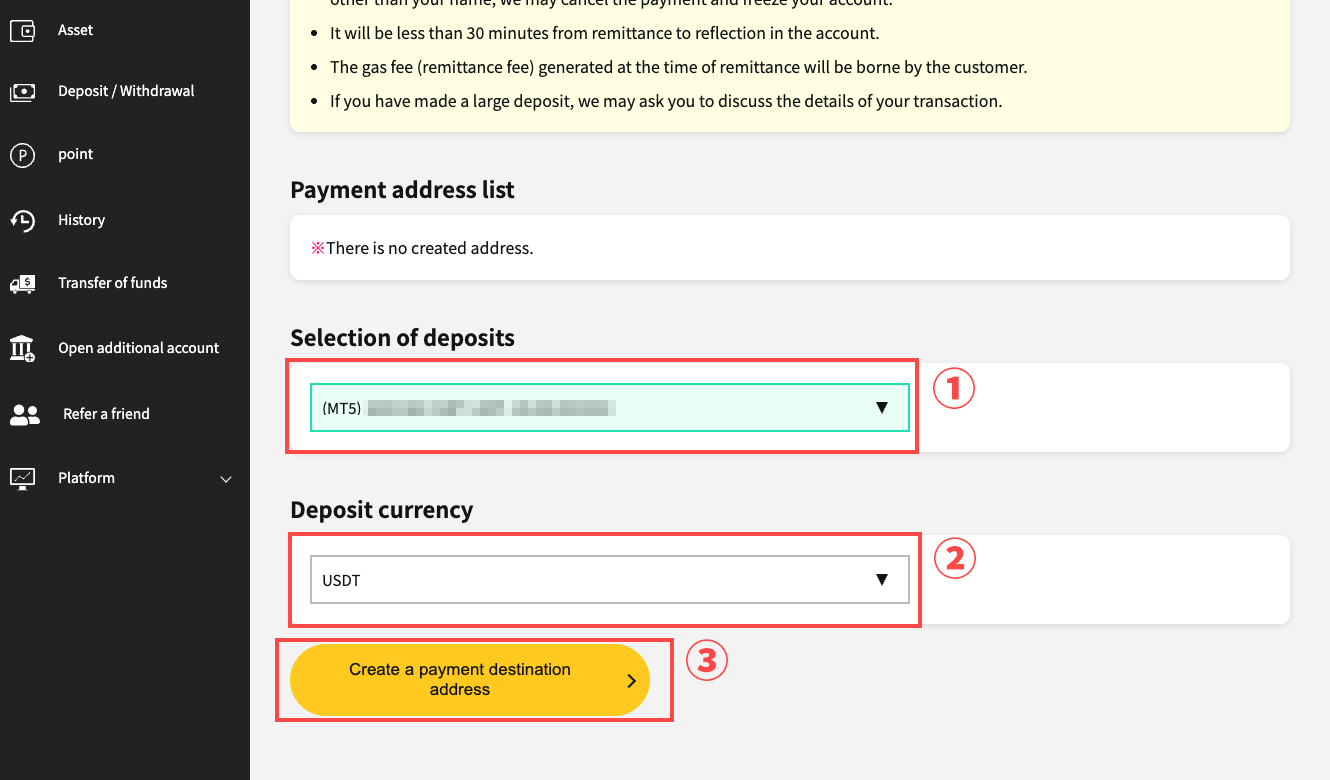
Generating the Deposit Address
Generate the deposit address. Select the account and the currency you wish to deposit, then press "Create Deposit Address."
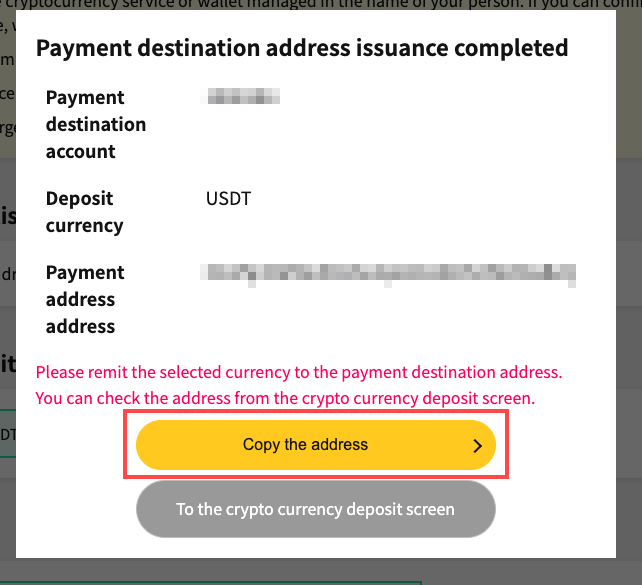
Once the deposit address has been generated, a completion popup will appear. Please copy the generated address.
2. Making a Cryptocurrency Deposit
Register the generated deposit address as the withdrawal destination address on the "exchange" or "cryptocurrency wallet" where you hold your cryptocurrency, and submit a withdrawal request.
※If the address entered is incorrect, we will be unable to accept the deposit. Additionally, if you send to an incorrect address, the cryptocurrency sent cannot be recovered under any circumstances. Please be careful.
※Depending on the exchange, it may be necessary to transfer from the trading account to a wallet account (asset account, etc.). In that case, please transfer the cryptocurrency you wish to withdraw and proceed with the withdrawal.
Cryptocurrency Deposit Complete
After the exchange completes the transfer process, IS6FX generally reflects the deposit within 30 minutes. Please confirm your deposit and enjoy trading on IS6FX.
No Need to Generate a Deposit Address from the Second Deposit Onward
From the second deposit onward, you can use the same deposit address. Please submit a withdrawal request in the same way as the first time. IS6FX will reflect it as soon as it is confirmed.