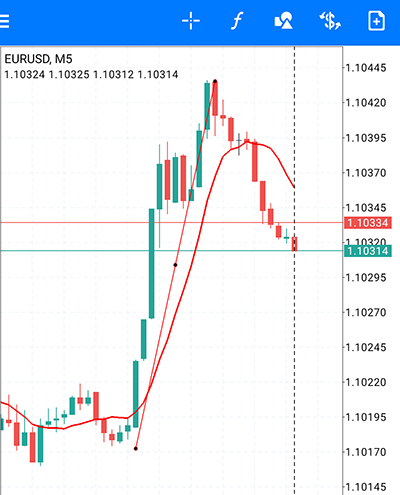
Watch the video to learn how to use MT4
[1] In addition to being simple and easy to use, the excellent chart analysis functions and wide variety of indicators recreate an advanced trading environment.
(1) How to Use the Quotes Screen
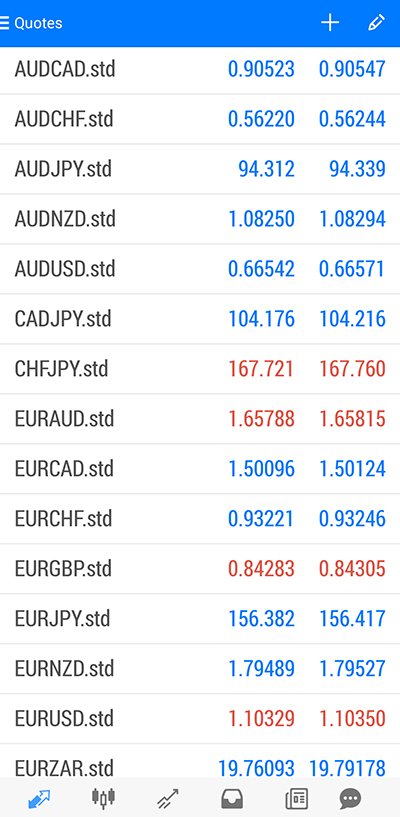
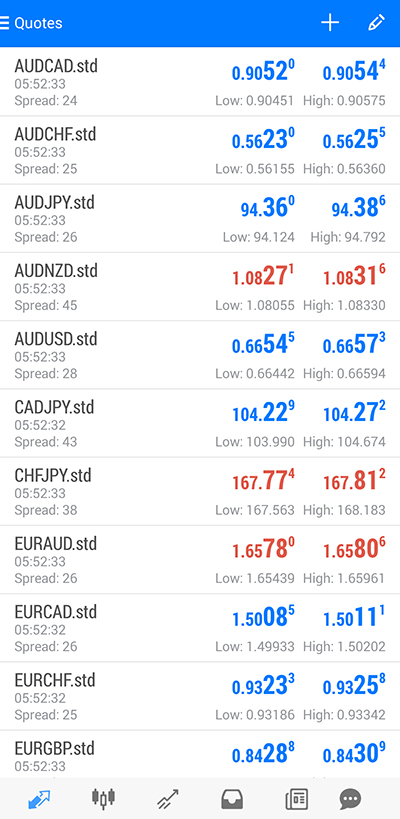
On the Quotes screen, you can display the rates for each currency pair. When you long-press on a rate, buttons for switching between "Simple View Mode" and "Advanced View Mode" will appear.
(2) Simple Mode
(3) Advanced View Mode
[2] Adding, Deleting, and Rearranging Currency Pairs
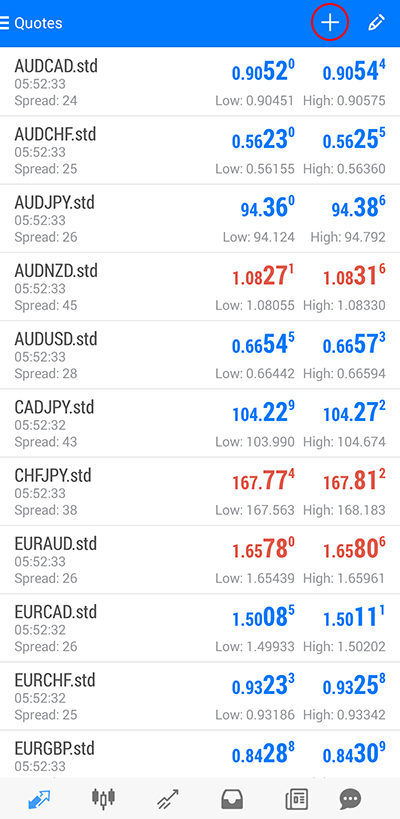
(1) Tap the "+" icon at the top right.
(2) Tap "Forex".
※Note: "Forex" will be displayed twice; please confirm the instrument you wish to add.
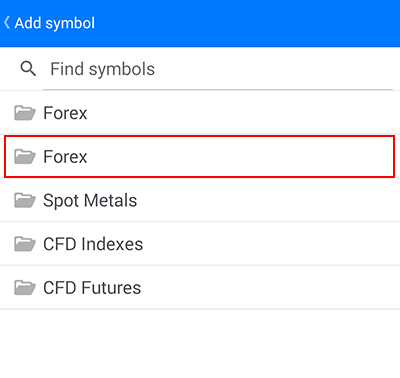
(3) Tap the currency pair you want to display, then tap the "Back" button twice.
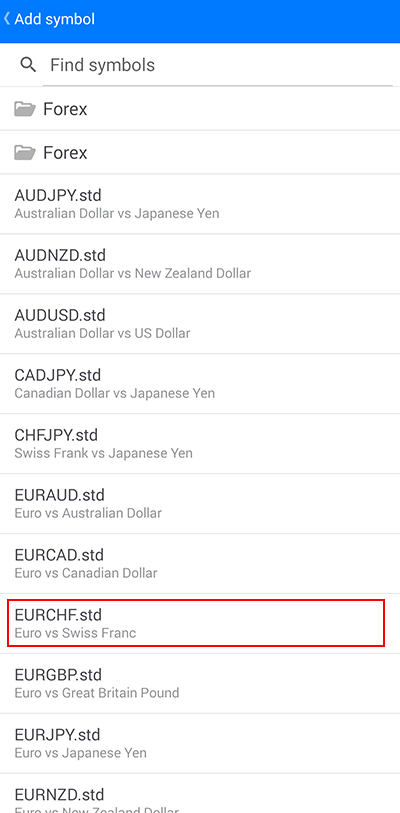
(4) The addition of the currency pair is complete.
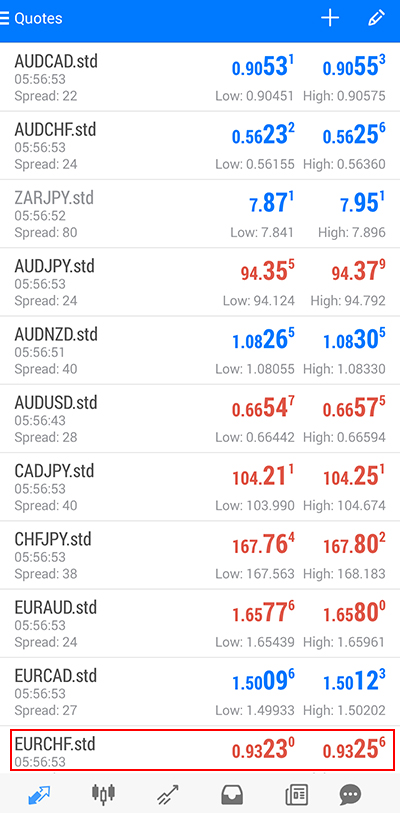
[3] Deleting a Currency Pair
(1) Tap the top right of the screen.
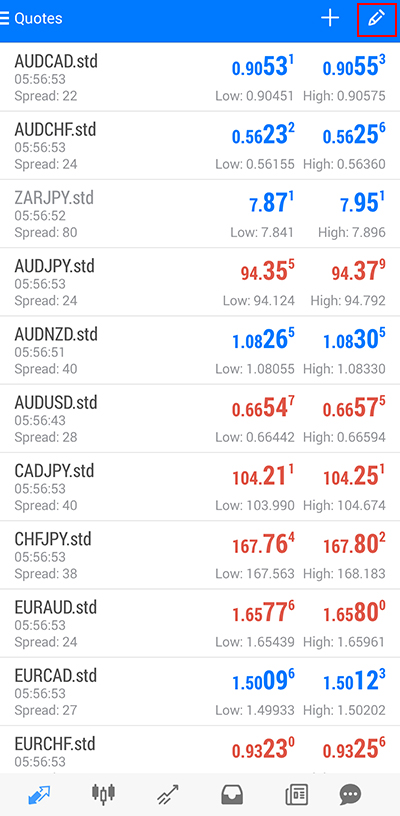
(2) Tap the top right of the screen.
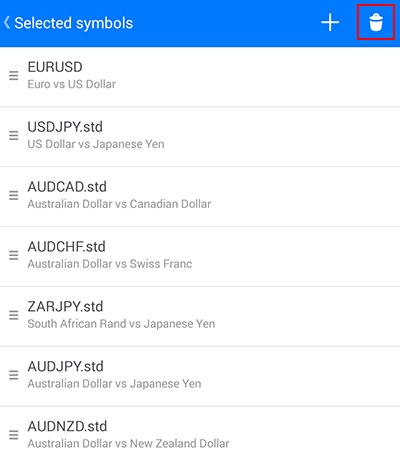
(3) Select the currency pair to delete and tap the top right.
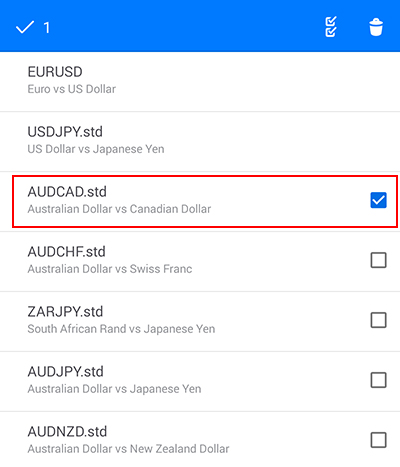
(4) The currency pair is deleted.
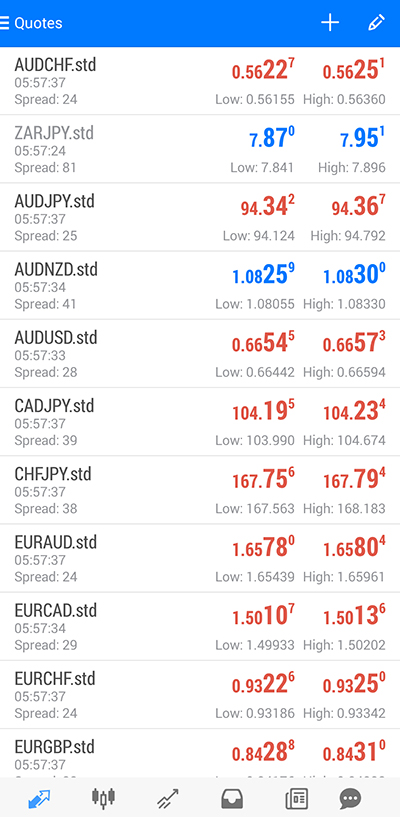
[4] Rearranging Currency Pairs
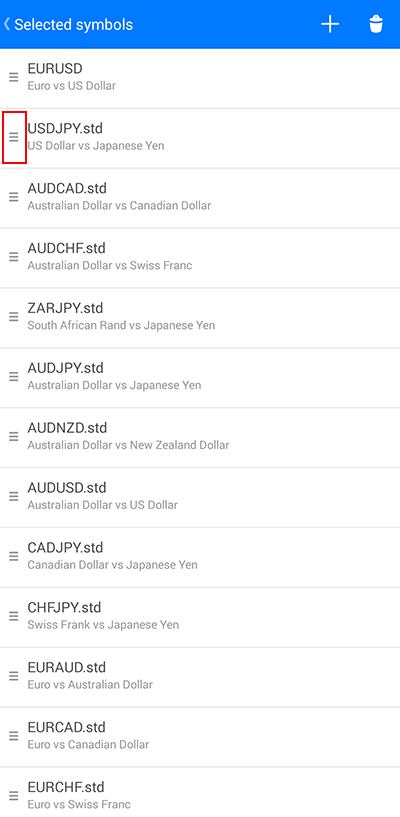
(1) Tap the top right of the screen.
(2) Press and hold the left side while moving up and down to rearrange.
[5] Chart Screen
(1) Tap the chart display button at the bottom.
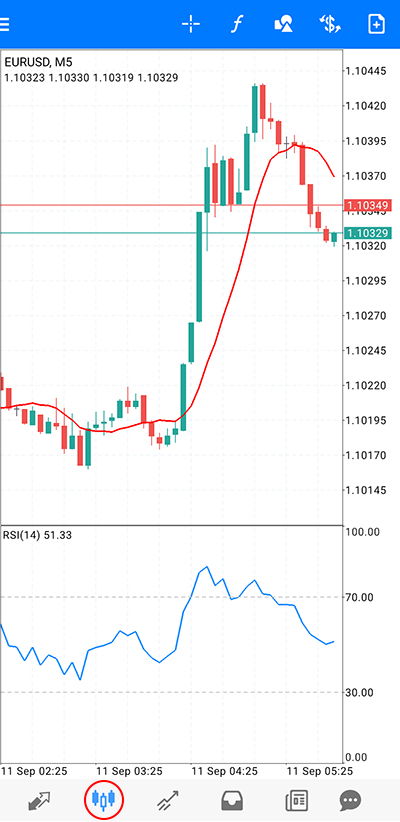
(2) How to Use the Chart Screen
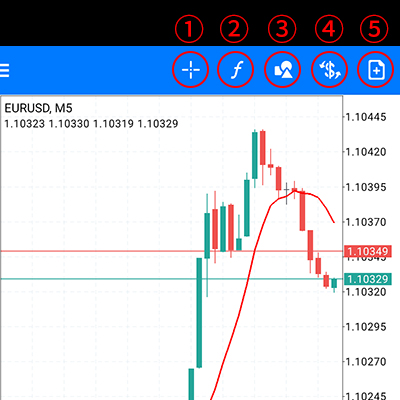
①Crosshair
View detailed information such as price, time, high, and low.
②Indicators
Insert indicators and edit parameters.
③Currency Pair Selection
Change the currency pair displayed on the chart.
④Chart Time Frame
Display 1 min, 5 min, 15 min, 30 min, 1 hour, 4 hours, daily, weekly, monthly.
⑤Trading
Switches to the trading screen.
[6] How to Select Indicators
The Android version of MT4 allows you to select from 30 different indicators.
(1) Tap the indicator button on the chart screen.
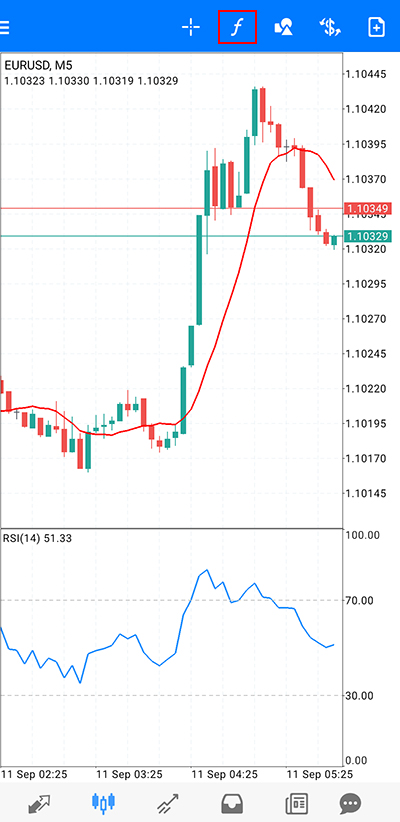
(2) Select an indicator.
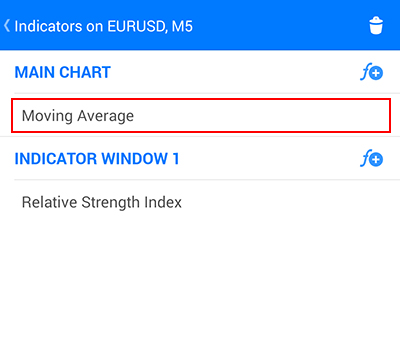
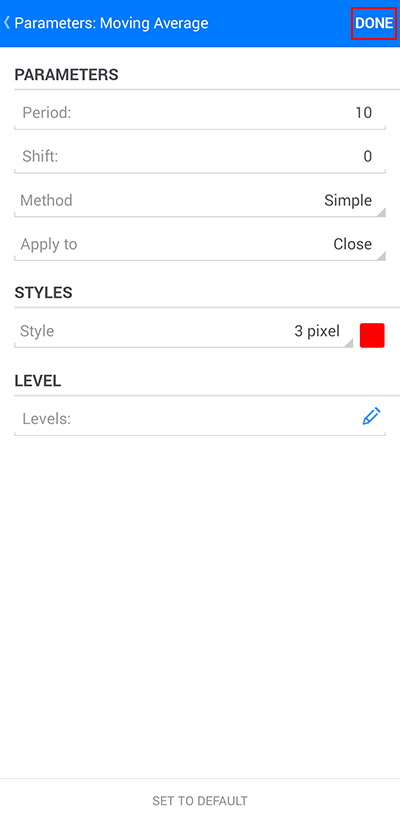
(3) After entering the parameters, tap "Done."
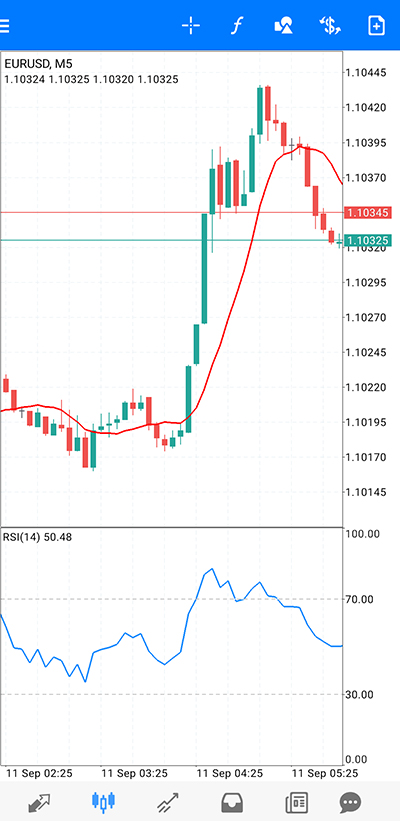
(4) The insertion into the chart is complete.
[7] How to Display Trend Lines
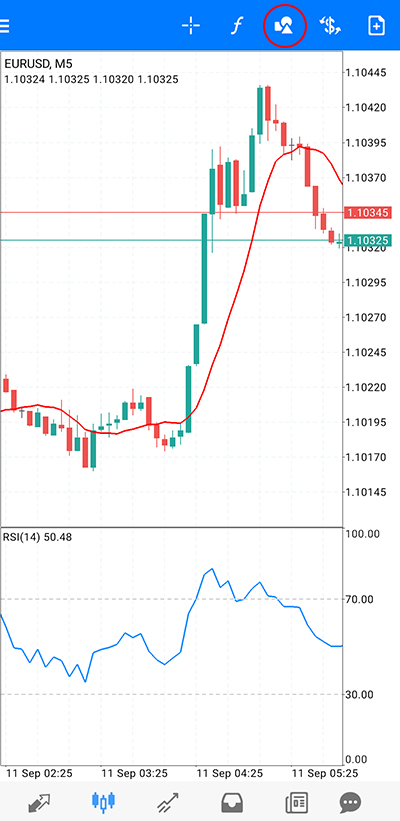
(1) Tap the chart screen and then tap the object button.
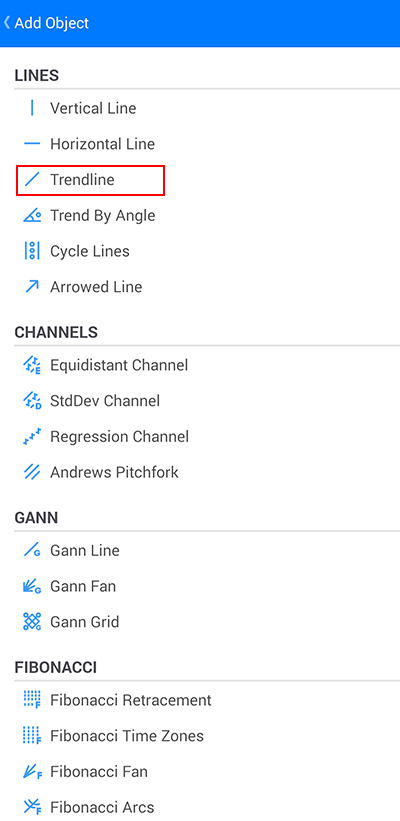
(2) Tap "Trend Line."
(3) Trace with your finger where you want to draw the "Trend Line."