
The cryptocurrency account required when making cryptocurrency deposits at IS6FX.
We will guide you on how to open an account at the cryptocurrency exchange "bitFlyer".
This article was created based on information as of October 2023.
What is the cryptocurrency exchange bitFlyer?
bitFlyer is one of the largest cryptocurrency exchanges in Japan.
It has been operating since 2014, has high recognition due to TV commercials and other advertising, and in terms of security, it has measures such as Multisig and cold wallet, so it can be considered a cryptocurrency exchange that even beginners can rely on.
Features of bitFlyer
| Number of supported cryptocurrencies |
22 coins |
|---|---|
| Trading types | Spot trading (sales site and exchange) |
| Deposit fee | Bank transfer free (transfer fee is borne by the user) Free deposits available from some banks |
| Withdrawal fee | Sumitomo Mitsui Banking: from 220 yen Other banks: from 550 yen |
| Trading fee | Included in spread |
| Security | Multisig Cold wallet |
| Other services | bitFlyer Lightning bitFlyer Easy Savings bitFlyer Credit Card Exchange from T-Point Earn Bitcoin Brave Browser Integration Bitcoin Donations |
bitFlyer, depending on the coin, allows purchases from 100 yen, so it can be said to be a cryptocurrency exchange where even beginners can trade with peace of mind.
How to Open an Account with bitFlyer
Opening an account with bitFlyer requires identity verification (sending verifiable documents, taking a self-photograph).
1. Member Registration (Account Creation)
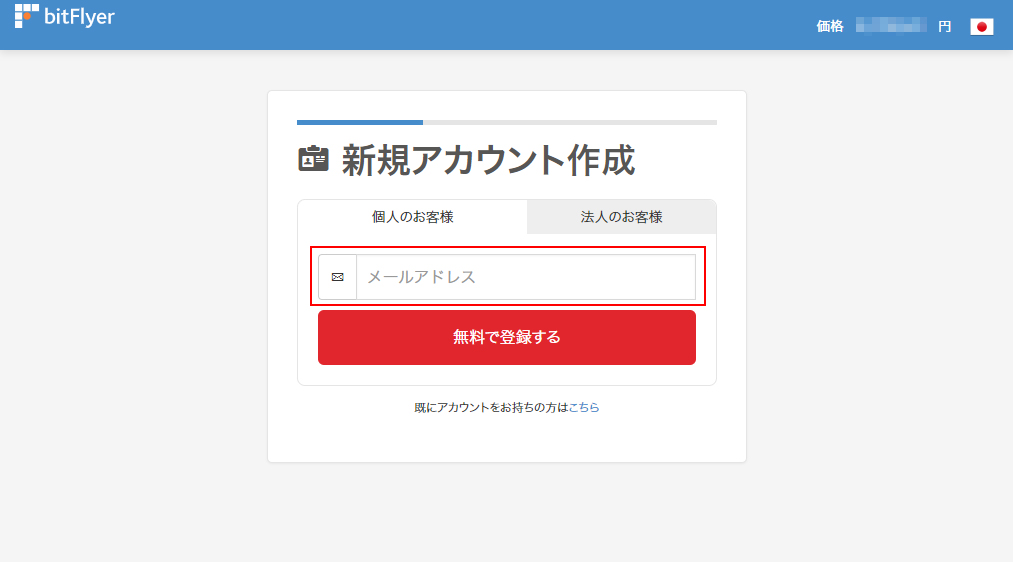
bitFlyer Account Registration Page
Prepare an email address and register.
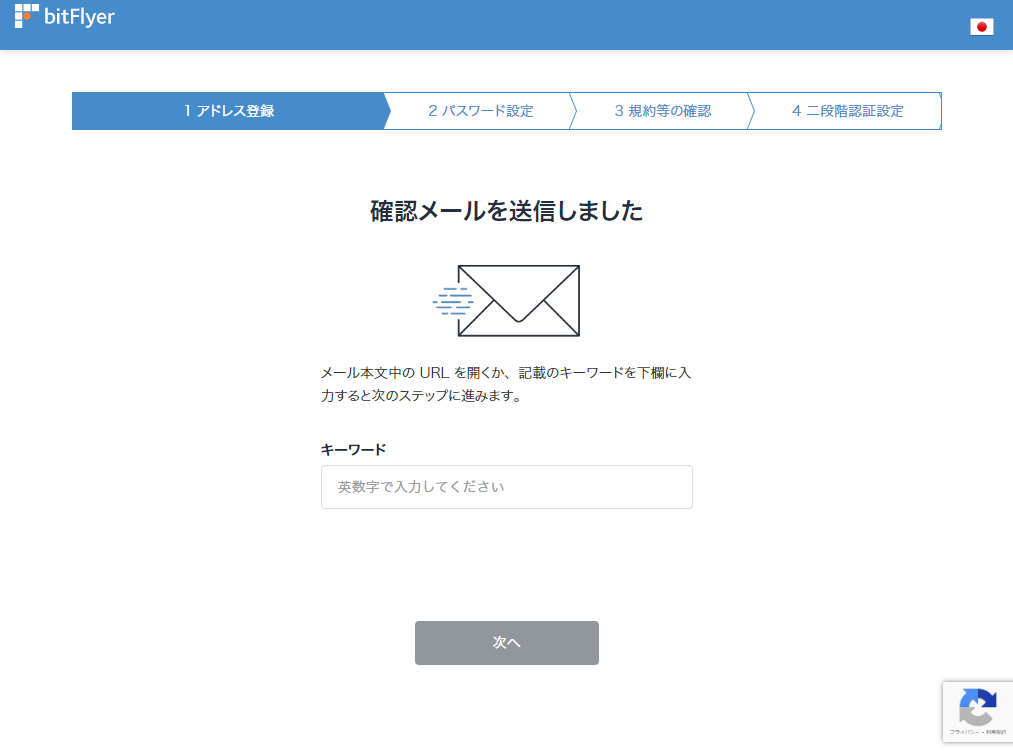
An email containing an authentication link will be sent to the registered email address; open the link or enter the keyword provided.
※If the email does not arrive, please check your spam folder.
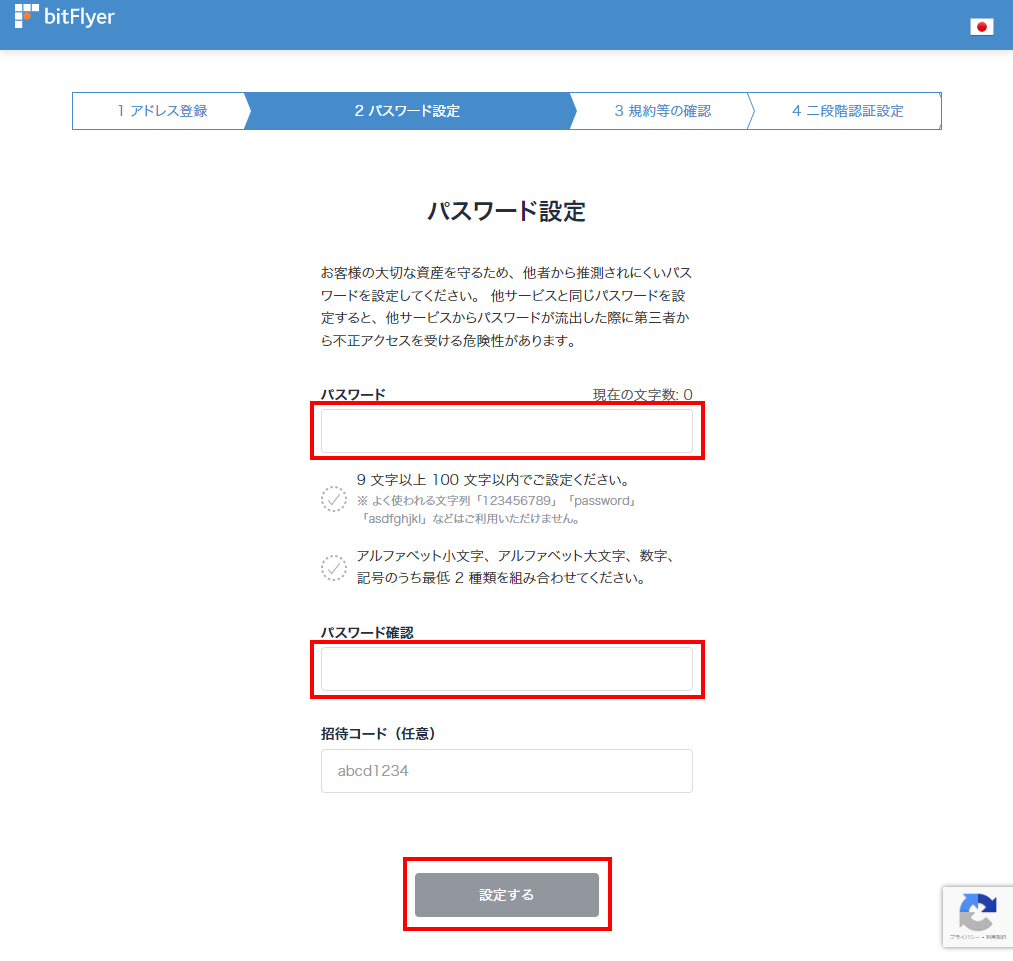
Set a password.
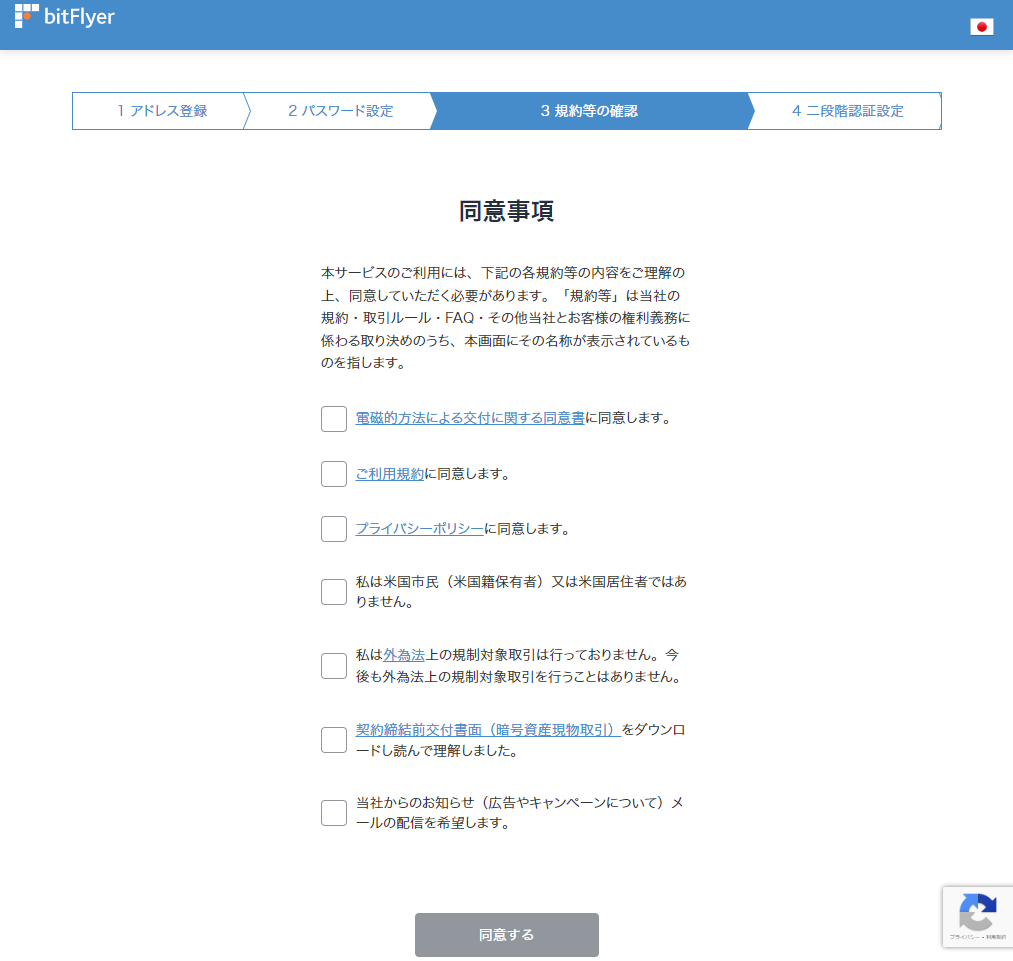
Please confirm the terms of use, etc.
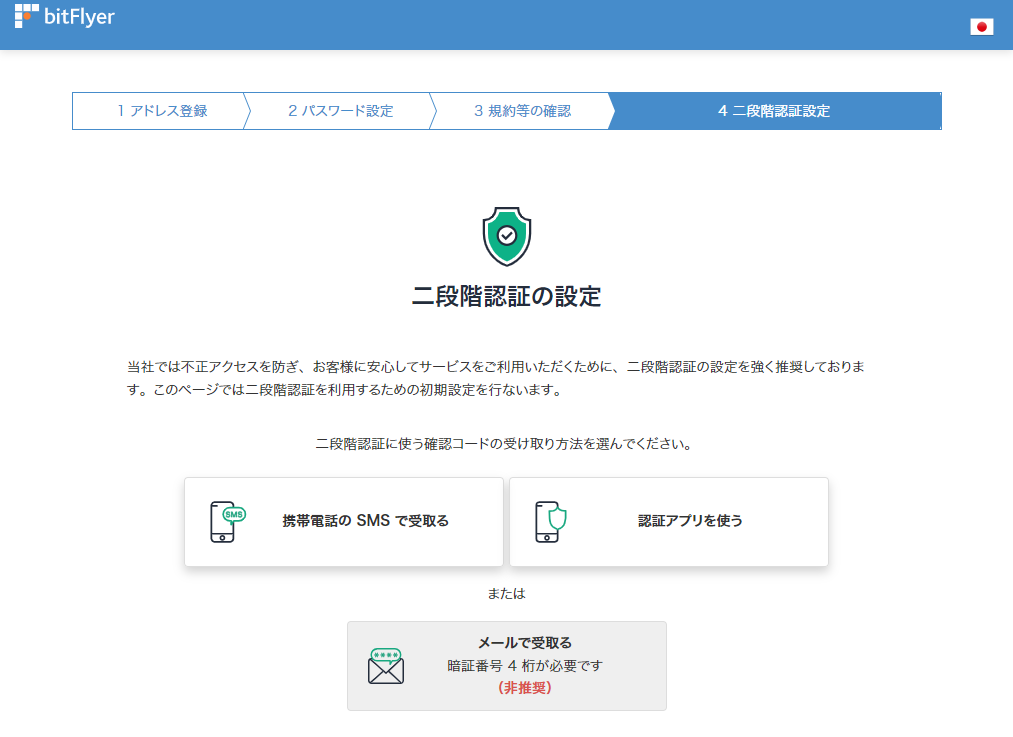
Set up two-factor authentication.
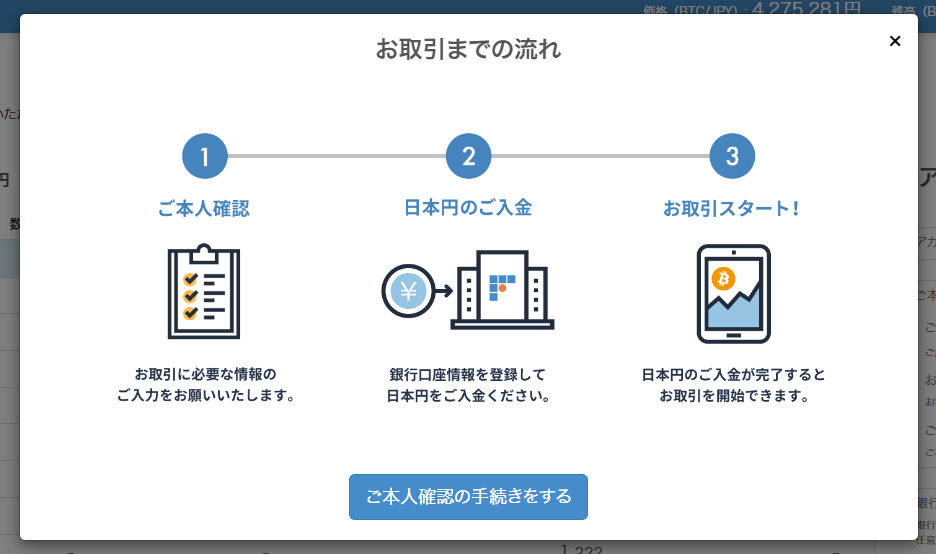
If the screen above is displayed, the account creation is complete.
Continue with identity verification.
2. Entering Identity Verification Information
Entering Basic Information
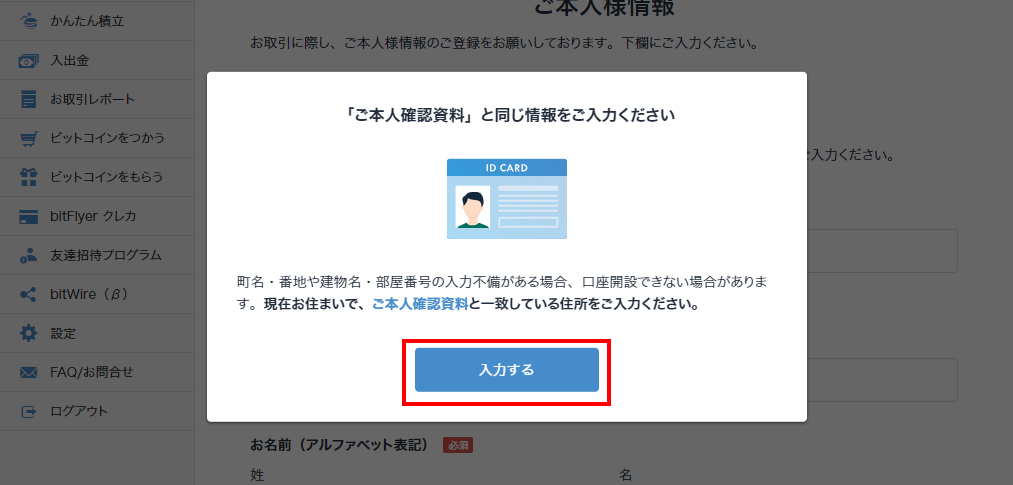
Proceed to enter basic information such as your name, date of birth, address, and phone number.
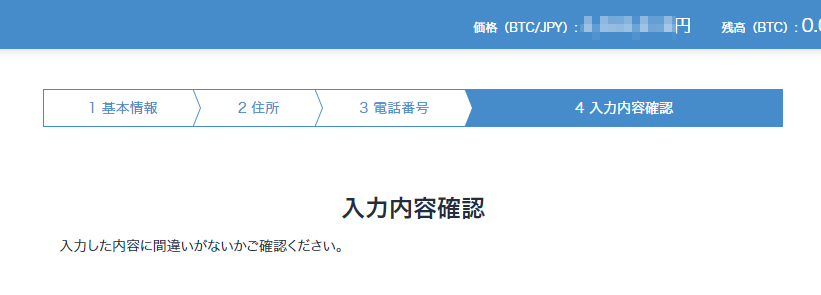
Confirm the entered content, verify that the information is correct, and proceed.
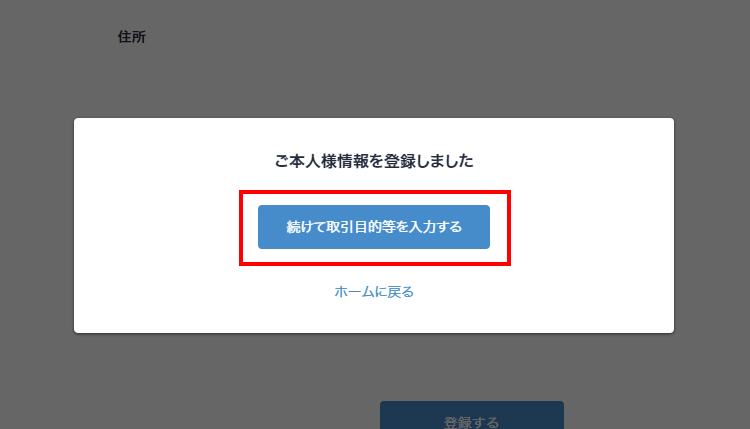
If there are no problems, proceed to "Trading Purpose Input".
Trading Purpose Input
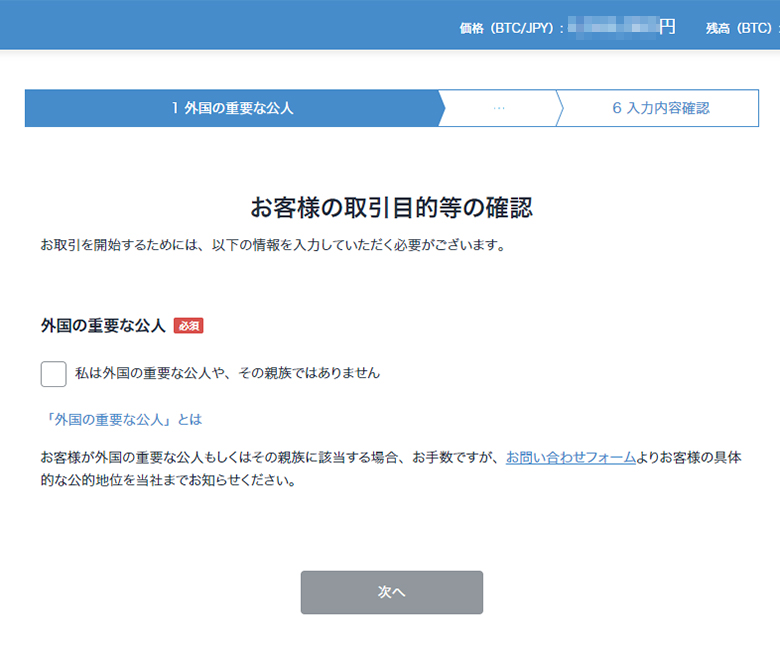
Confirm the content and proceed with input.
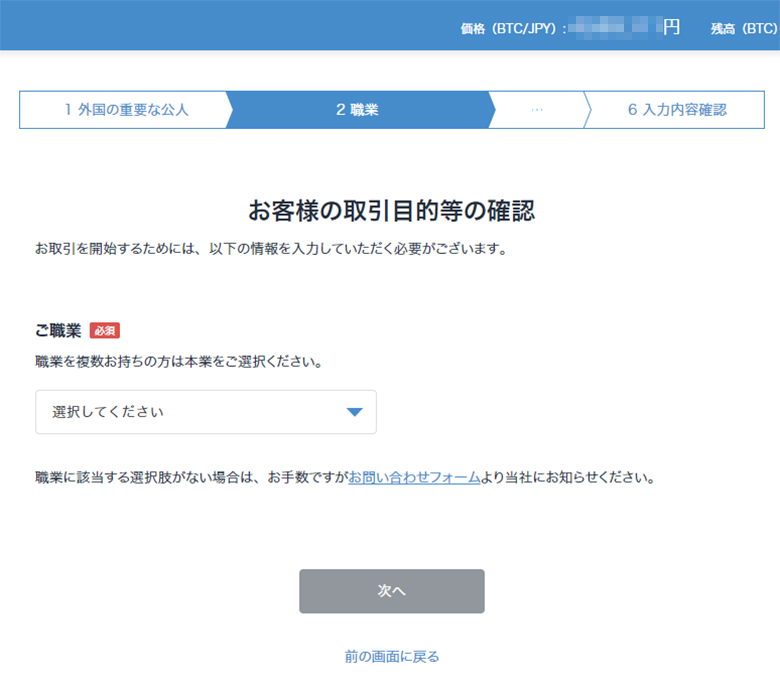
Select your occupation.
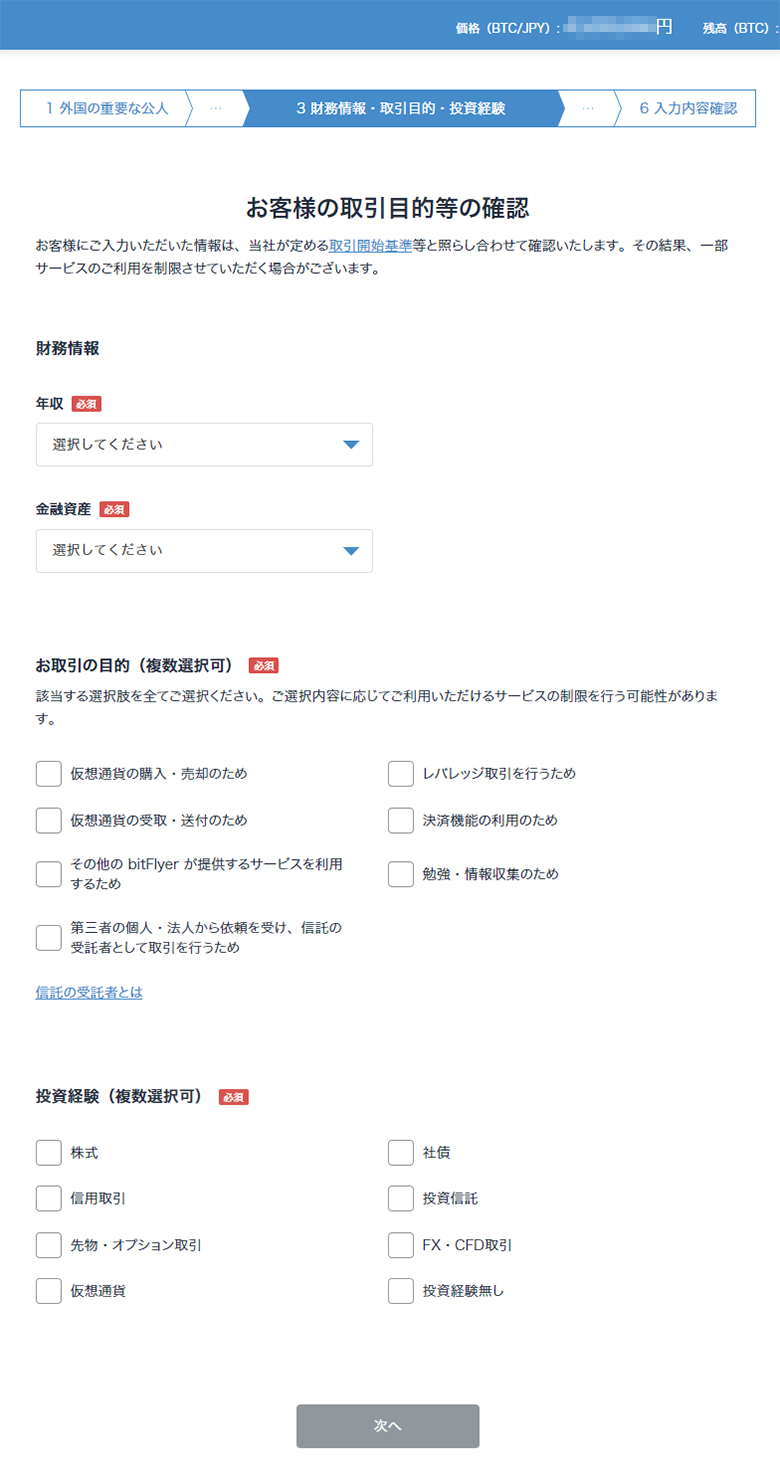
Enter financial information.
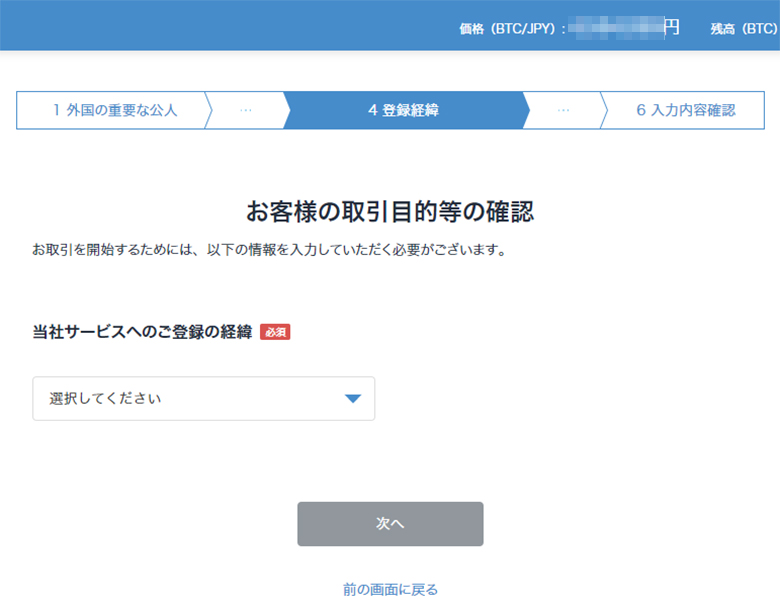
Select how you came to know and register with bitFlyer.
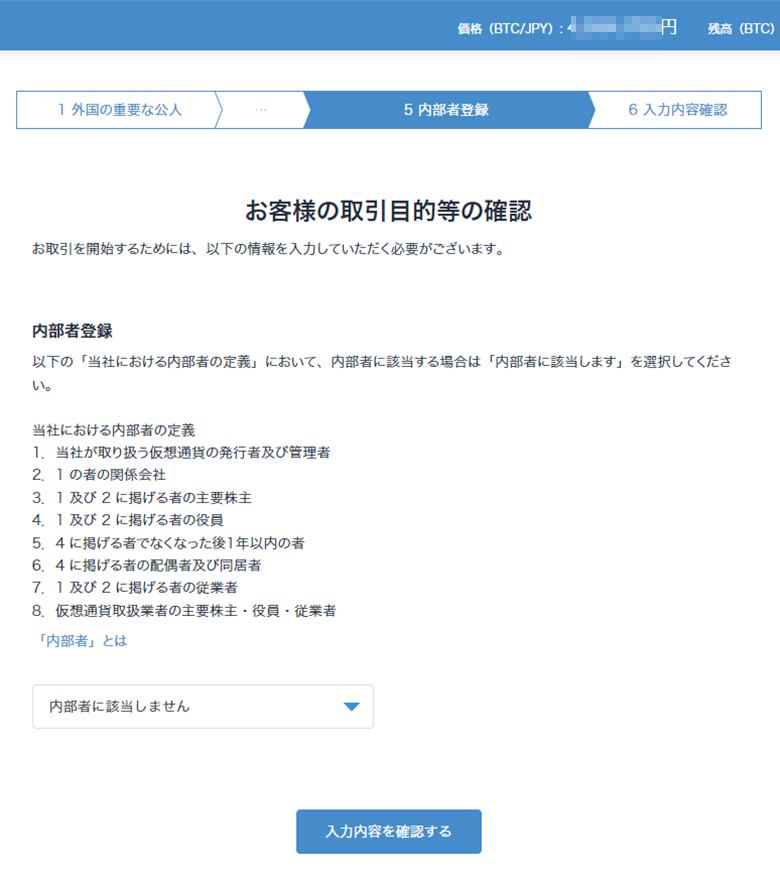
Select about insider registration.
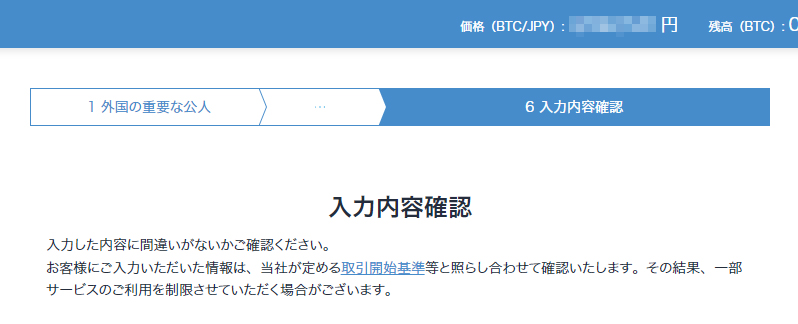
Verify that the entered/selected content is correct and proceed.
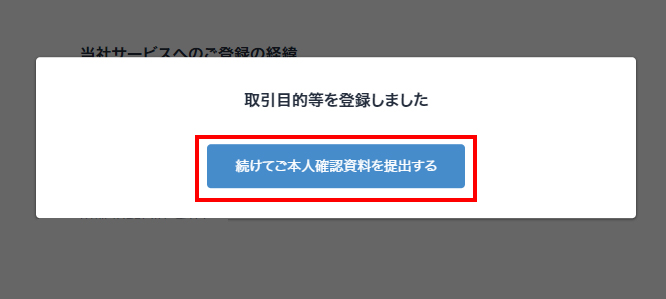
If there are no problems, proceed to submitting the "Identity Verification Document".
3. Submission of Identity Verification Documents
Submission of identity verification documents has 2 patterns: a method using a smartphone, and a method of in-person verification through an external service.
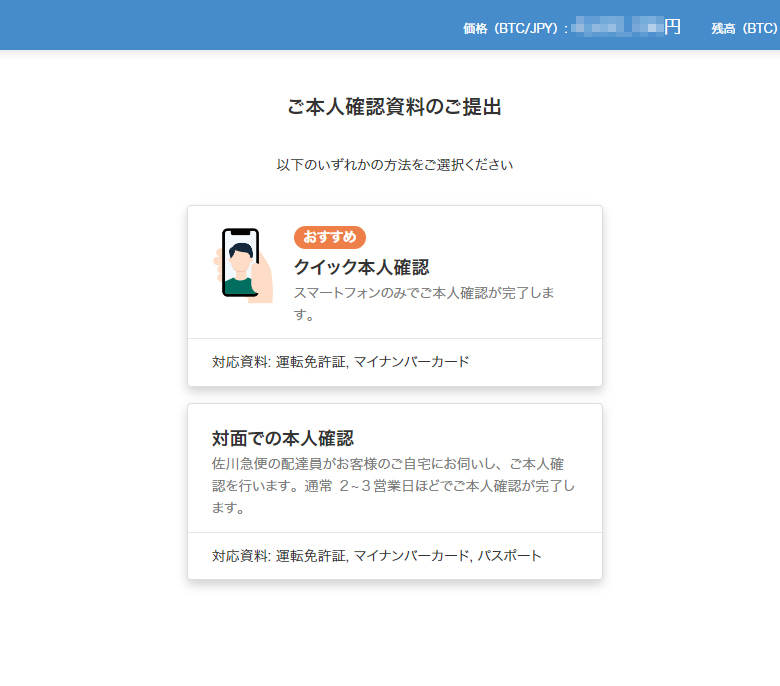
Unless you have circumstances such as not being able to use a smartphone, basically it is better to handle it with a smartphone.
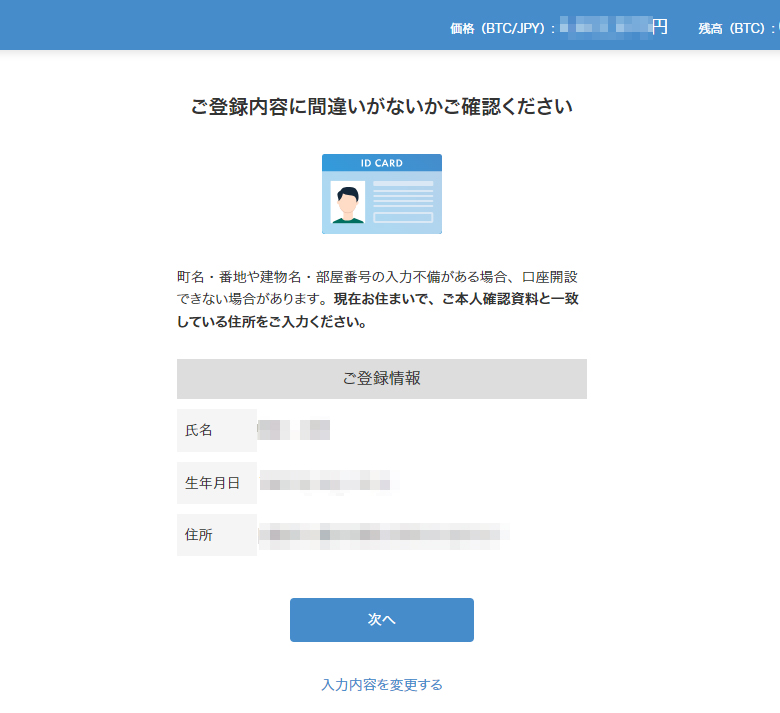
When you select smartphone document submission "Quick Identity Verification", the registration information confirmation will be displayed; if there are no problems, press "Next" to proceed.
On the next screen, a QR code will be displayed; scan it with your smartphone.
Alternatively, the URL can be sent to the registered email address, so open the URL on your smartphone and proceed.
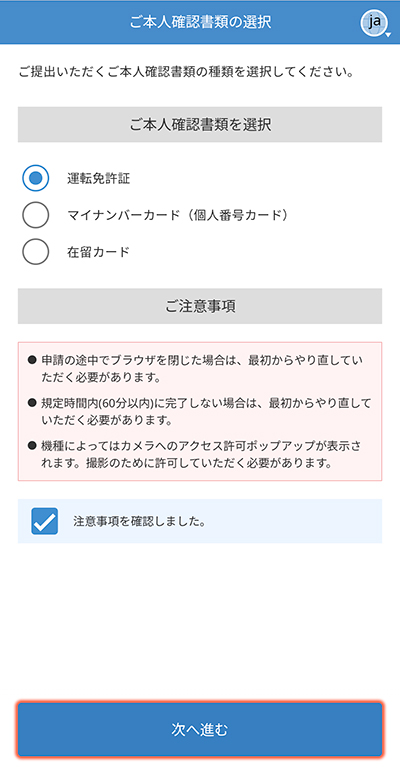
Open on your smartphone, select the document to use for identity verification, and proceed.
Following the instructions, photograph the document and take a face photograph.
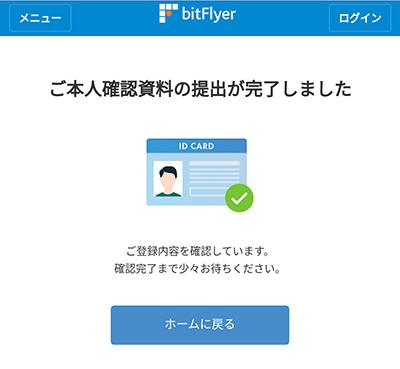
If sent successfully, the screen above will be displayed.
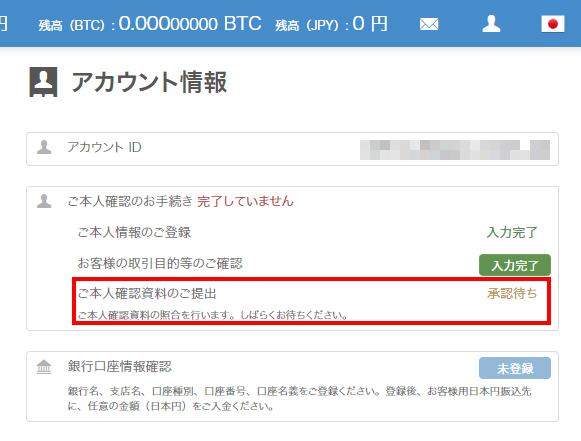
When you check on the PC browser, the status will have changed to "Awaiting approval".
Wait until identity verification is approved.
The timing of approval may vary depending on the overall situation, but the impression is that they respond relatively quickly. If fast, approval may be completed in 1-2 hours.
There are individual differences, so wait patiently until approved.
Done When Approved!
When the identity verification documents are approved, it is complete.
Try cryptocurrency trading.
Once your account is open, try trading cryptocurrencies!
Deposit
There are mainly 3 deposit methods: "Bank Transfer", "Quick Deposit", and "Convenience Store Deposit".
Please use the deposit method that suits you.
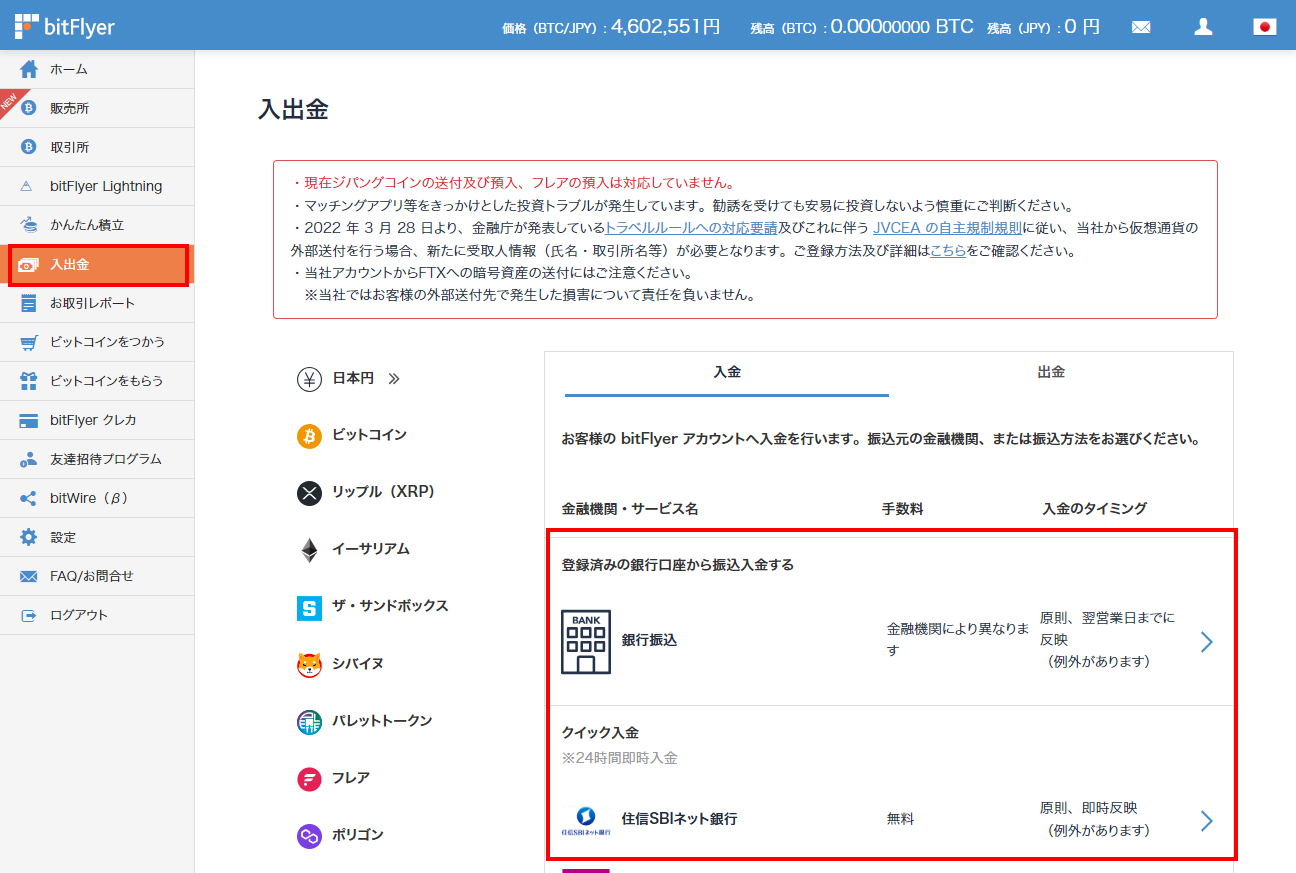
Currently, Sumishin SBI Net Bank offers Quick Deposit (instant reflection) and seems to be free of charge.
Otherwise, "Bank Transfer" allows depositing with only the transfer fee, so you can deposit with just the transfer fee of your bank account.
※In the case of bank transfer, it may take time to be reflected.
Bank transfer / Quick Deposit requires approval from the registered bank.
Depending on the timing it may be slower, but it is generally approved in 10-15 minutes.
Trading Cryptocurrencies
Once you have made a deposit, try trading cryptocurrencies.
You can purchase using the method below.
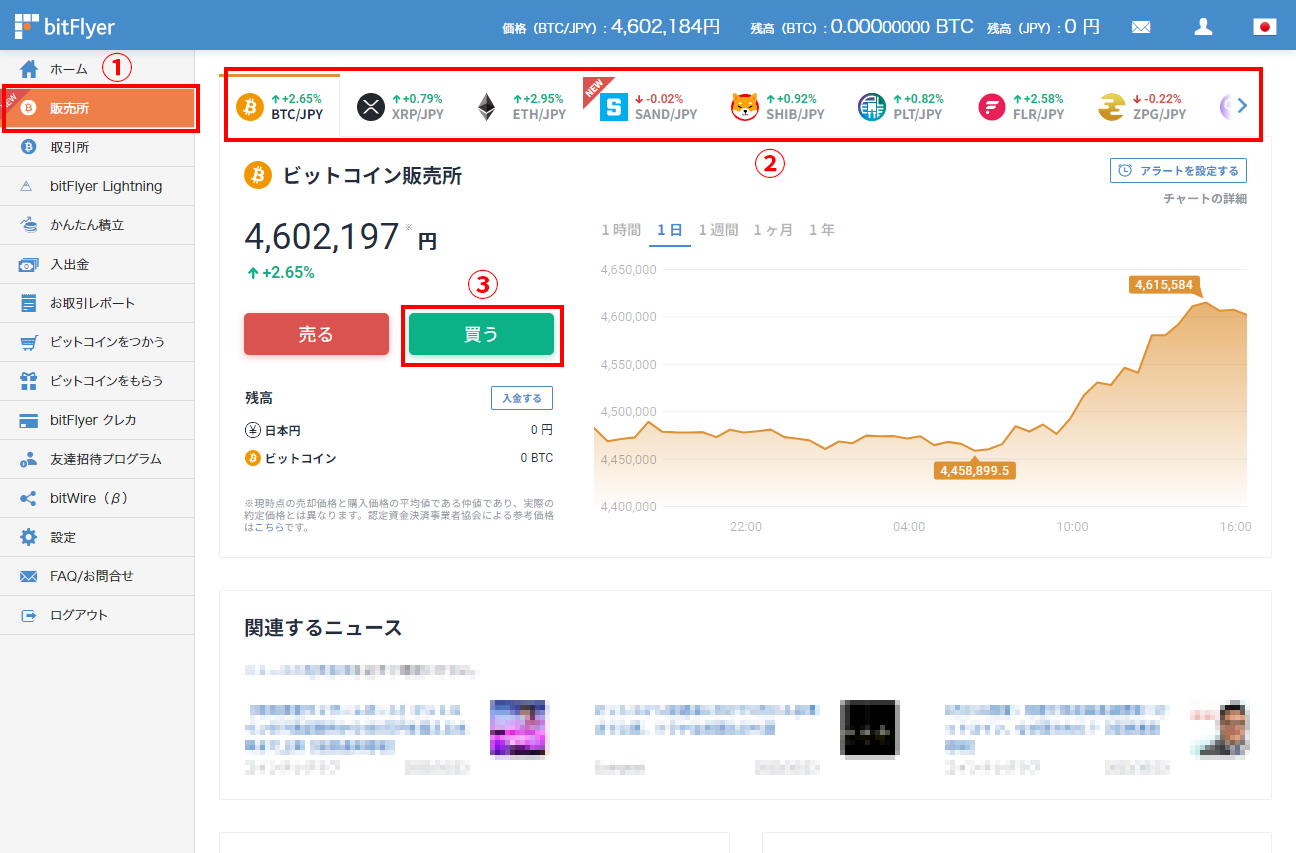
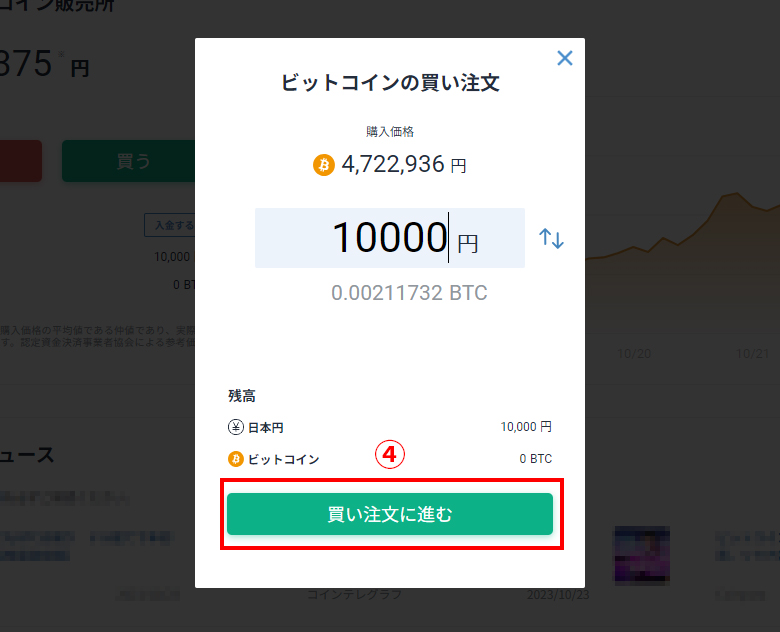
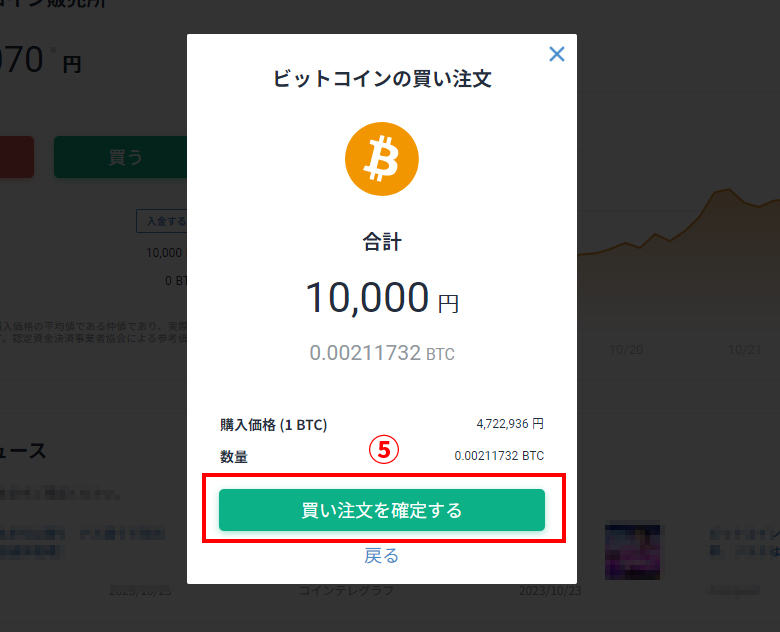
- Open the sales site page
- Select the coin
- Select "Buy"
- Enter the amount and proceed with "Proceed to Buy Order"
- Confirm the purchase with "Confirm Buy Order"
IS6FX Also Accepts Cryptocurrency Deposits!
In addition to credit cards and bank transfers, IS6FX also accepts deposits with crypto assets (cryptocurrencies).
The cryptocurrencies currently supported are listed below.
- Bitcoin(BTC)
- Ethereum(ETH)
- Tether(USDT) ERC-20
- USDCoin(USDC) ERC-20
How to Deposit Cryptocurrency at IS6FX
Cryptocurrencies with potential.
Forming wallets and assets in various ways, or holding them in a diversified manner, is also a way to share risks.
IS6FX will continue to respond to today's increasingly diverse market.