
The cryptocurrency account required when making cryptocurrency deposits at IS6FX.
We will guide you on how to open an account at the cryptocurrency exchange "BITPOINT".
This article was created based on information as of November 2023.
What is the cryptocurrency exchange BITPOINT?
BITPOINT is a cryptocurrency exchange operated by BITPoint Japan Co., Ltd., a subsidiary of SBI Holdings, Inc.
Established in March 2016, it may be slightly later than other companies, but it is a well-known cryptocurrency exchange thanks to the reassurance of being part of the SBI Holdings group and its TV commercial broadcasts.
It is the first in Japan to handle TSUGT (Tsubasa Governance Token), and a feature of BITPOINT is that it has coins that can only be traded there.
Features of BITPOINT
| Number of supported cryptocurrencies |
19 coins |
|---|---|
| Trading types | Spot trading |
| Deposit fee | Bank transfer free (transfer fee is borne by the user) Instant deposit fee free (PayPay Bank / Sumishin SBI Net Bank) |
| Withdrawal fee | 330 yen (bank transfer fee) |
| Trading fee | Included in spread With BITPOINT PRO (exchange), the spread is also free |
| Security | Segregated management of customer assets Cold wallet |
| Other services | BITPoint PRO (exchange) Tsumitate (savings) Lend to grow Staking |
BITPOINT has some precautions, such as "BITPOINT PRO" for intermediate and advanced users not being available from the smartphone app (browser is OK), but many fees are free, making it a cryptocurrency exchange easy to use even for beginners.
How to Open an Account with BITPOINT
Opening an account with BITPOINT requires identity verification.
As verifiable documents, photographing of a driver's license or My Number Card and a face photograph are required.
1. Member Registration (Account Creation)
BITPOINT Account Registration Page
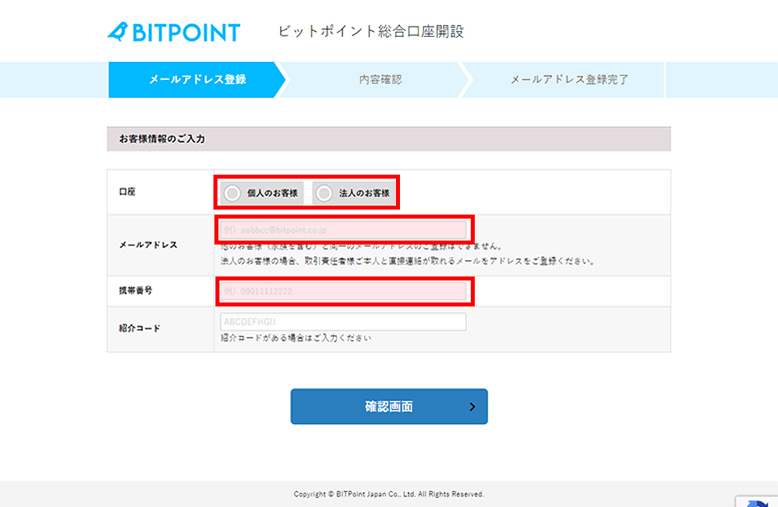
Enter your email address and phone number to register.
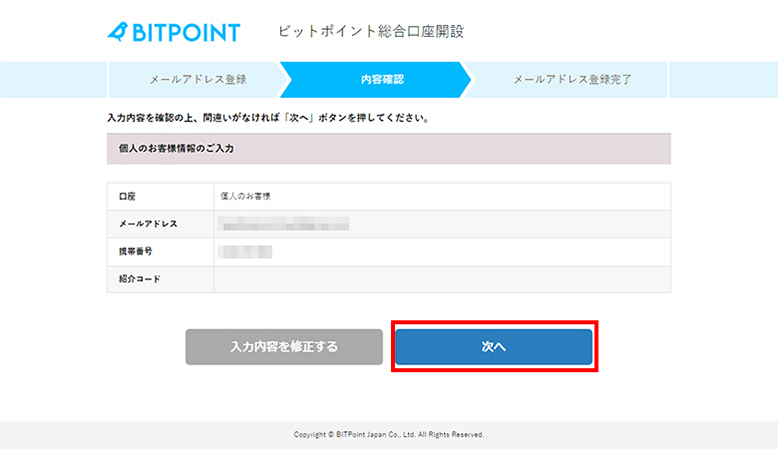
If the entered content is correct, press "Next" to proceed.
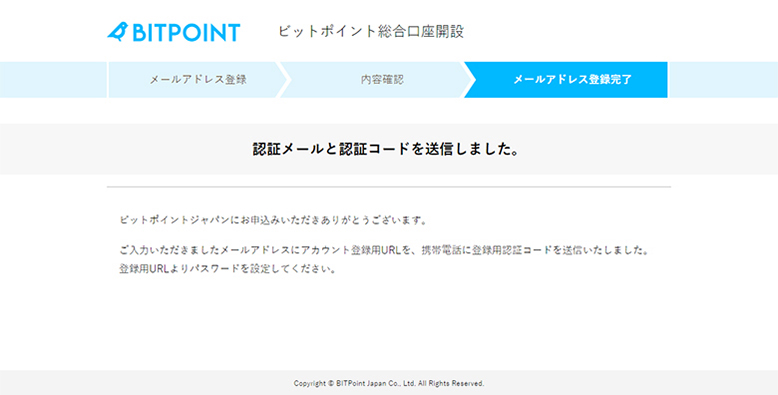
A confirmation email will be sent; check the email and open the URL provided. At the same time, an SMS for phone number verification will also be sent.
※If the email does not arrive, please check your spam folder.
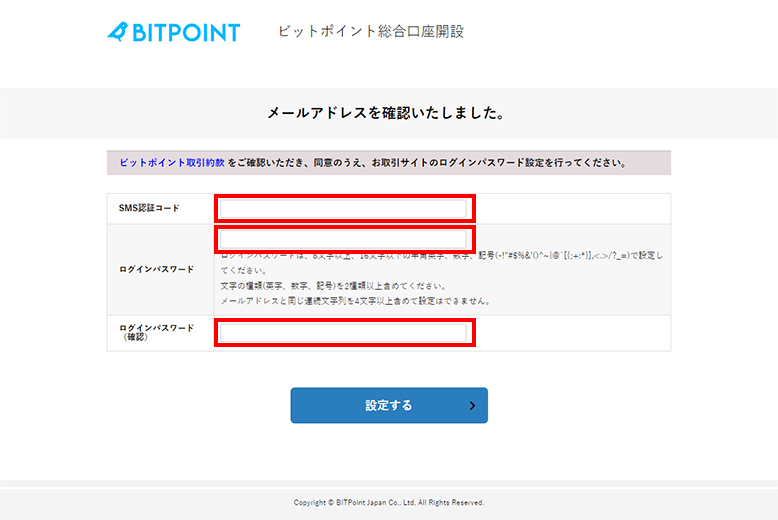
Open the URL in the email and set the verification code received via SMS and the login password (you decide the password).
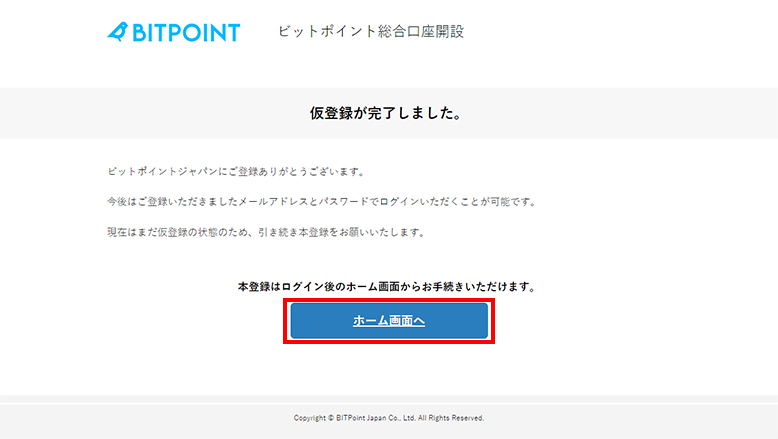
If the verification code is correct, the temporary registration is complete.
Log in with the created login information and proceed to the main registration.
2. Entering Identity Verification Information
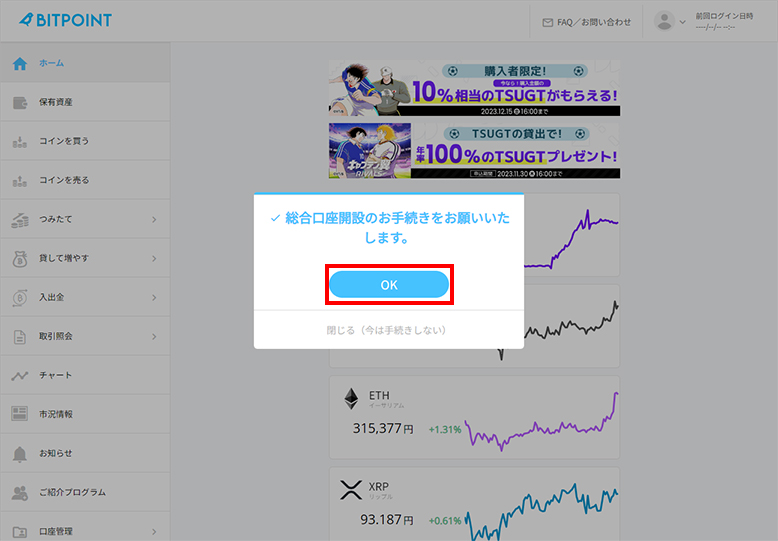
When you log in, a popup "Please proceed with the integrated account opening procedure." will appear; press "OK" to proceed.
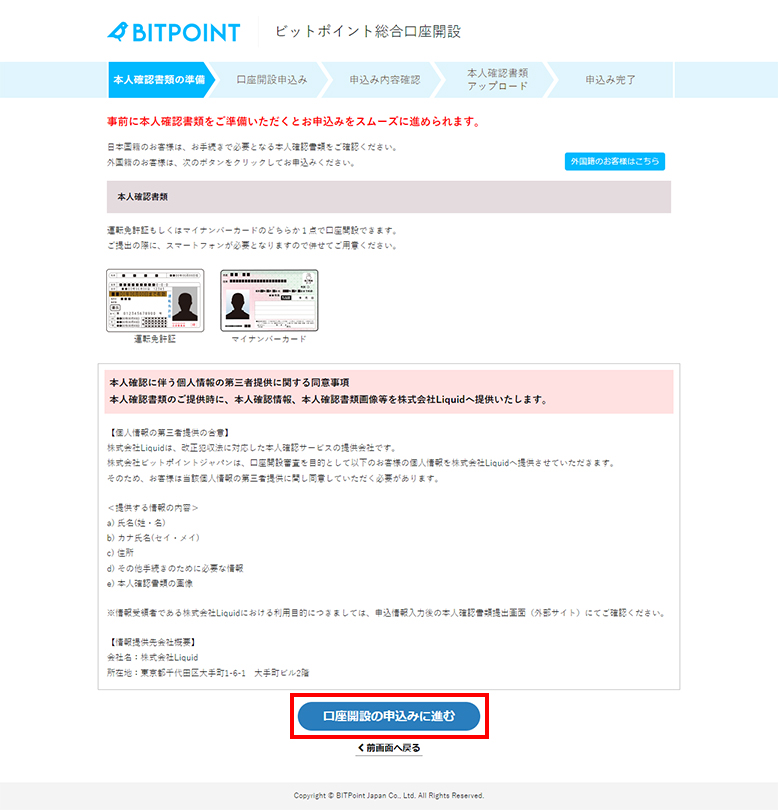
Proceed with the account opening application.
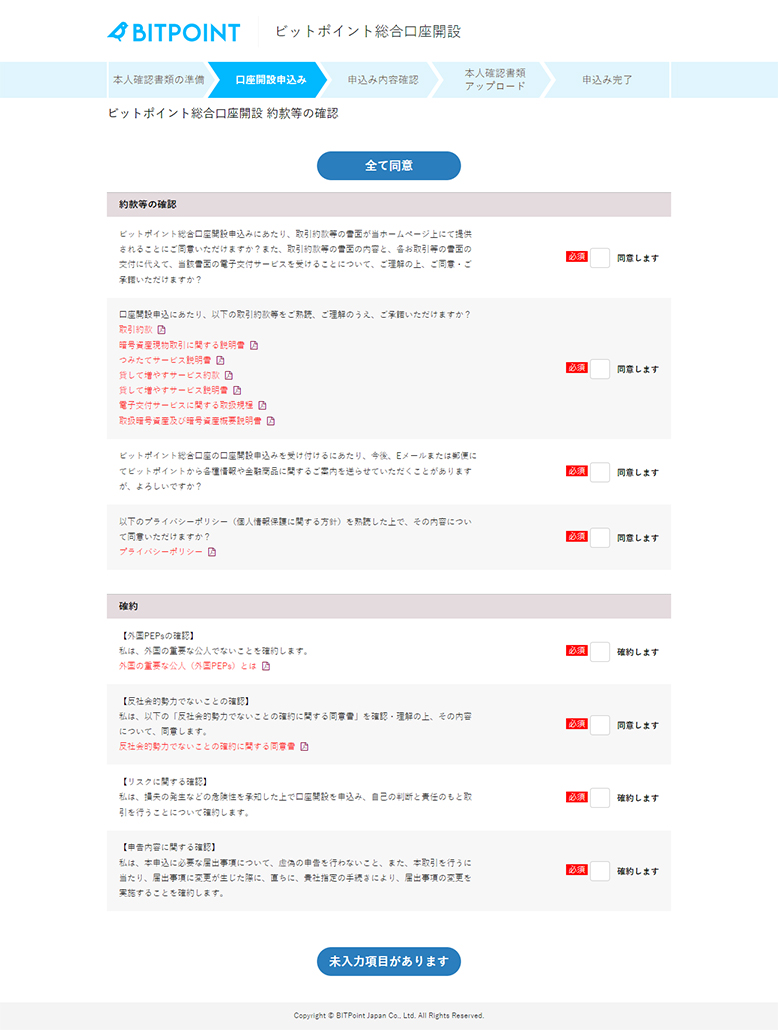
Please confirm the content and proceed.
Entering Basic Information
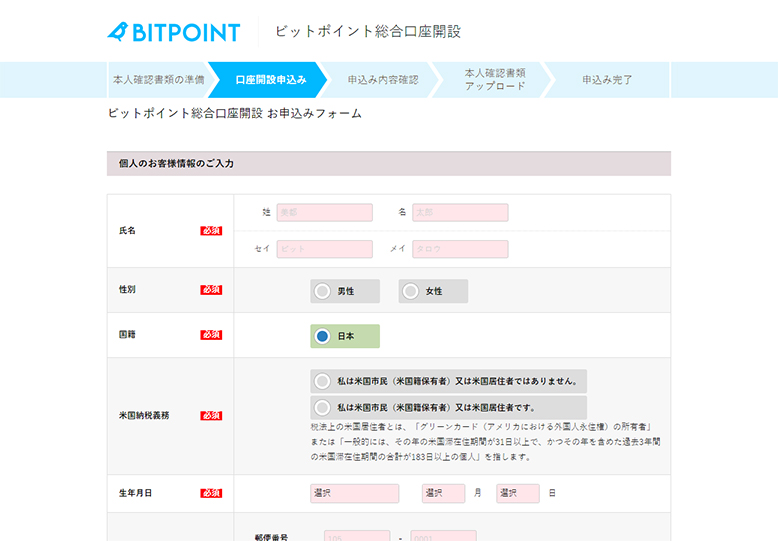
Proceed to enter basic information such as your name, date of birth, and address.
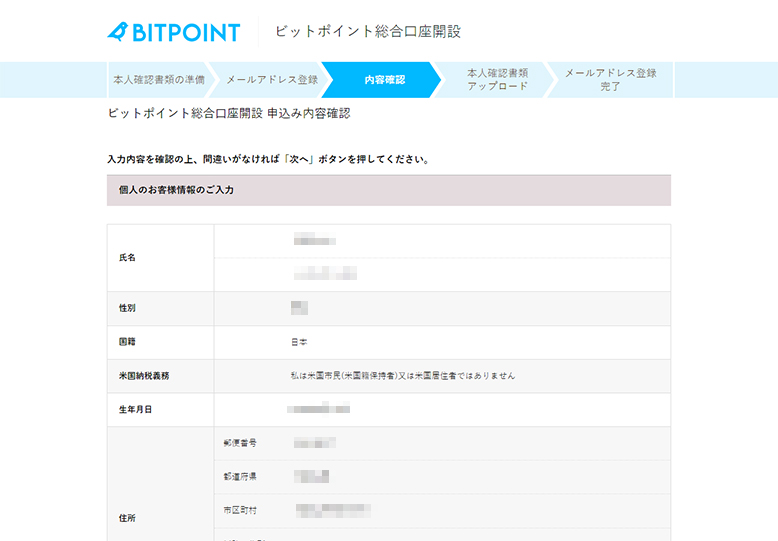
Confirm the entered content and proceed to the next step.
3. Submission of Identity Verification Documents
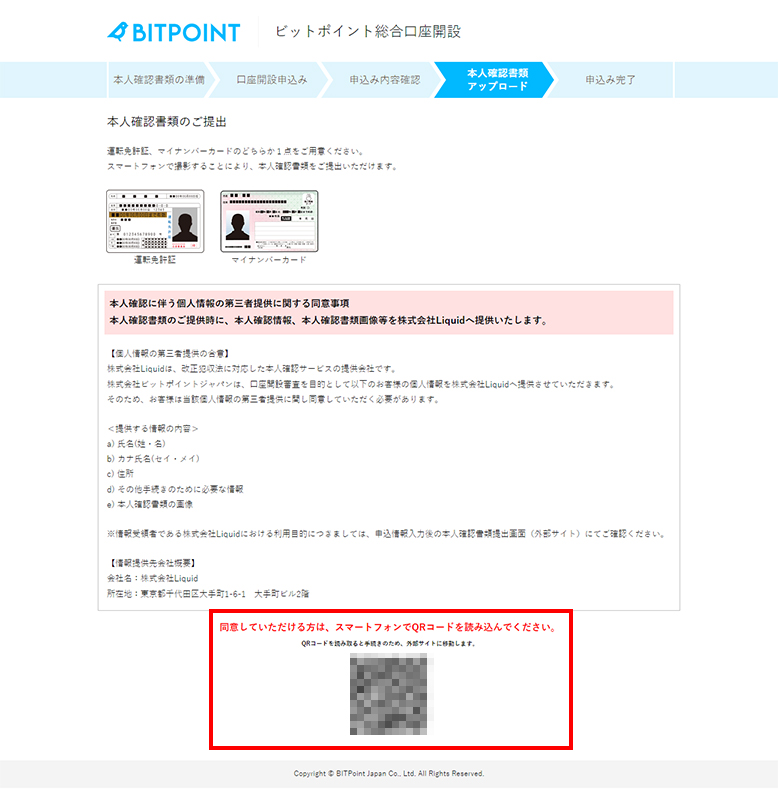
Perform identity verification.
After confirming the content, use a smartphone to scan the QR code.
Open the scanned URL, follow the instructions to photograph the identity verification documents (driver's license or My Number Card) and take a face photograph, then proceed.
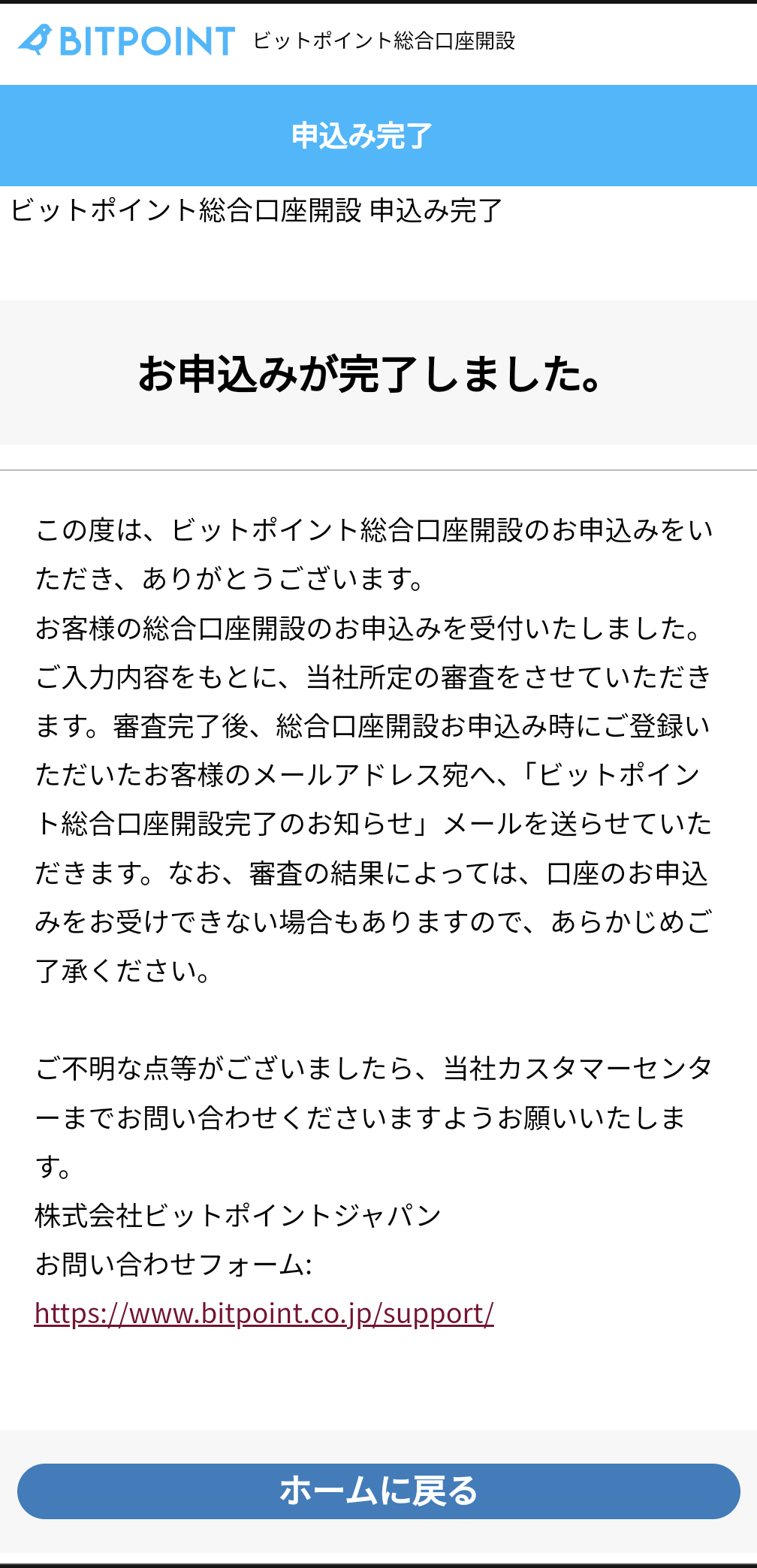
If sent successfully, the screen above will be displayed.
An email with the content "BITPOINT Integrated Account Opening Application Receipt Notice" will arrive, and you will be in a state of waiting for authentication.
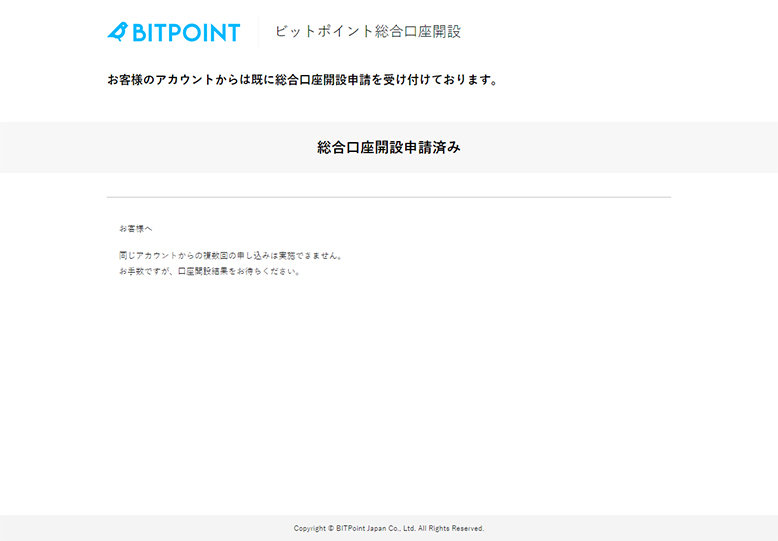
There may be no clear guidance and it can be confusing, but when you log in to your created account and try to open the deposit screen, the screen above will be displayed.
Done When Approved!
Regarding BITPOINT's review, if there are no problems, the result comes out in a few minutes; the impression is that you can know the result relatively quickly.
Once the review is successfully completed, an email titled "BITPOINT Integrated Account Opening Completion Notice" will arrive, and the account opening is complete.
Try cryptocurrency trading.
Once your account is open, try trading cryptocurrencies!
Deposit
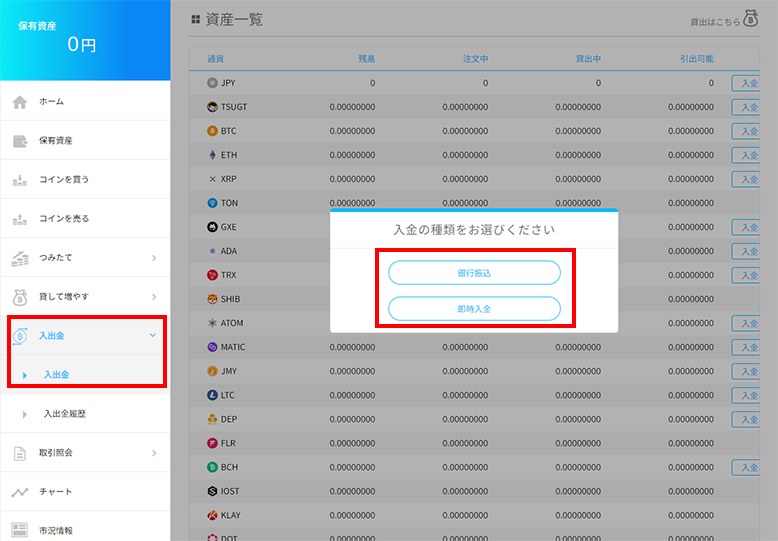
First, for Japanese yen deposits, select "Deposit/Withdrawal" from the menu, choose the "JPY" deposit, and select the deposit method.
There are mainly 2 deposit methods: "Bank Transfer" and "Instant Deposit".
Please use the deposit method that suits you.
PayPay Bank or Sumishin SBI Net Bank seem to allow instant deposit and are free of charge.
Otherwise, "Bank Transfer" allows depositing with only the transfer fee, so you can deposit with just the transfer fee of your bank account.
※In the case of bank transfer, it may take time to be reflected.
Trading Cryptocurrencies
Once you have made a deposit, try trading cryptocurrencies.
You can purchase using the method below.
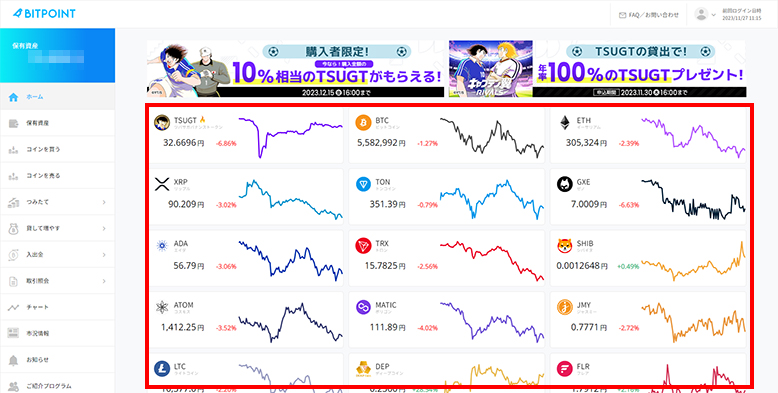
Select the cryptocurrency you wish to purchase.
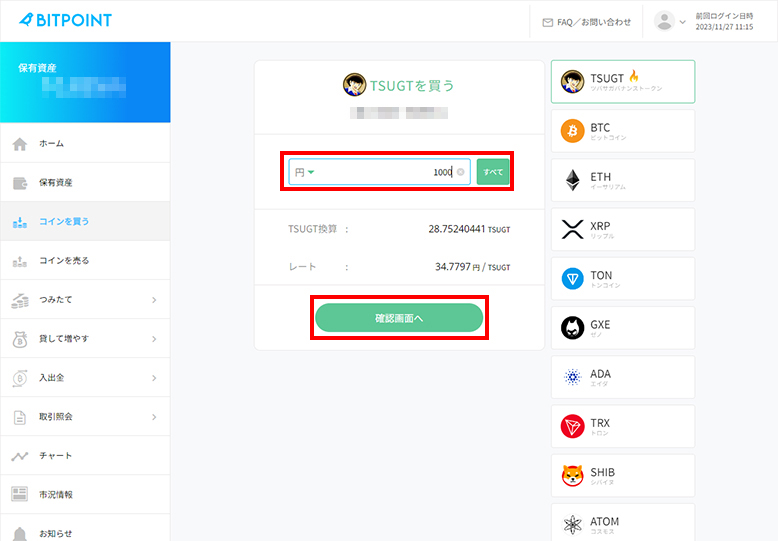
Enter the quantity you wish to purchase, proceed to the confirmation screen, and once confirmed, the purchase is complete.
IS6FX Also Accepts Cryptocurrency Deposits!
In addition to credit cards and bank transfers, IS6FX also accepts deposits with crypto assets (cryptocurrencies).
The cryptocurrencies currently supported are listed below.
- Bitcoin(BTC)
- Ethereum(ETH)
- Tether(USDT) ERC-20
- USDCoin(USDC) ERC-20
How to Deposit Cryptocurrency at IS6FX
Cryptocurrencies with potential.
Forming wallets and assets in various ways, or holding them in a diversified manner, is also a way to share risks.
IS6FX will continue to respond to today's increasingly diverse market.