
The cryptocurrency account required when making cryptocurrency deposits at IS6FX.
We will guide you on how to open an account at the cryptocurrency exchange "Coincheck".
This article was created based on information as of October 2023.
What is the cryptocurrency exchange Coincheck?
Coincheck has been operating since 2014, when cryptocurrencies began to spread widely, and is one of the exchanges that started providing services relatively early among Japanese exchanges.
It is well-known as a cryptocurrency exchange and also offers services other than cryptocurrencies, so the wide range of available services is also convenient.
Features of Coincheck
| Number of supported cryptocurrencies |
26 coins |
|---|---|
| Trading types | Spot trading (sales site and exchange) |
| Deposit fee | Bank transfer free (transfer fee is borne by the user) Other methods from 770 yen |
| Withdrawal fee | 407 yen flat |
| Trading fee | Depends on the coin, but basically included in the spread |
| Security | Cold wallet Multisig |
| Other services | Coincheck Tsumitate (savings) Coincheck Denki (electricity) Coincheck Gas Crypto-asset lending service Coincheck NFT IEO (Initial Exchange Offering) |
How to Open an Account with Coincheck
Opening an account with Coincheck requires identity verification (sending verifiable documents, taking a self-photograph).
1. Member Registration (Account Creation)
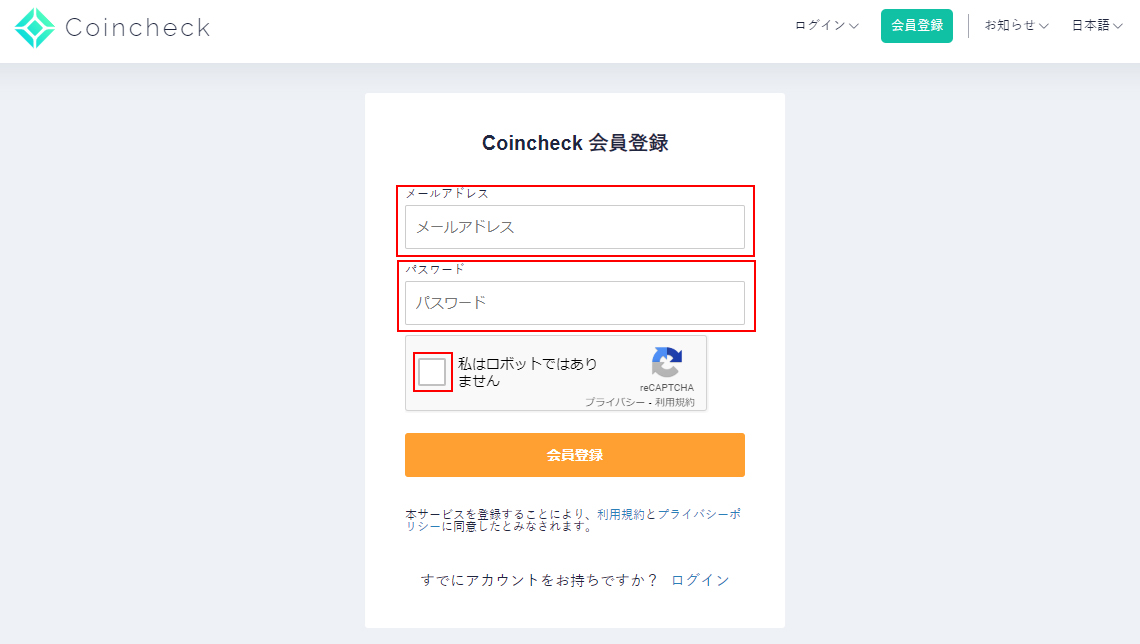
Coincheck Account Registration Page
Prepare an email address and password to register.
An email containing an authentication link will be sent to the registered email address; open it.
With this, the account creation is complete.
※If the email does not arrive, please check your spam folder.
Download the App
If registering on a smartphone, proceed via the app.
Even if you registered on a PC, you will later need to take a face photo for identity verification, and operating via the app is easier and more convenient.
Registration via the app is basically the same: open the app, register your email address and password, and open the link in the received email to create an account.
2. Confirmation of Important Matters / SMS Verification
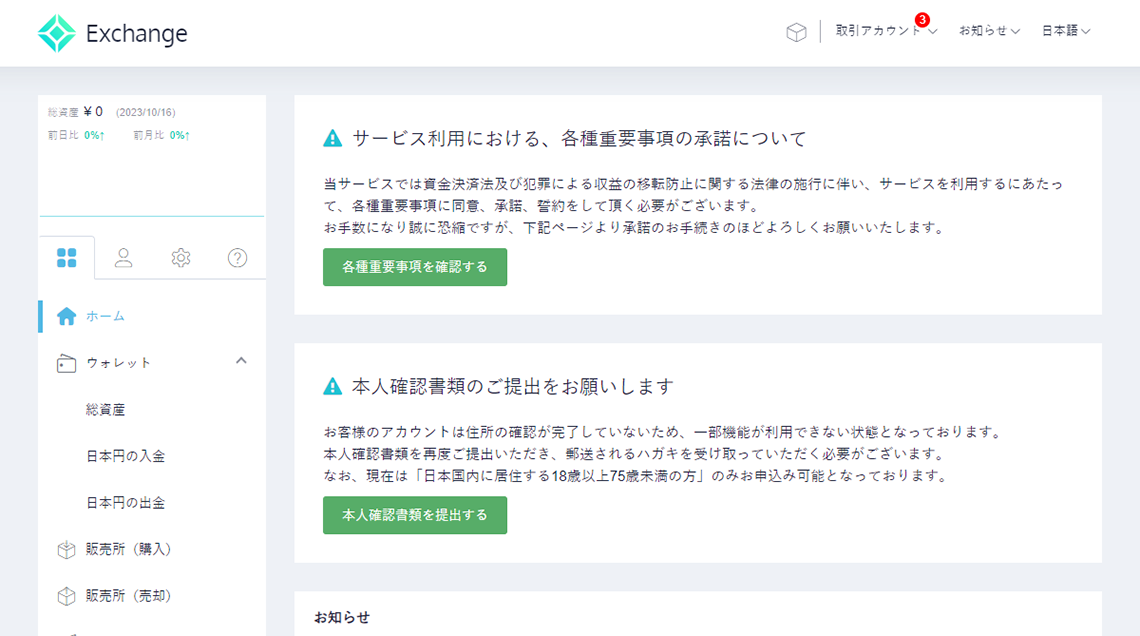
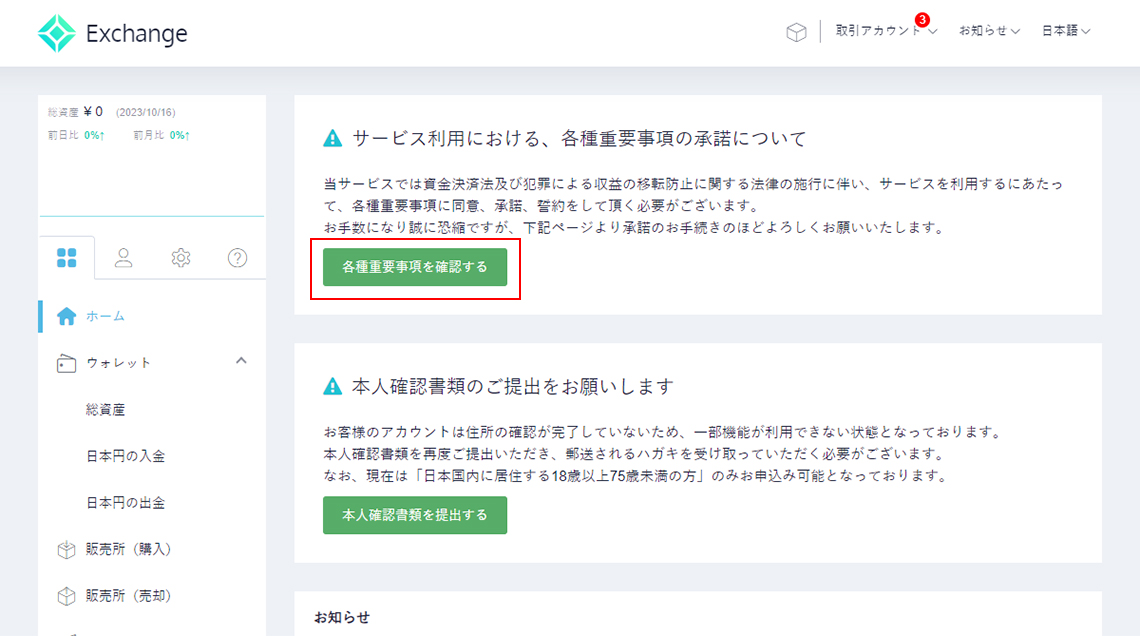
Confirmation of Important Matters
Without confirming, agreeing to, accepting, and pledging the various important matters, you cannot trade.
Please confirm each item and proceed.
SMS Verification (Phone Number Verification)
Enter your phone number and complete SMS verification.
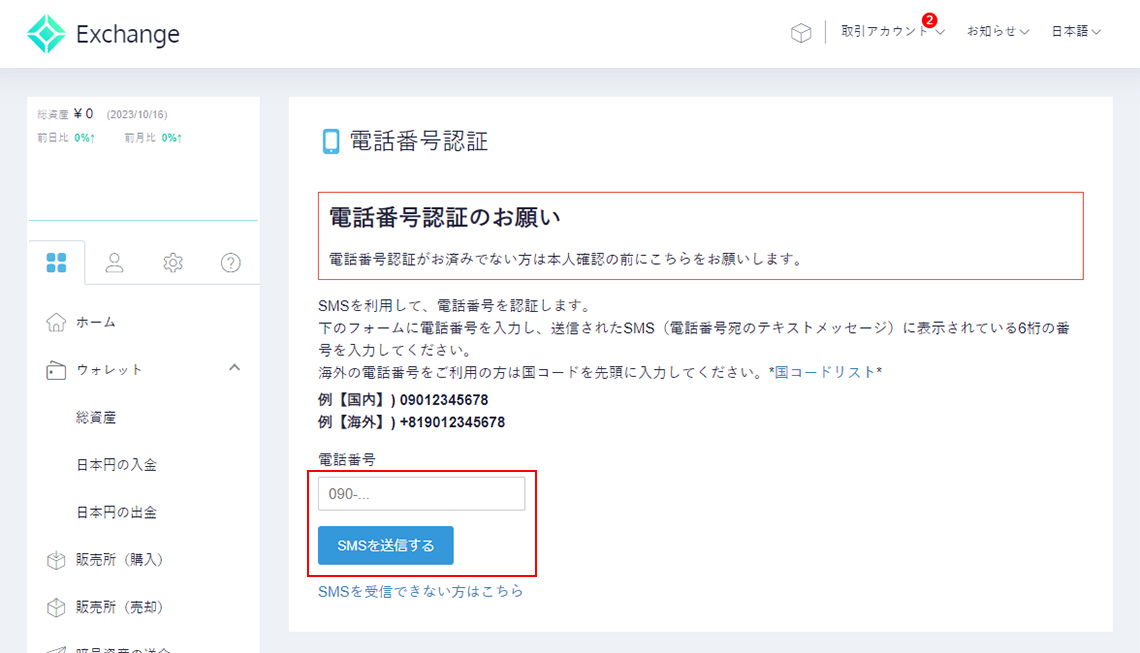
Once SMS verification is complete, proceed to identity verification.
Identity verification includes photography, so please prepare a smartphone.
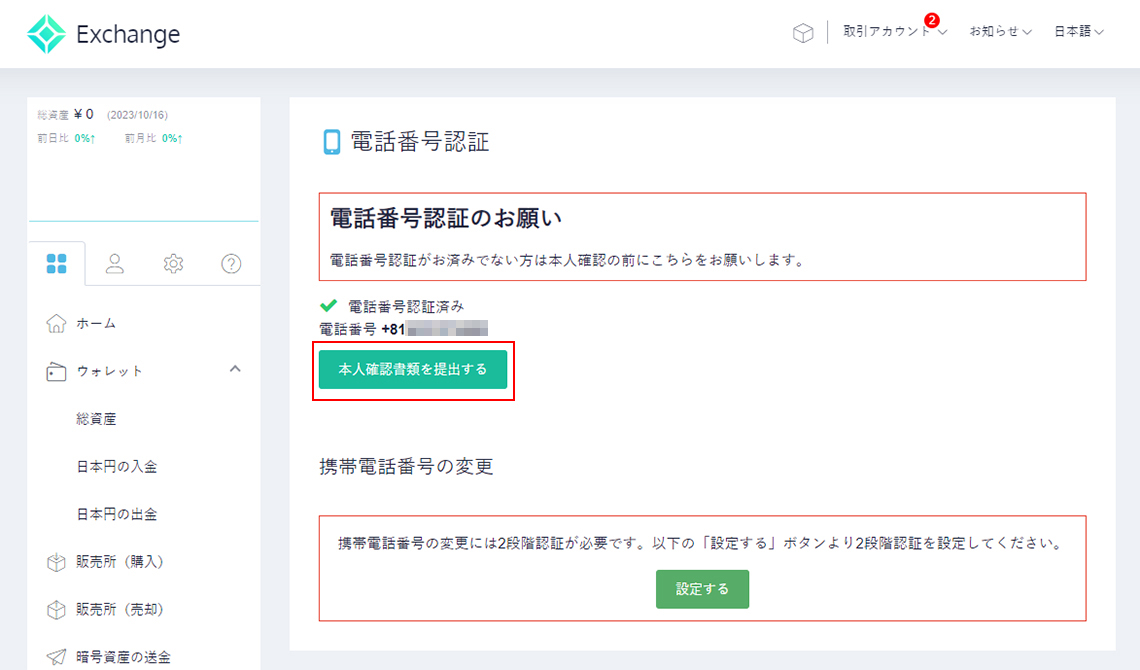
3. Identity Verification
Identity verification is probably possible from the PC browser as well, but as Coincheck's guidance suggests, we recommend handling it via the app.
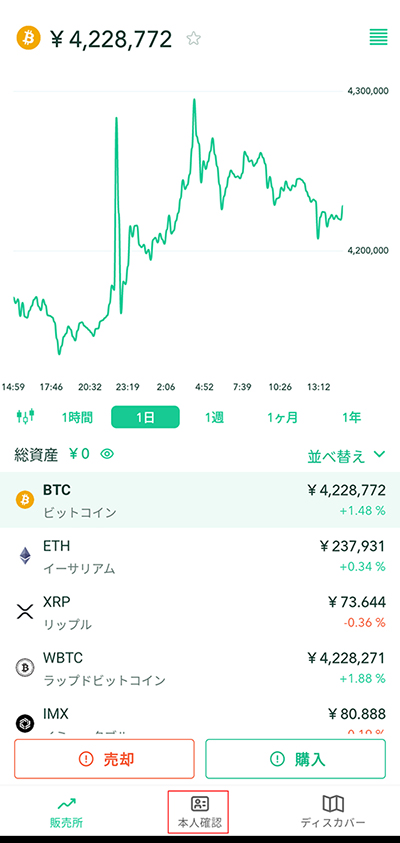
Open the app and log in with the account you created; the screen below will be displayed.
Press "Identity Verification" at the bottom and proceed.
Press "Enter basic information, enter employment information" and proceed.
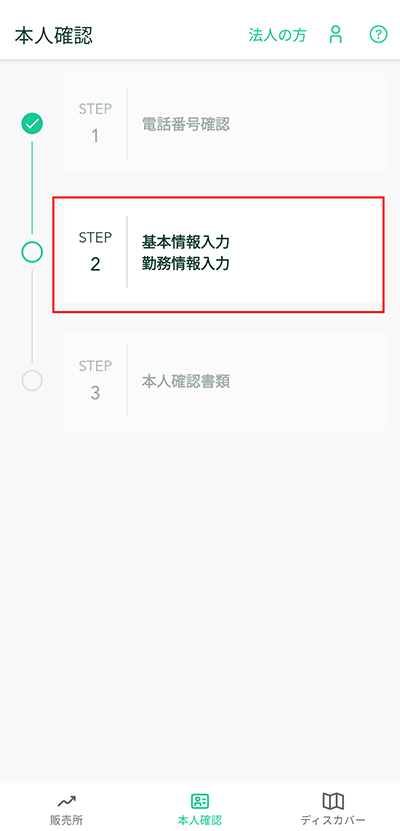
Entering Basic Information
Please select the document you will submit.
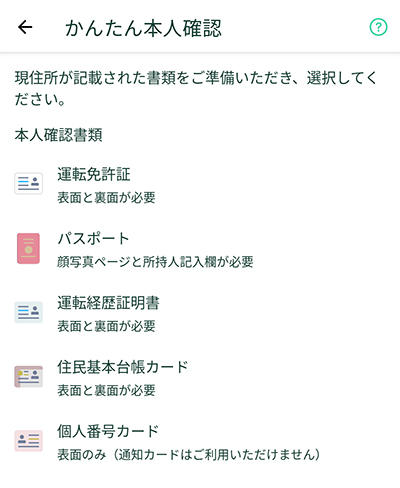
When the basic information input screen opens, enter basic information such as your age and address.
In addition to the basic information above, enter "Financial Transaction Information".
For those opening an account for the first time, this may be an unfamiliar item, but there is an item called "Nature of Funds".
At Coincheck, there are currently 2 choices: "Surplus funds" and "Living funds".
To explain simply, in this case, it is the content of "whether you will use money necessary for living as funds".
Sending Identity Verification Documents
Once basic information input is complete, it is the document submission.
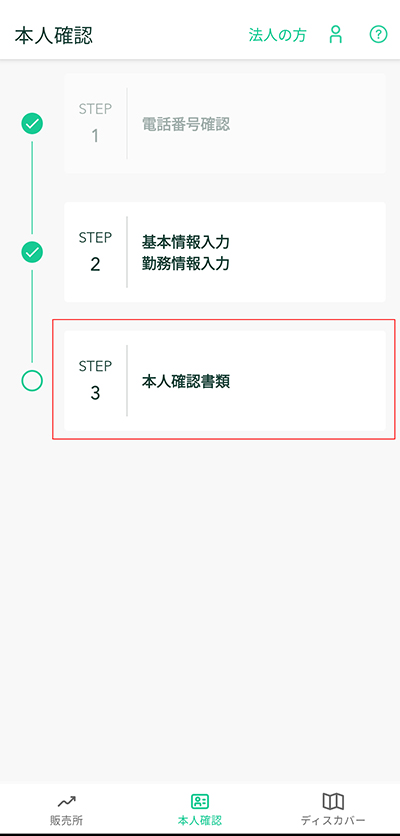
When you proceed, an email containing the URL of the authentication service will be sent to the registered email.
Open the email, open the URL provided, photograph the documents to be submitted, and send.
Face Photography
Once the document photography is finished, it will be facial authentication.
Follow the instructions to proceed with the photography.
If sent without problems, the screen below will appear and you will be waiting for review.
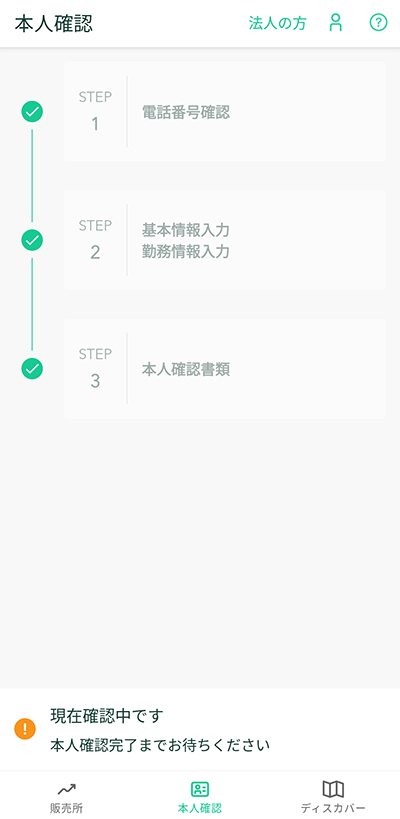
If there are no issues with the review, you will be able to trade cryptocurrencies on Coincheck.
Once your account is open, try trading cryptocurrencies!
Deposit
There are mainly 3 deposit methods: "Bank Transfer", "Convenience Store Deposit", and "Quick Deposit".
Please use the deposit method that suits you.
Currently, "Bank Transfer" allows deposits with only the transfer fee, so you can deposit with just the transfer fee of your bank account.
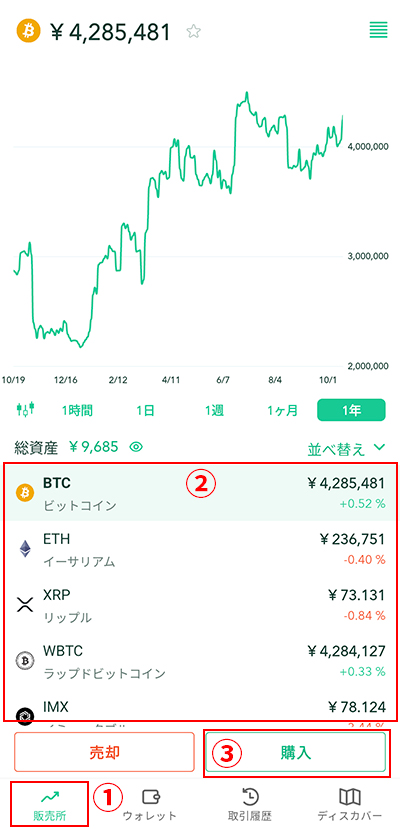
Trading Cryptocurrencies
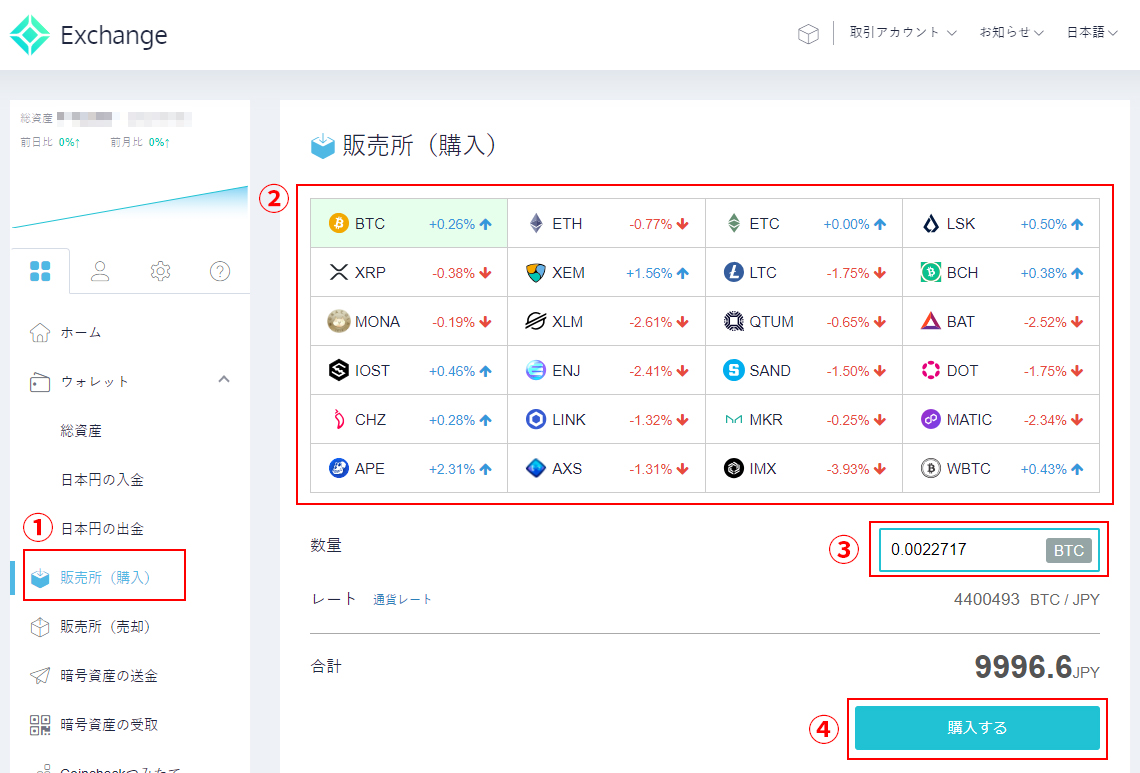
- Select the sales site
- Select the coin
- Enter the amount
- Purchase
Display on PC (browser)
Display on smartphone (app)
IS6FX Also Accepts Cryptocurrency Deposits!
In addition to credit cards and bank transfers, IS6FX also accepts deposits with crypto assets (cryptocurrencies).
The cryptocurrencies currently supported are listed below.
- Bitcoin(BTC)
- Ethereum(ETH)
- Tether(USDT) ERC-20
- USDCoin(USDC) ERC-20
How to Deposit Cryptocurrency at IS6FX
Cryptocurrencies with potential.
Forming wallets and assets in various ways, or holding them in a diversified manner, is also a way to share risks.
IS6FX will continue to respond to today's increasingly diverse market.