
When managing the cryptocurrencies you own, a wallet is very useful.
Managing cryptocurrencies with a wallet has many benefits, such as reducing the risk of losing assets due to issues with exchanges, and lowering the risk of hacking.
In this article, we will introduce one such wallet service: "MetaMask".
This article was created based on information as of December 2023.
What is MetaMask?
MetaMask is a cryptocurrency wallet based on the Ethereum chain, developed and operated by a company called ConsenSys (consensys.net).
The service started in 2016, and as of March 2022, it has over 30 million monthly active users, used by many users.
It can be said to be a representative service among cryptocurrency wallets.
It has many useful features, such as being able to set the gas fee (cost incurred during transactions) by changing the speed of transaction time, and exchanging tokens without going through an exchange.
It also supports Japanese and is free to use, making it a beginner-friendly wallet service.
Features of MetaMask
| Services | Cryptocurrency purchase Storage and sending/receiving of tokens Cryptocurrency swap (exchange) Payments on Ethereum-based services |
|---|---|
| Supported Browsers |
|
| Smartphone App |
|
How to Install MetaMask
MetaMask can be used from a PC browser or a smartphone app.
This article explains the general installation method using Google Chrome on a PC.
1. Download
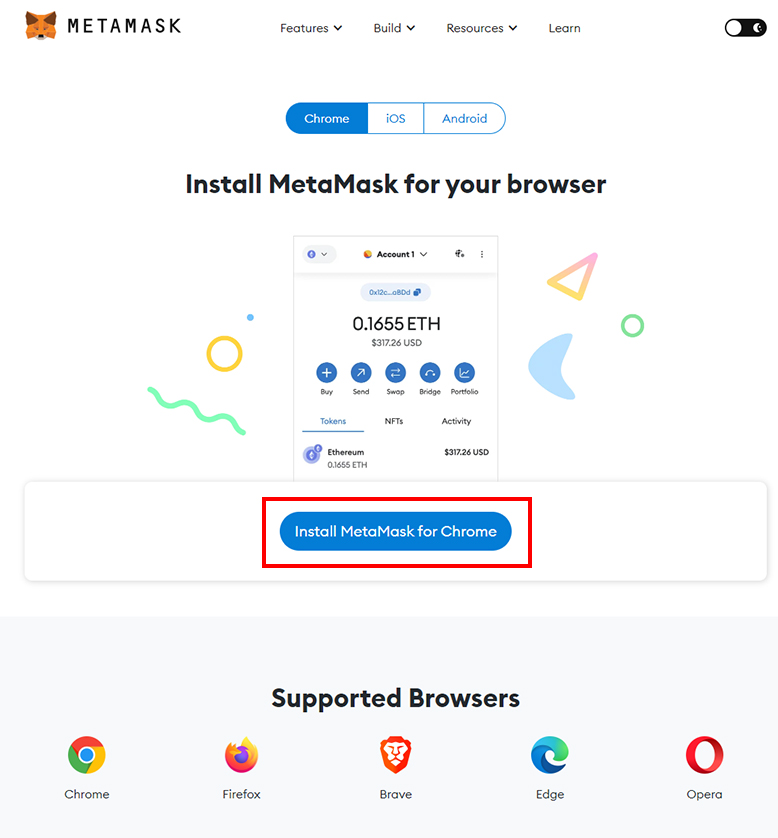
When you press download on the MetaMask download page and proceed, the Chrome extension page below will open.
Chrome MetaMask Extension Page
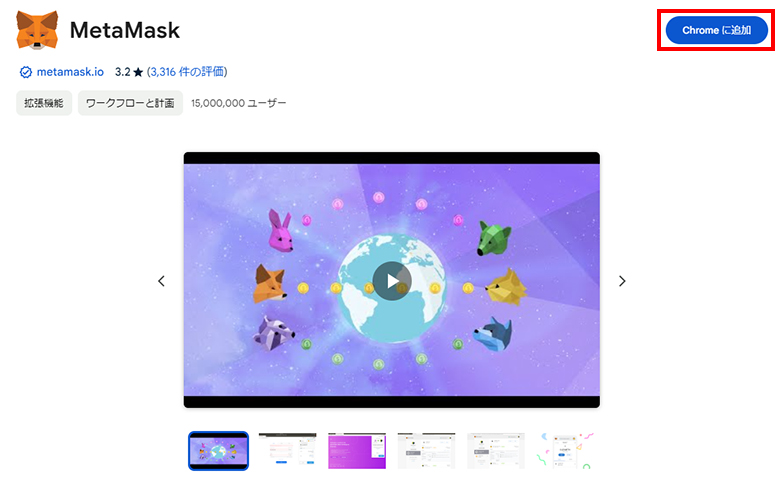
Press "Add to Chrome" to download.
2. Create a Wallet
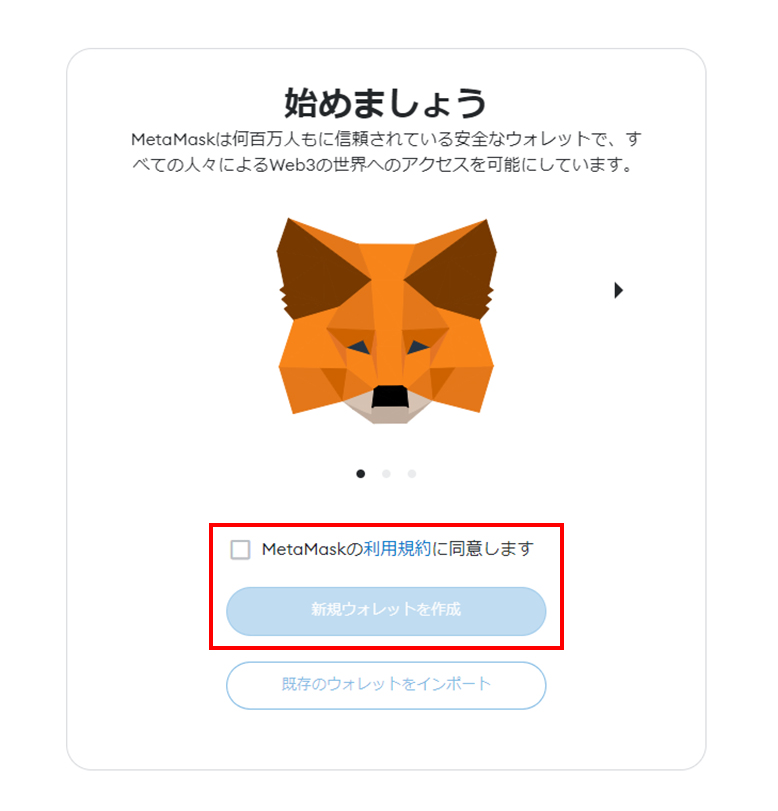
Once the download is complete, the wallet creation screen will open.
After confirming the terms of use, press "Create a new wallet" to proceed.
On the next screen, there are other confirmations, so check them before proceeding.
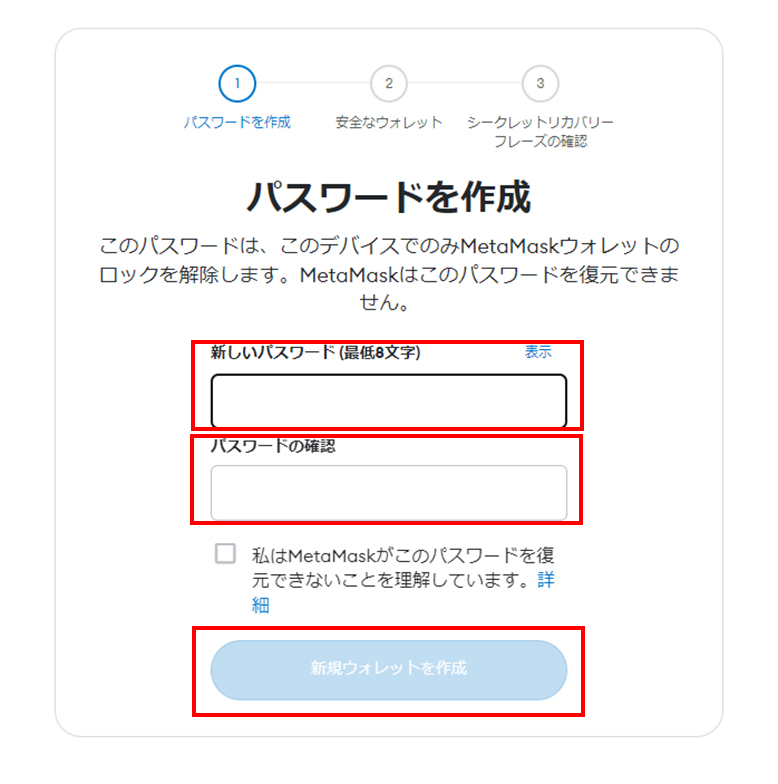
Prepare and enter a password.
After confirming "I understand that MetaMask cannot recover this password.", check the box and proceed.
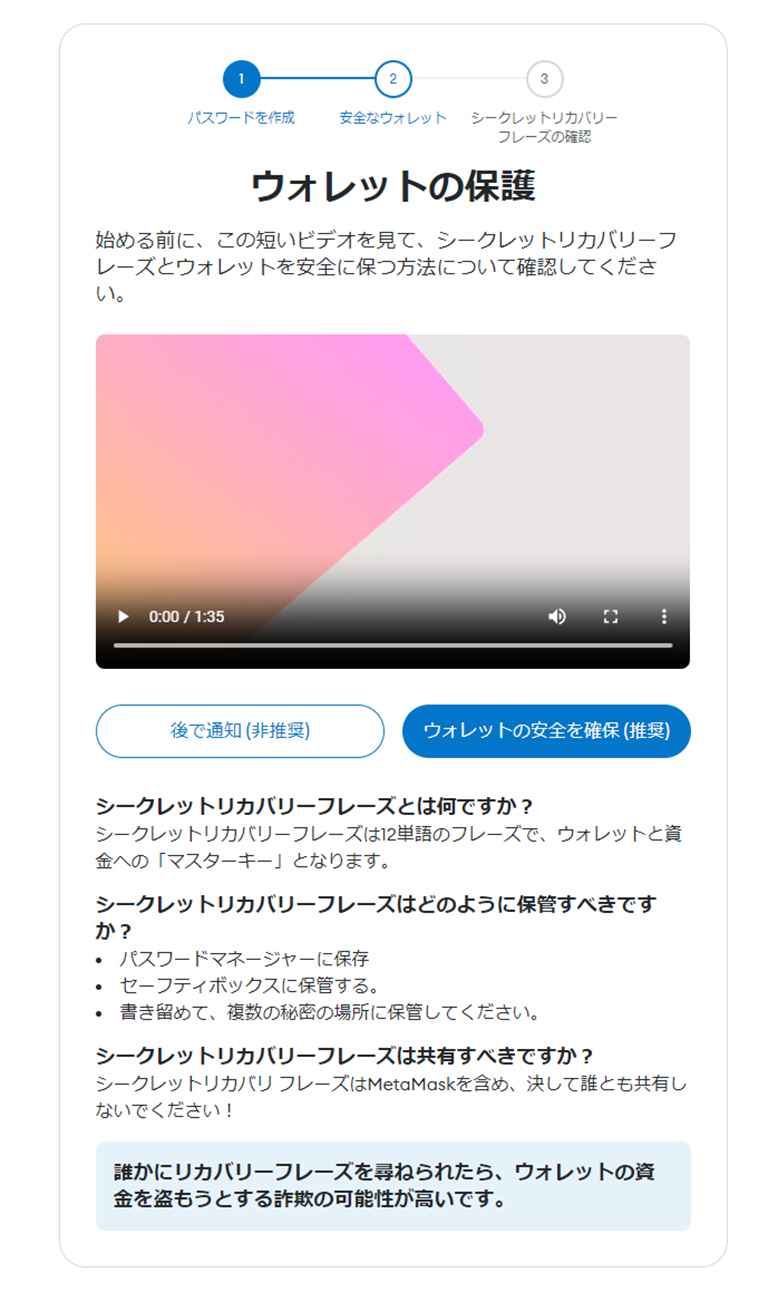
There will be guidance on protecting the wallet and the "Secret Recovery Phrase", so confirm the content and proceed.
The video is easy to understand, so we recommend confirming and understanding the content, then proceeding to "Secure my wallet (recommended)".
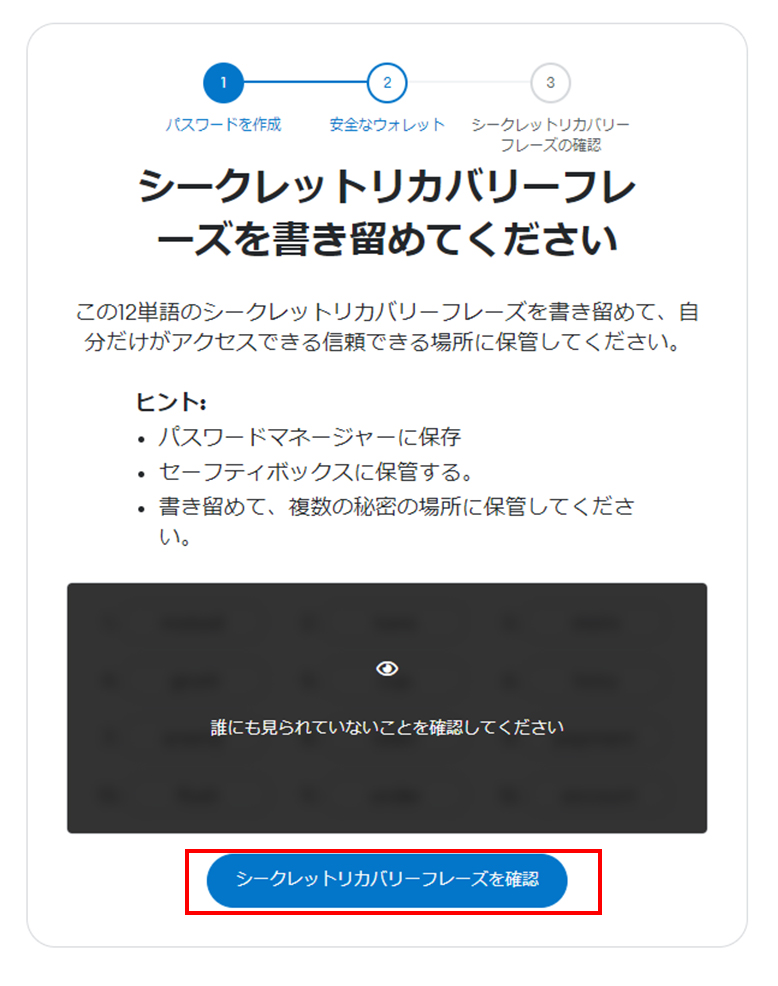
The "Secret Recovery Phrase" is, so to speak, a password made of multiple words.
When you press "Reveal Secret Recovery Phrase", 12 keywords will be displayed; save and manage them separately from the password.
Furthermore, on the next page there will be a verification of the keywords.
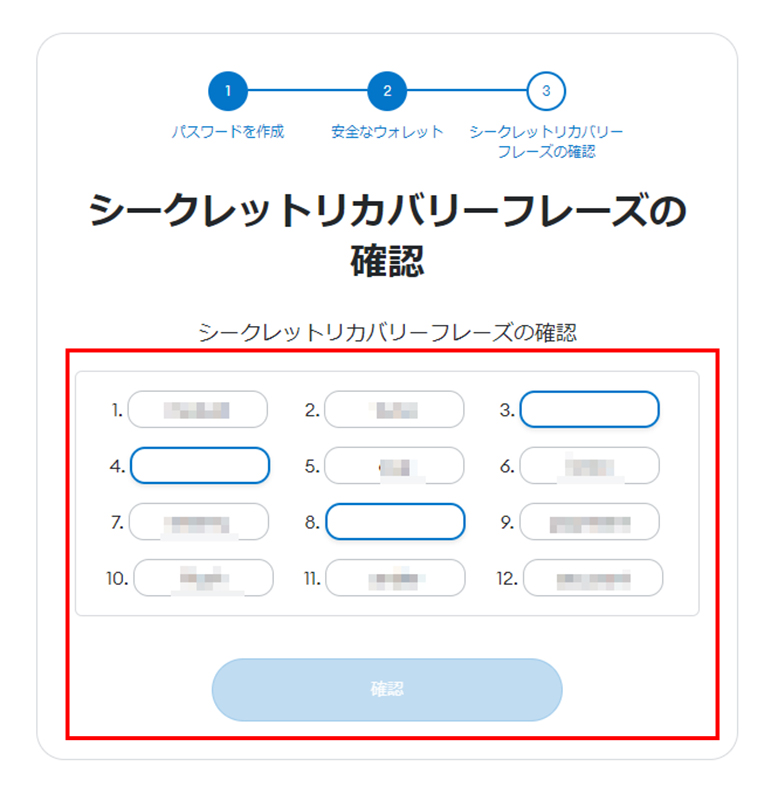
Please enter the "Secret Recovery Phrase" you noted on the previous page.
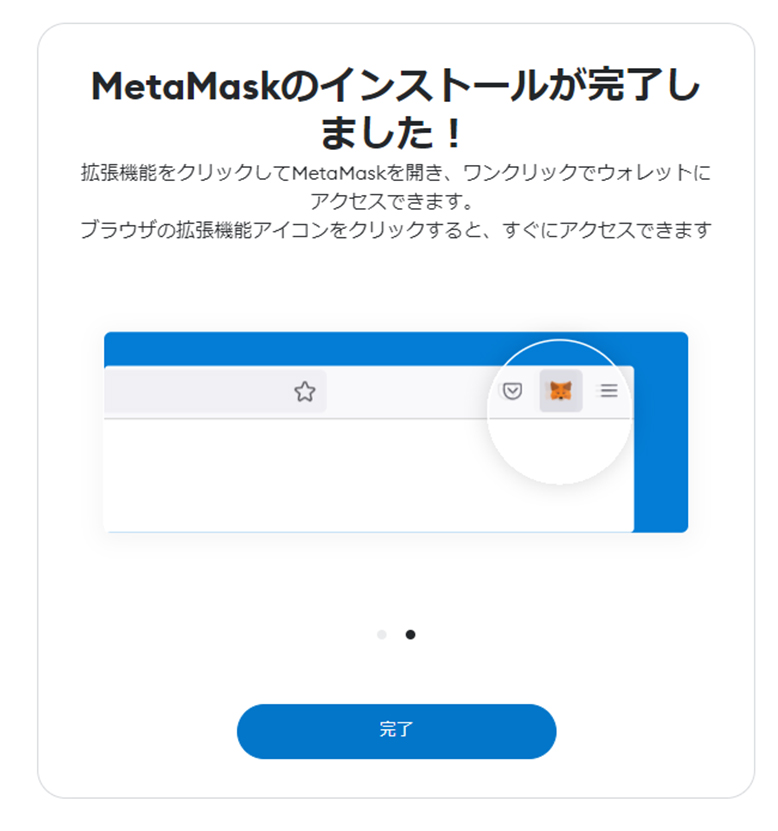
If you enter the "Secret Recovery Phrase" without any issues, the wallet creation is complete.
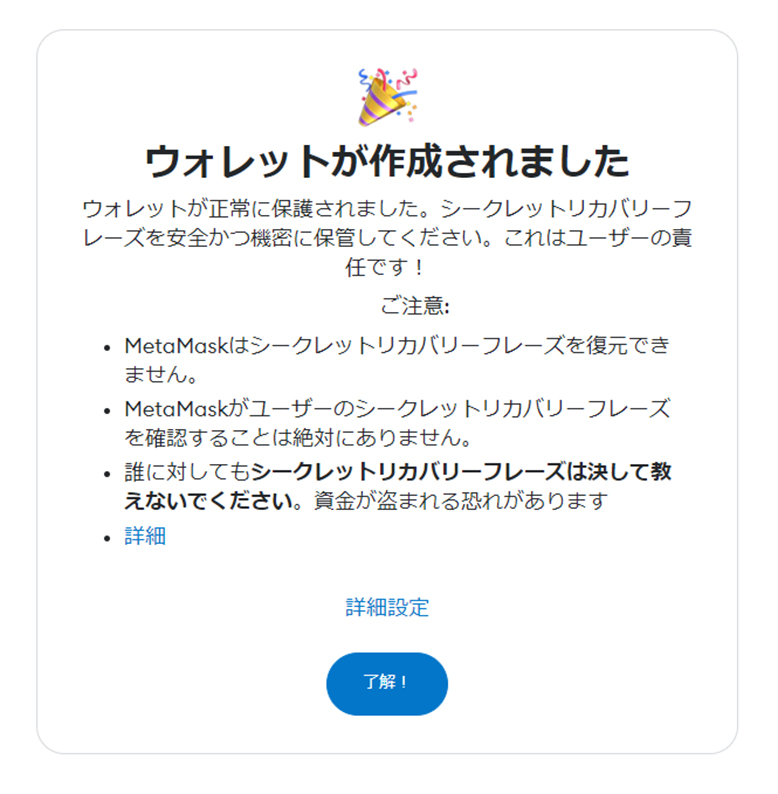
When you proceed, the installation completion screen will appear.
After Installing MetaMask
Check the Wallet Address
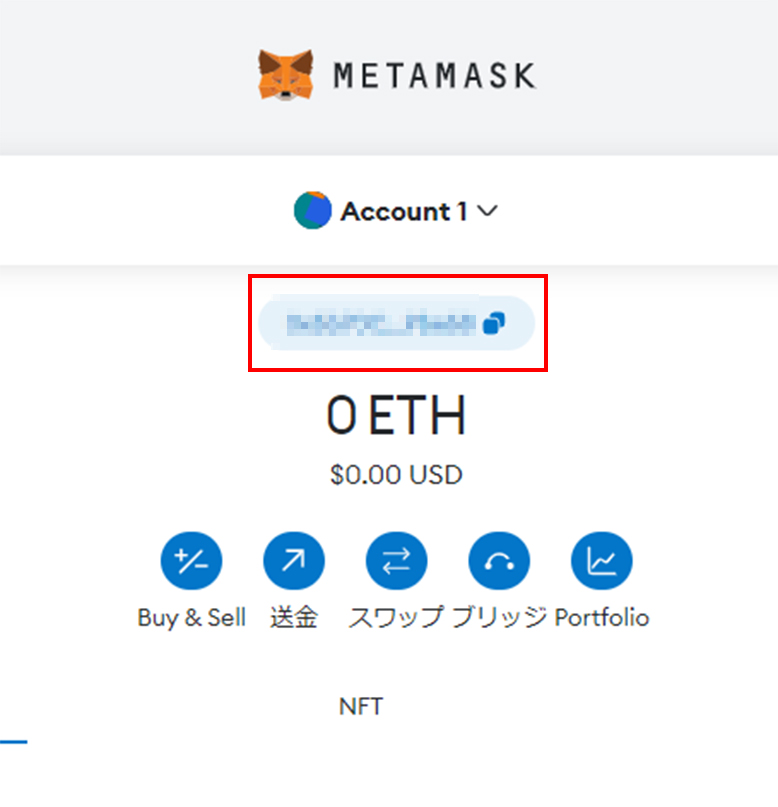
You can copy the wallet address required when sending funds to MetaMask or from MetaMask.
With a wallet address, you can use it in various places.
For example, the range of use expands to making cryptocurrency deposits or receiving cryptocurrencies as gifts.
Sending from an Exchange to MetaMask
You can send cryptocurrencies from supported exchanges and services to MetaMask.
It may vary depending on the service, but the basic flow is as follows.
- Register the wallet address at the exchange / service
- Process the cryptocurrency withdrawal
- Confirm the deposit to MetaMask
Please confirm whether the service supports MetaMask.
Also, MetaMask does not support all cryptocurrencies — Bitcoin is not supported. You can manage ETH (Ethereum) and similar.
IS6FX Also Accepts Cryptocurrency Deposits!
In addition to credit cards and bank transfers, IS6FX also accepts deposits with crypto assets (cryptocurrencies).
The cryptocurrencies currently supported are listed below.
- Bitcoin(BTC)
- Ethereum(ETH)
- Tether(USDT) ERC-20
- USDCoin(USDC) ERC-20
How to Deposit Cryptocurrency at IS6FX
Cryptocurrencies with potential.
Forming wallets and assets in various ways, or holding them in a diversified manner, is also a way to share risks.
IS6FX will continue to respond to today's increasingly diverse market.