
When managing the cryptocurrencies you own, a wallet is very useful.
Managing cryptocurrencies with a wallet has many benefits, such as reducing the risk of losing assets due to issues with exchanges, and lowering the risk of hacking.
When it comes to cryptocurrency wallets, there are options such as "MetaMask",
but in this article, we will introduce "SafePal Wallet".
This article was created based on information as of March 2024.
What is SafePal Wallet?
SafePal Wallet is a cryptocurrency wallet service in which the cryptocurrency exchange BINANCE invested, and which began offering its service in 2021.
"SafePal", which provides the service, issues its own token "SFP". By holding "SFP" in the SafePal wallet, you can receive benefits such as receiving tokens and NFTs, and discounts on trading fees.
Differences from MetaMask
Security Features
SafePal Wallet is designed as a hardware wallet, focusing on offline storage and transactions.
On the other hand, MetaMask is a web wallet, often used online, and its security depends on the user's device and browser security.
SafePal emphasizes physical security, while MetaMask depends on software security.
Supported Blockchains
SafePal Wallet supports major blockchains such as Bitcoin and Ethereum.
On the other hand, MetaMask specializes in the Ethereum blockchain, mainly focusing on Ethereum and Ethereum-based projects.
User Interface and Features
SafePal Wallet provides a user-friendly interface for managing cryptocurrencies and conducting transactions.
On the other hand, MetaMask easily integrates with Ethereum DApps and supports the use of DApps in browsers.
Additionally, a major difference is that SafePal Wallet also supports Japanese.
Features of SafePal Wallet
| Services | Trading available via Binance market features Cryptocurrency storage Cryptocurrency swap (exchange) Digital asset management |
|---|---|
| Smartphone App |
※Basically provided as a mobile app. |
How to Open a SafePal Wallet
1. Download
SafePal Wallet can be used from a smartphone app.
For iOS devices, open the App Store; for Android devices, open Google Play, and search for "safepal".
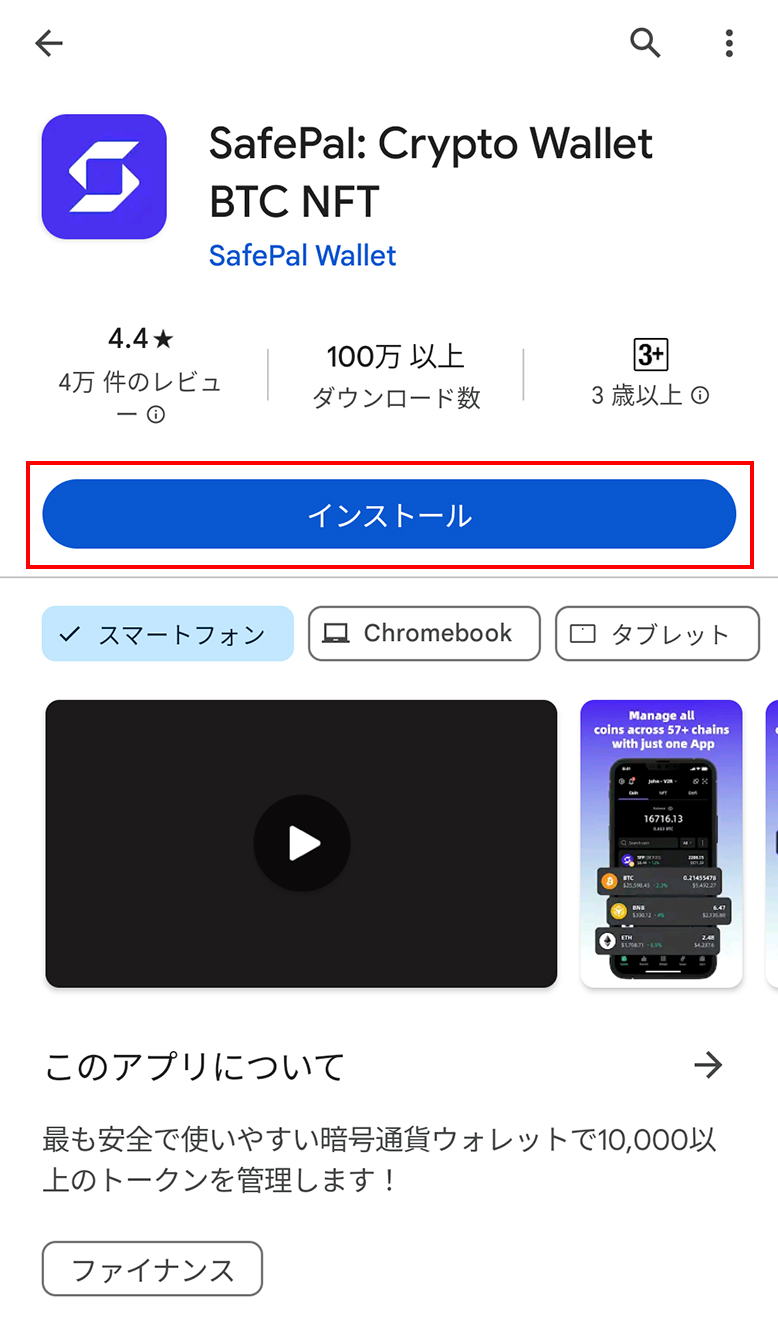
When it appears in the search results, install the app on your device.
※This article shows the display on Android devices.
Once the app is installed, open it.
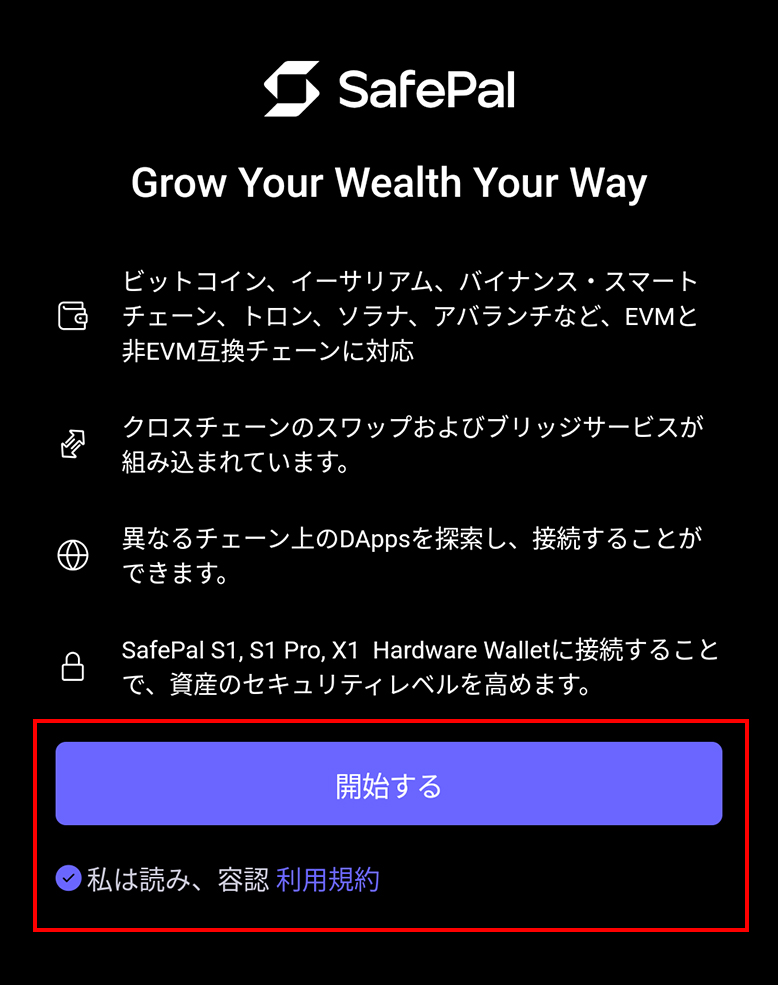
Confirm the terms of use and start.
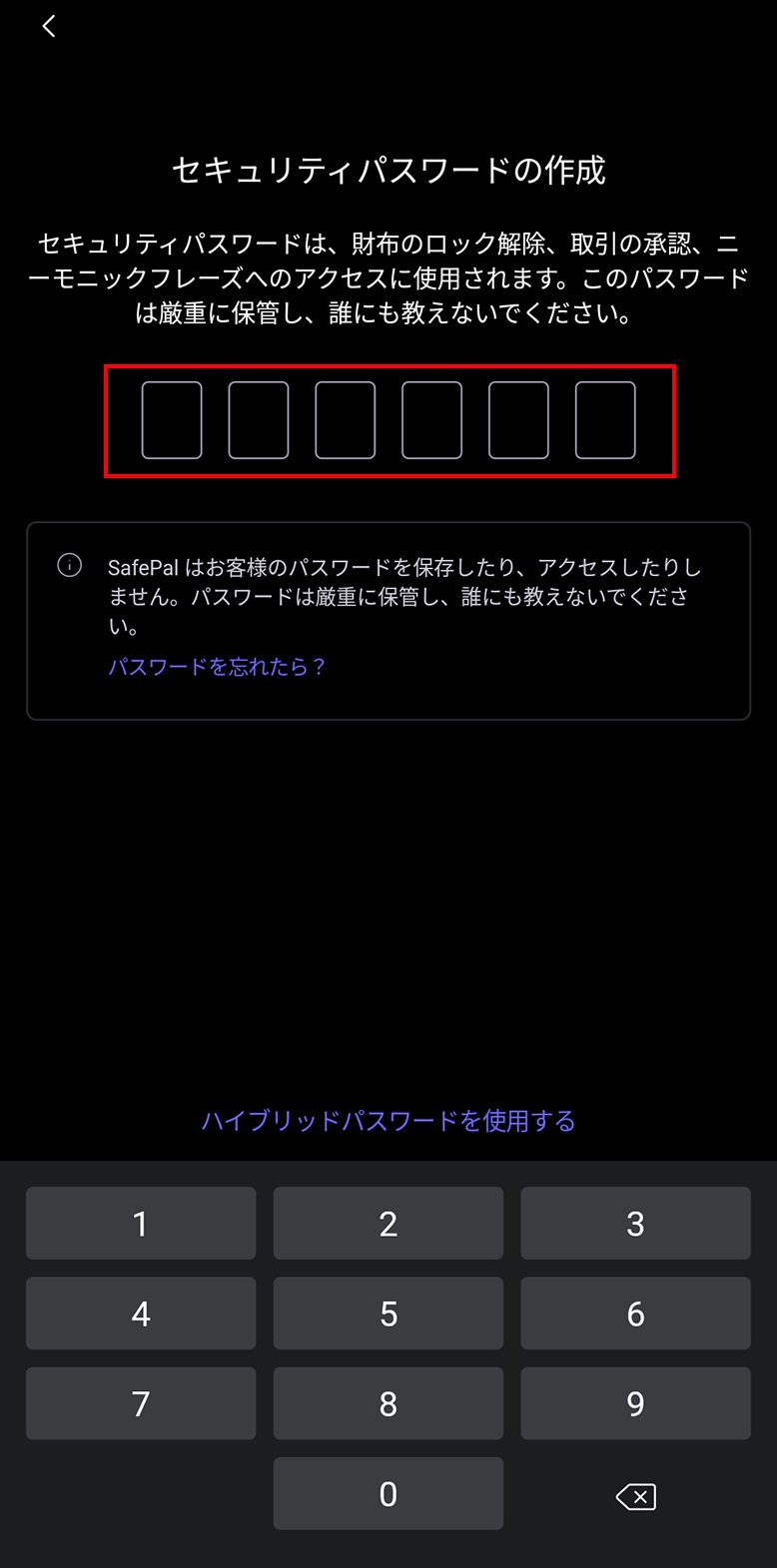
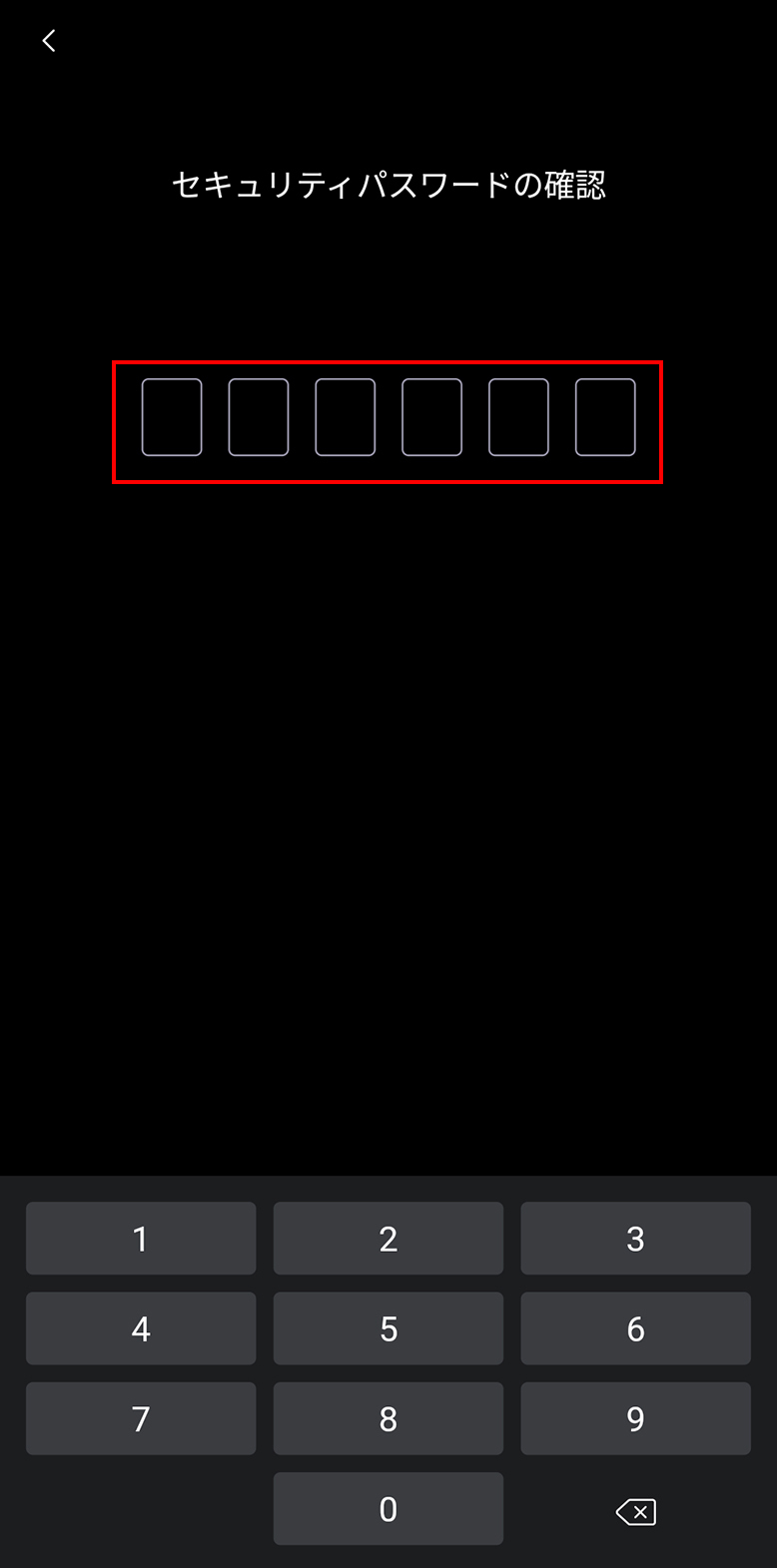
Set a password.
Once you set a password, depending on the device, you can choose to open the app with fingerprint authentication or pattern input.
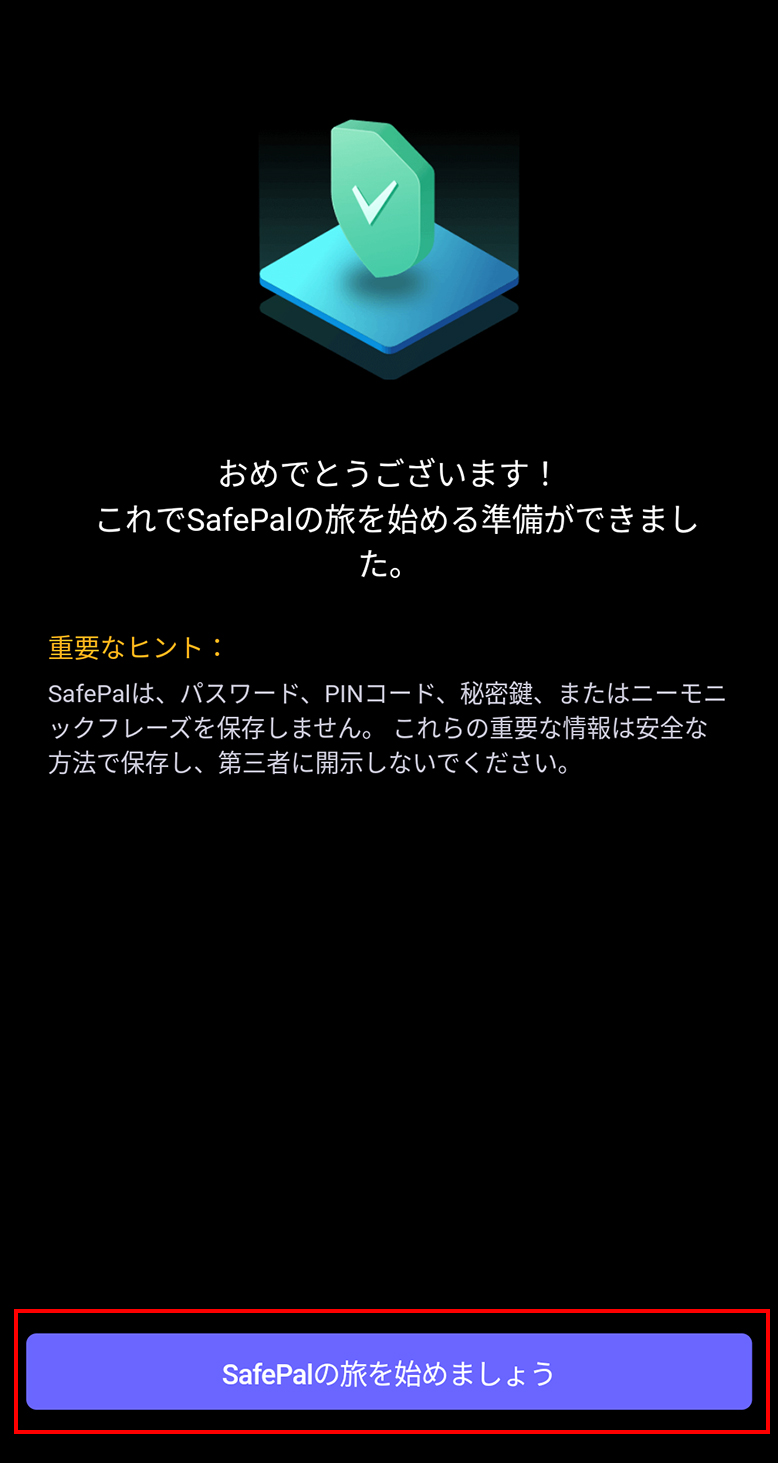
Once the password is set, the app setup is complete.
Press "Let's begin the SafePal journey" to proceed.
2. Create a Wallet
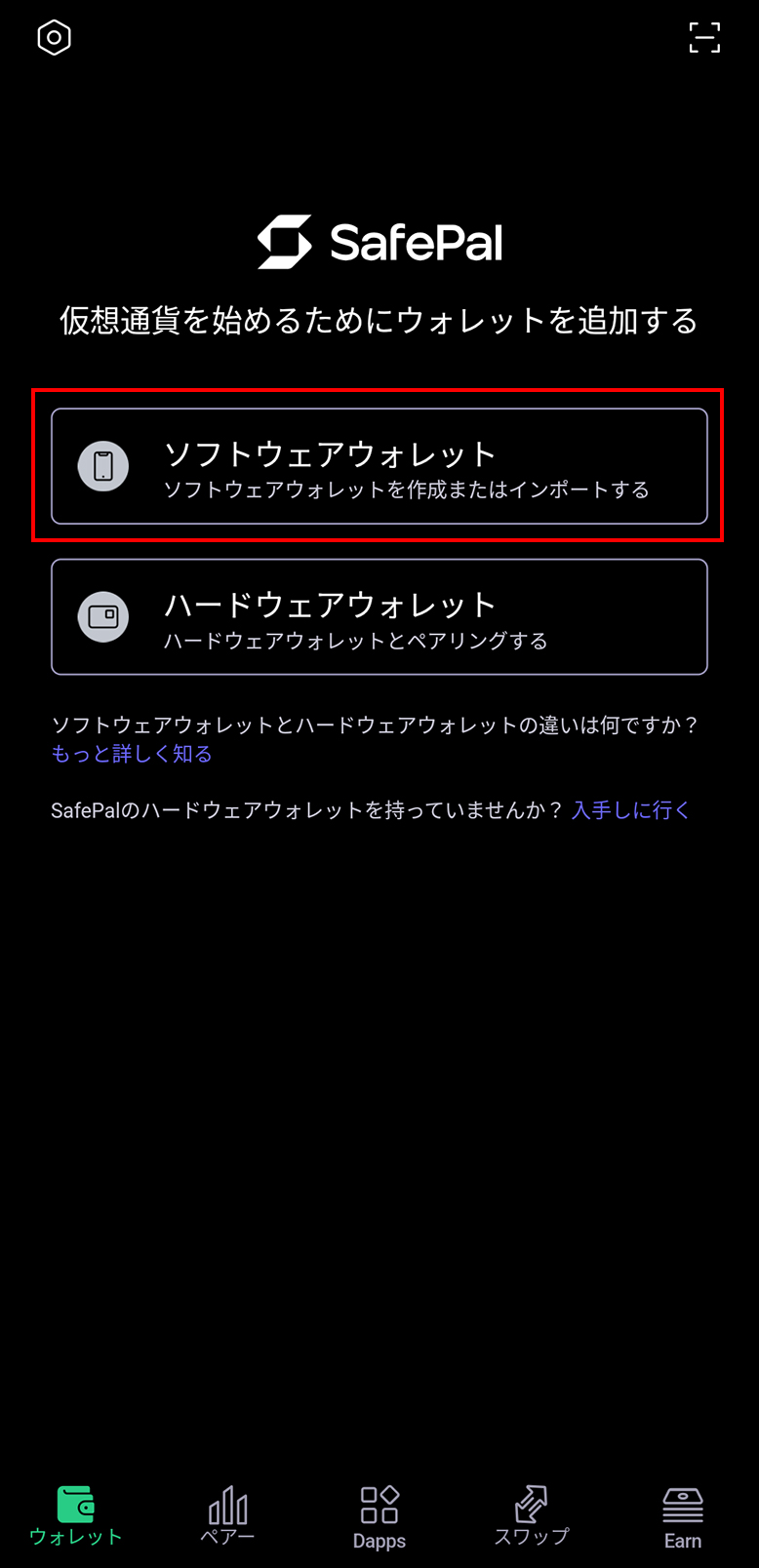
Press "Software Wallet" to proceed.
By the way, the second option, hardware wallet, is a method of managing cryptocurrencies safely by using a separate device in addition to the smartphone.
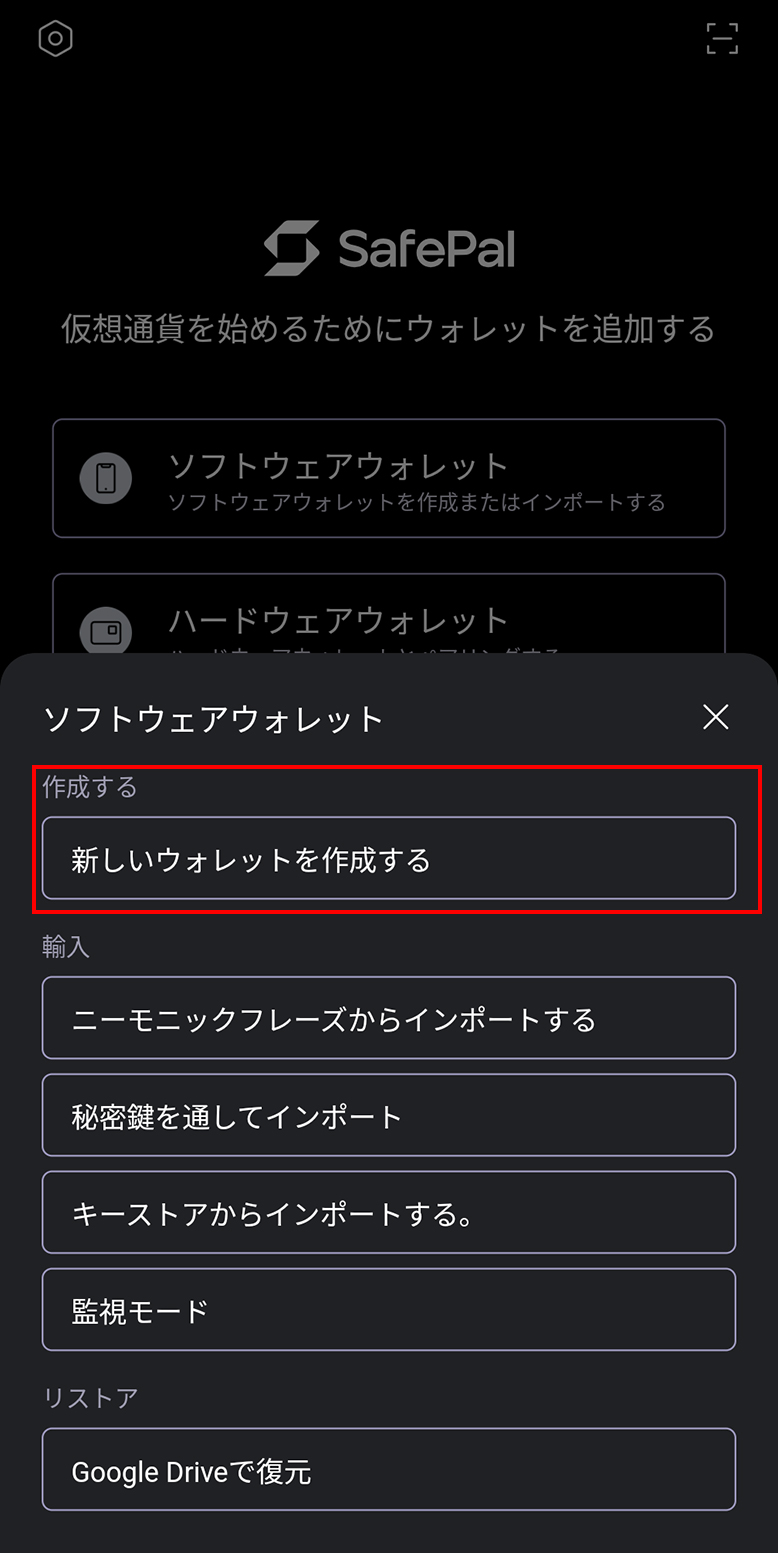
Create a new wallet.
At this time, you will be asked for a wallet name, so please set a wallet name that is easy to manage.
Mnemonic Phrase Backup
The timing may vary depending on the app version, but when you create a wallet, a guidance screen for storing the "mnemonic phrase" — a keyword separate from the password — will appear.
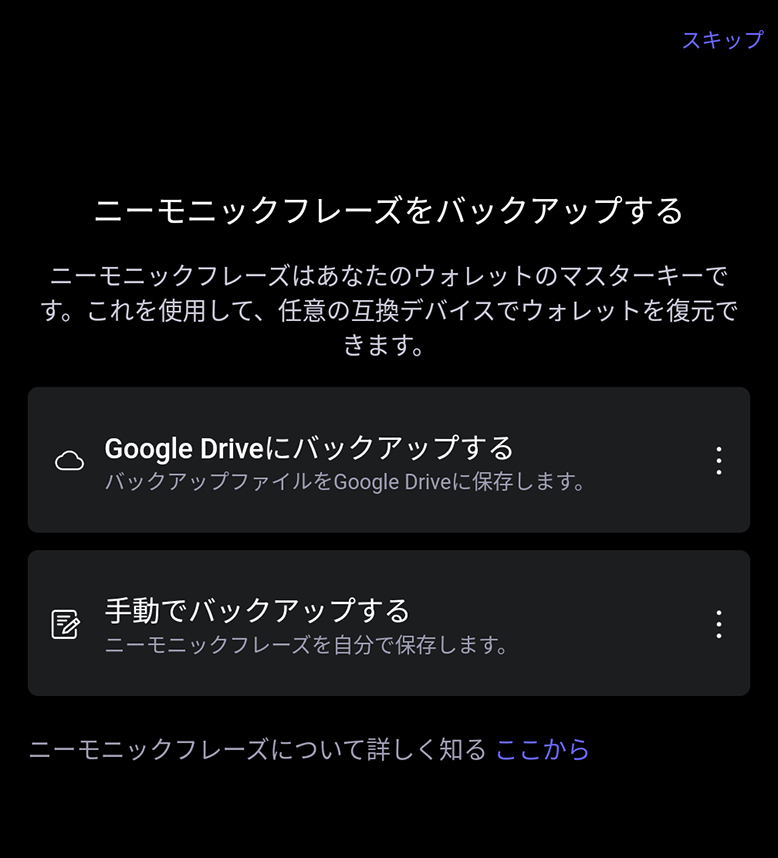
This setting can be skipped, but the mnemonic phrase is required for restoring or migrating the wallet, so be sure to set it.
12 to 24 keywords will be displayed; take note of those keywords (we recommend writing them down physically), and select them in order on the next screen to complete the mnemonic phrase setup.
3. Wallet Creation Complete
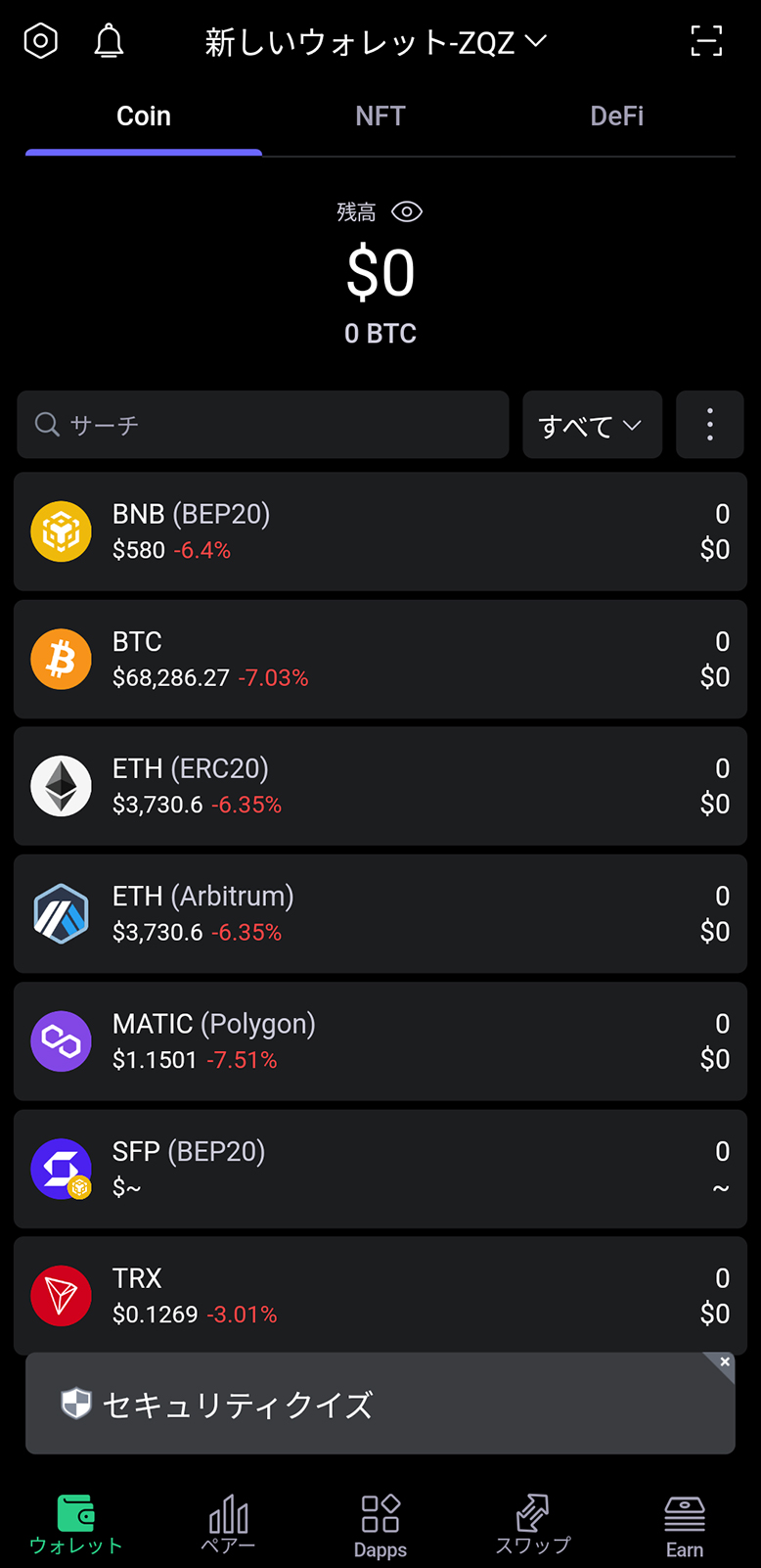
When the cryptocurrency symbols are displayed, the wallet creation is complete.
After Installing SafePal Wallet
Check the Wallet Address
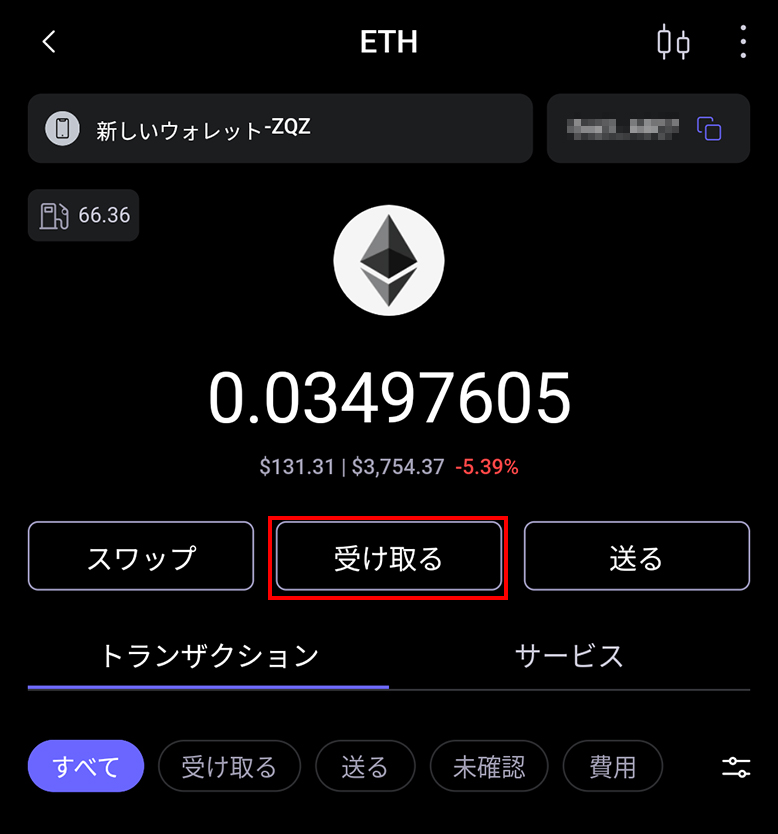
For example, when receiving ETH in your wallet, select ETH from the list.
Select "Receive".
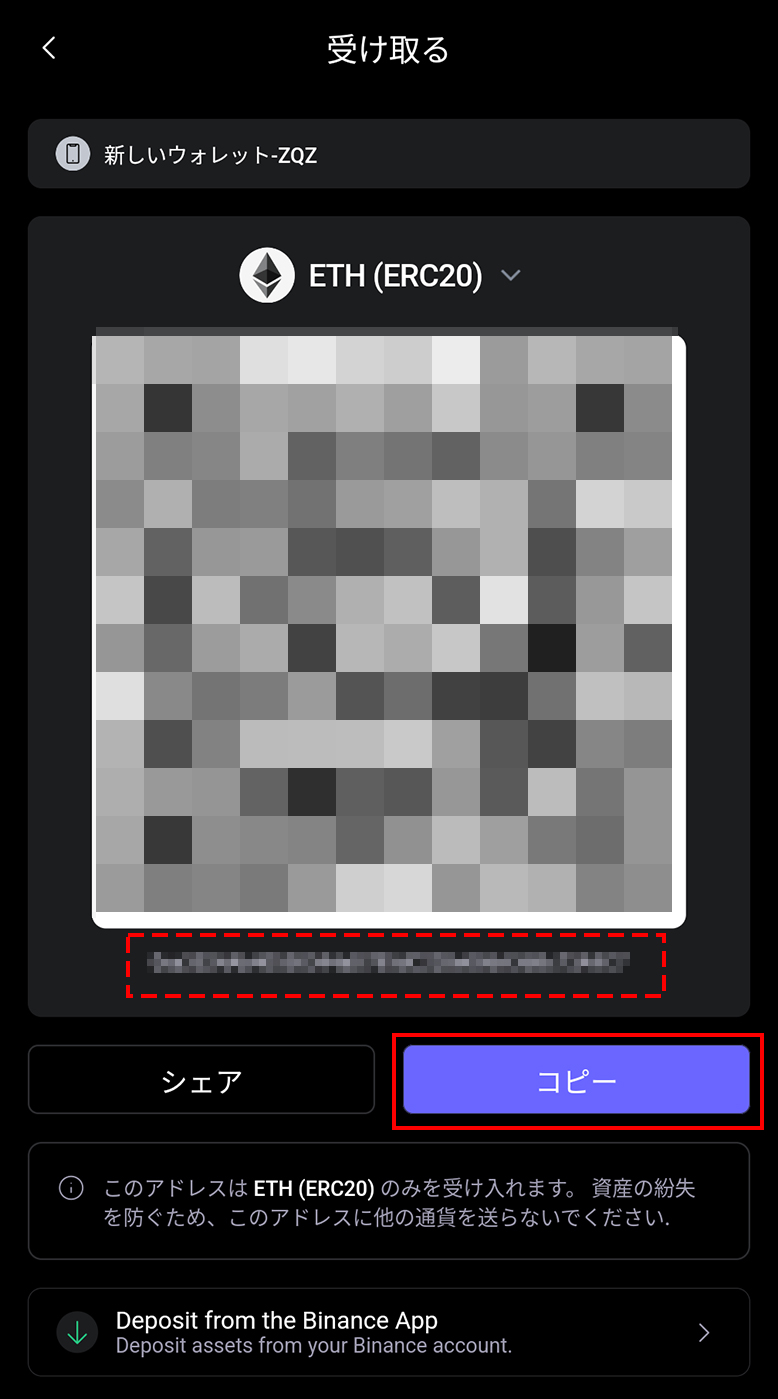
You can copy the wallet address required when sending funds to the wallet.
With a wallet address, you can use it in various places.
For example, the range of use expands to making cryptocurrency deposits or receiving cryptocurrencies as gifts.
Sending from an Exchange to SafePal Wallet
You can send cryptocurrencies from supported exchanges and services to SafePal Wallet.
It may vary depending on the service, but the basic flow is as follows.
- Register the wallet address at the exchange / service
- Process the cryptocurrency withdrawal
- Confirm the deposit to SafePal Wallet
Please confirm whether the service supports SafePal Wallet.
IS6FX Also Accepts Cryptocurrency Deposits!
In addition to credit cards and bank transfers, IS6FX also accepts deposits with crypto assets (cryptocurrencies).
The cryptocurrencies currently supported are listed below.
- Bitcoin(BTC)
- Ethereum(ETH)
- Tether(USDT) ERC-20
- USDCoin(USDC) ERC-20
How to Deposit Cryptocurrency at IS6FX
Cryptocurrencies with potential.
Forming wallets and assets in various ways, or holding them in a diversified manner, is also a way to share risks.
IS6FX will continue to respond to today's increasingly diverse market.