
In this article, we will introduce the swap method for the cryptocurrency wallet "SafePal Wallet".
For how to open a SafePal Wallet, please see here.
This article was created based on information as of May 2024.
What is a swap?
A swap in cryptocurrency trading means exchanging cryptocurrencies.
By performing a swap, you can exchange cryptocurrencies that are trending down for other cryptocurrencies.
Swaps incur costs, but depending on the time and situation, they can be effective.
How to Swap on SafePal Wallet
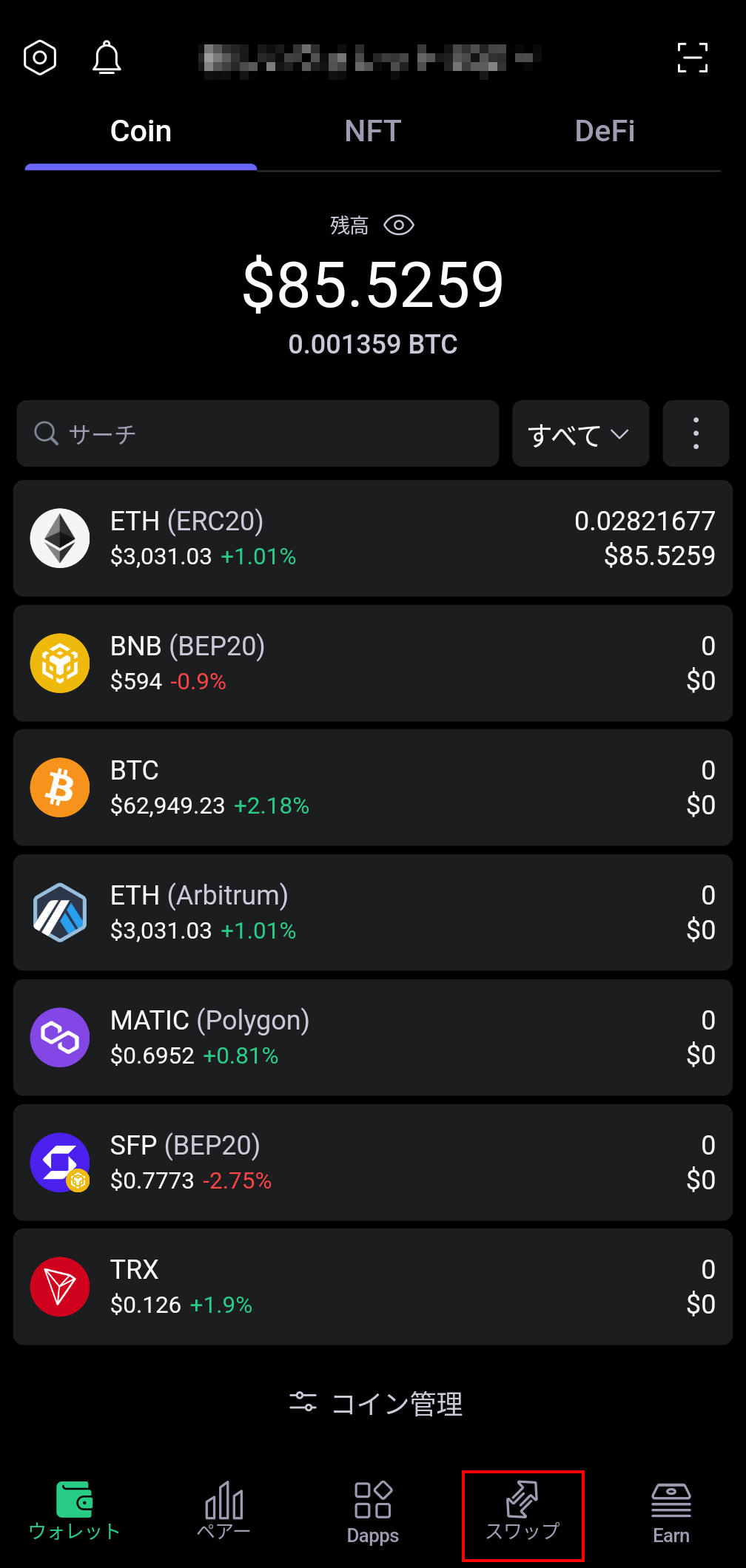
Open the SafePal Wallet app and select "Swap".
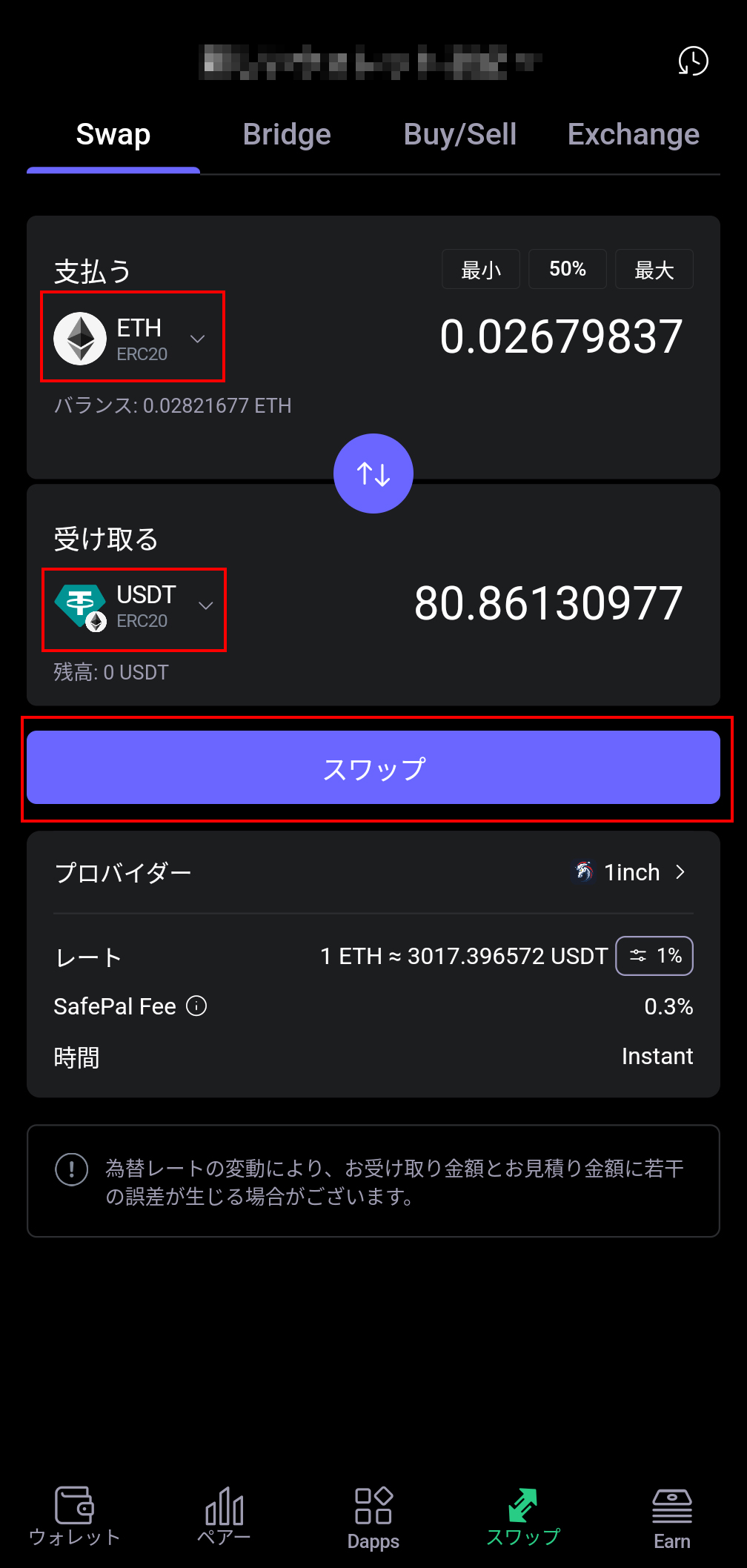
Select the source coin to swap from and the coin you want to receive.
※When selecting, please be careful not to choose the wrong token standard such as "ERC20".
If there are no mistakes, select "Swap".
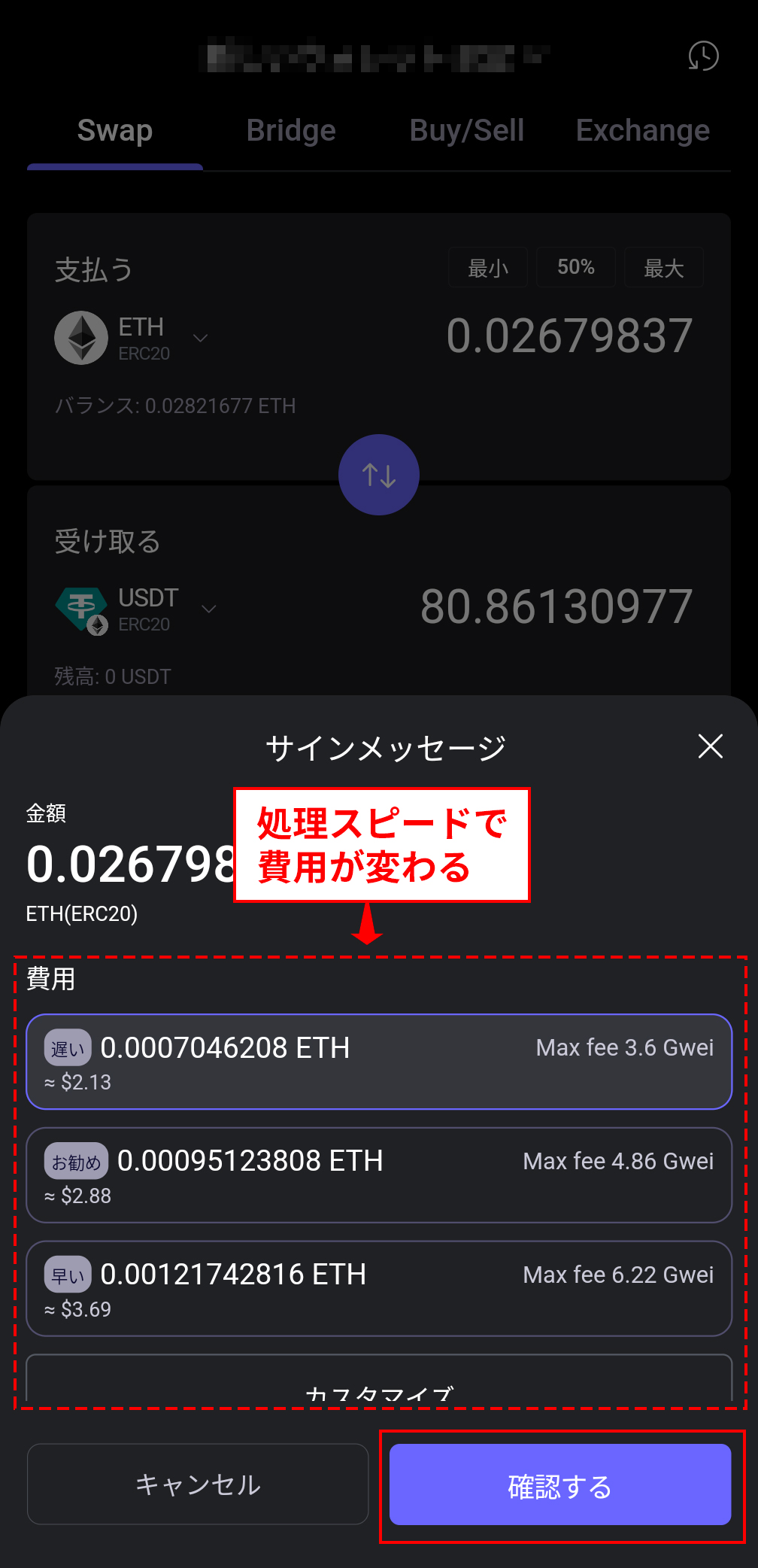
A confirmation popup will appear; select the fee (gas fee).
The faster the transaction processing, the higher the cost.
Select the fee, and if there are no issues, press "Confirm".
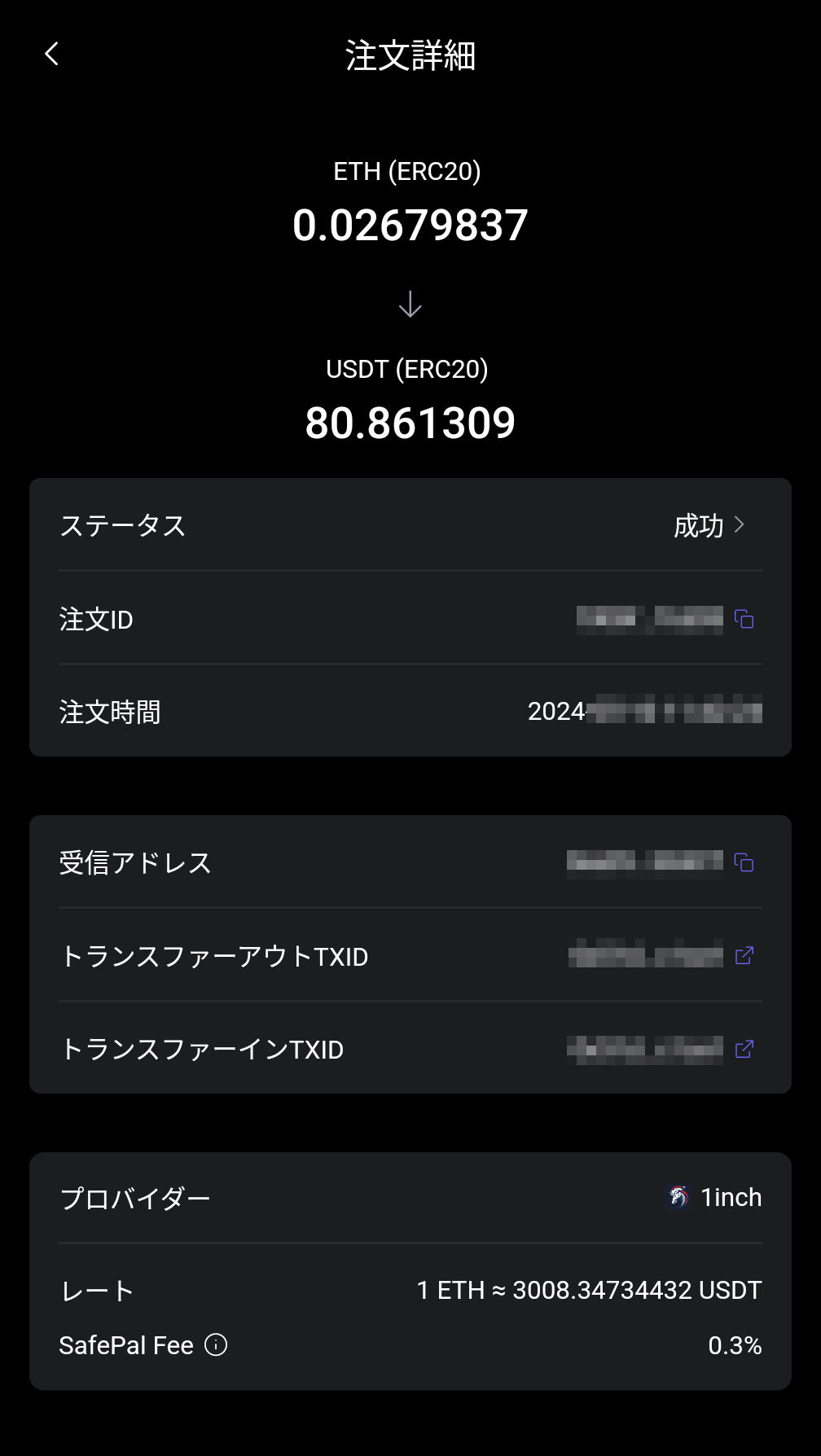
When the "Order Details" screen appears, the swap is complete.
IS6FX Also Accepts Cryptocurrency Deposits!
In addition to credit cards and bank transfers, IS6FX also accepts deposits with crypto assets (cryptocurrencies).
The cryptocurrencies currently supported are listed below.
- Bitcoin(BTC)
- Ethereum(ETH)
- Tether(USDT) ERC-20
- USDCoin(USDC) ERC-20
How to Deposit Cryptocurrency at IS6FX
Cryptocurrencies with potential.
Forming wallets and assets in various ways, or holding them in a diversified manner, is also a way to share risks.
IS6FX will continue to respond to today's increasingly diverse market.